Bybit EU Testnet provides a risk-free environment for Bybit EU traders to test and learn, with 100% replication of the product and services on the Bybit EU Mainnet.
When real-world money is involved, people are a lot more cautious. Users on a mainnet are usually very wary of trying out new features because they don't want to lose their funds. Using a testnet can help mitigate the risks and help users get familiarized with the platform before committing to it with their funds. Users don't have to worry about losing their funds.
Notes:
- Bybit EU Testnet and Bybit EU Mainnet are entirely different environments, and any profit or losses on Bybit EU Testnet will not incur real money transactions.
- Similarly, please DO NOT deposit real funds to your Testnet Account, and note that any withdrawals from Testnet will not be processed. Any deposit to the Testnet Account will cause a permanent loss of funds.
- Any registered email address on Testnet can still be used to register for Bybit EU Mainnet. Please ensure you have logged in to the correct account.
- Currently, you can only access Bybit EU Testnet via a PC browser.
- To register a real trading account on Bybit EU Mainnet, please refer here.
- Once you have created a Testnet Account, you can request Test Coins from the Assets page once every 24 hours. For more information, please refer to the guide below.
Here’s a step-by-step guide on how to register for a Testnet Account and request Test Coins.
Register for a Testnet Account
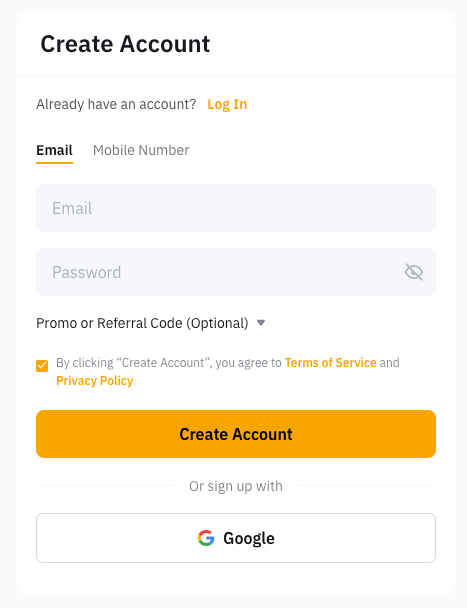
Step 1: You may register for a Testnet Account on Bybit EU Testnet with your email address or phone number by clicking on Create Account.
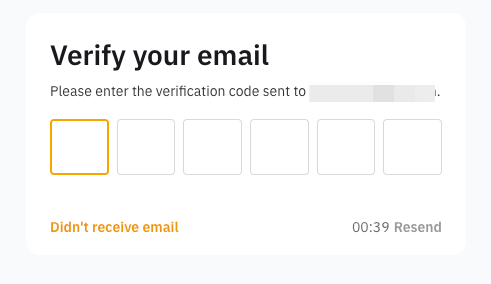
Step 2: Complete the security verification and enter the verification code sent to your email inbox (email registration) or SMS code sent to your mobile number (mobile registration). If you do not receive the email, please check if it has been sent to your spam/junk mailbox.
Please refer to the troubleshooting guides below if you cannot receive the code.
- Troubleshooting: Unable to Receive SMS Verification Code
- Troubleshooting: Unable to receive Email verification code
You have successfully registered an account on Bybit EU Testnet! You can now request Test Coins to start testing.
Request for Test Coins
Step 1: Click on Assets → Assets Overview → Request Test Coins
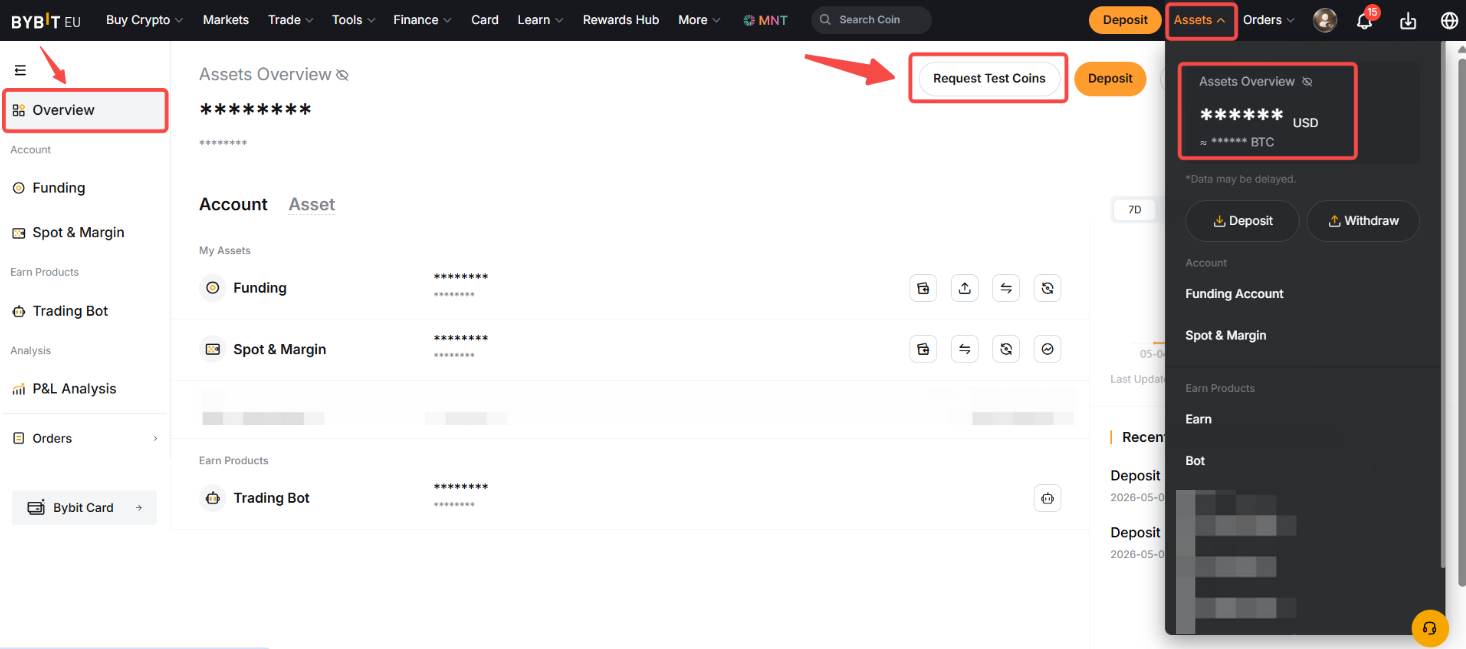
Step 2: A pop-up message will appear. Click on Request to confirm your Test Coin request.
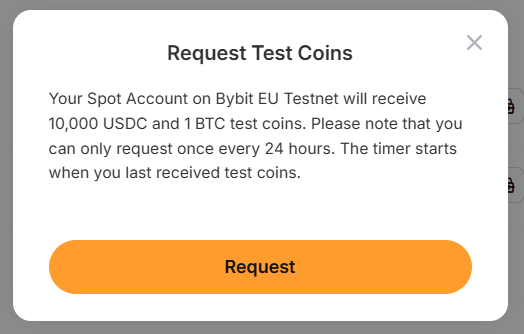
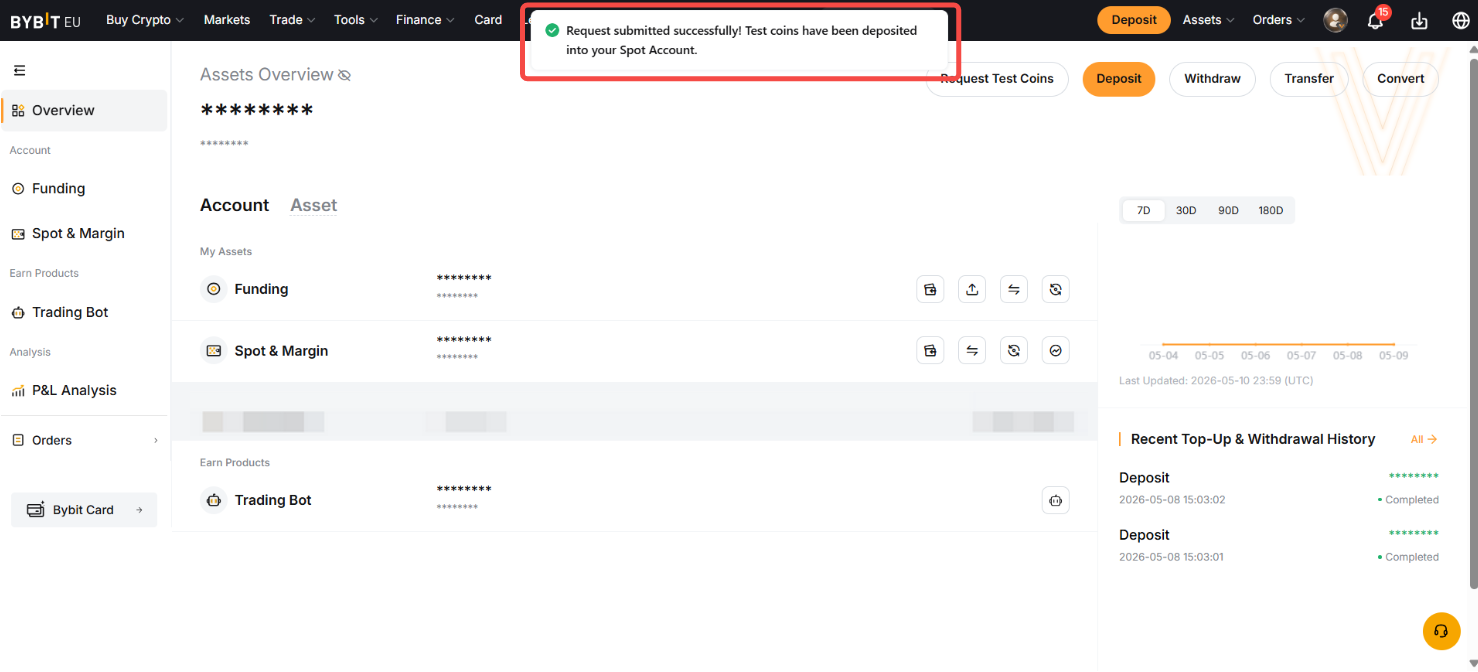
A pop-up notification will appear upon successful request, informing you that the Test Coins have been deposited into your Spot account.
10,000 USDC and 1 BTC in Test Coins will be issued to your Funding Account immediately. Please take note that you can only request once every 24 hours. The 24 hours start from when you last received the Test Coins.
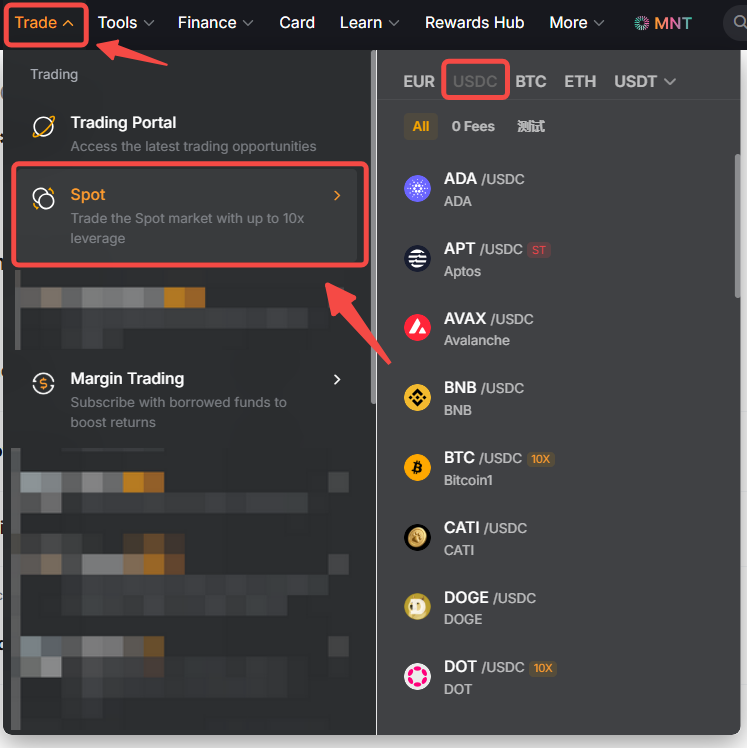
If you want to trade in other coins, you can get them through Testnet Spot Trading or Convert.
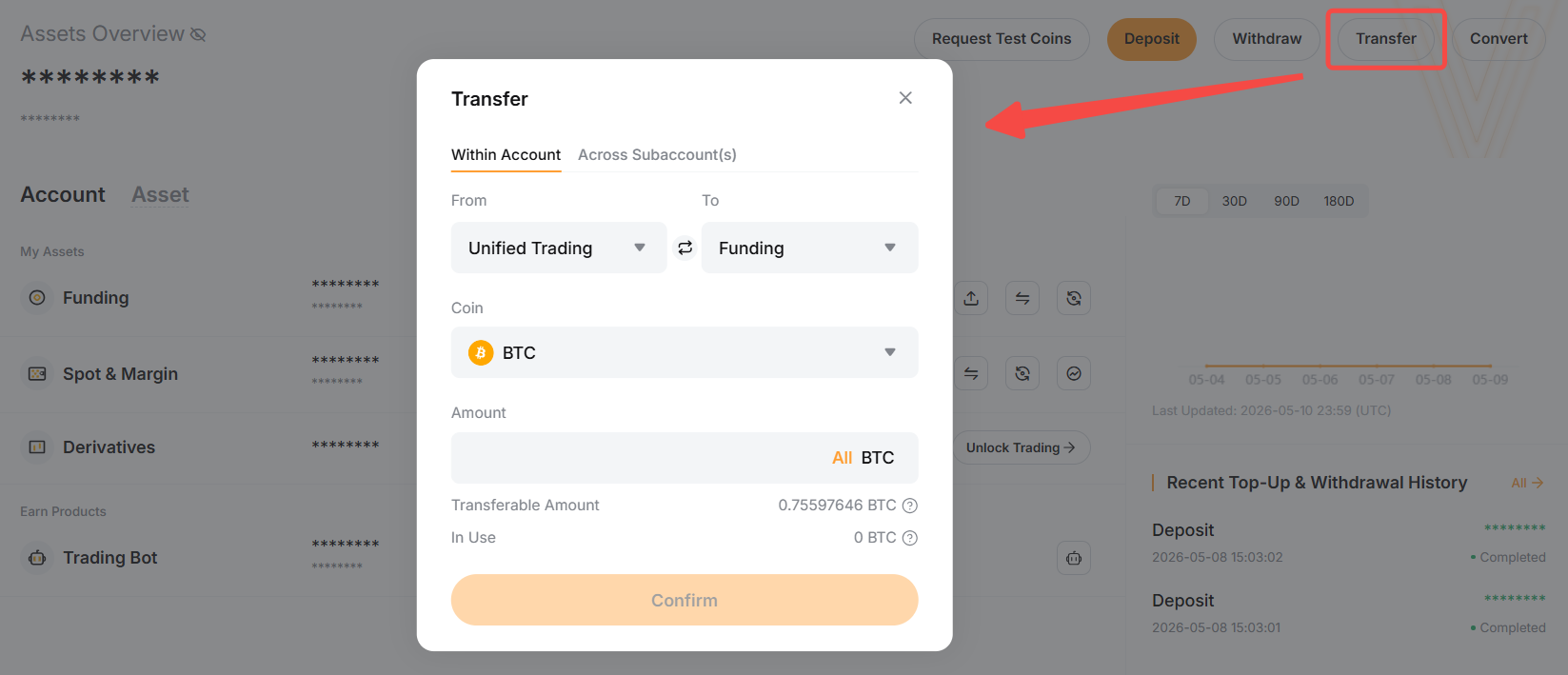
You may also transfer your assets to other accounts to experience different Bybit EU products. Please refer to this guide on how to transfer assets on Bybit EU.