
Here are some common reasons why withdrawal request submissions are unsuccessful.
Locked Deposits
Assets locked on Buy Crypto Platform
Incorrect Address Provided
No Destination Tag/Memo Added
24-Hour Withdrawal Restriction
Withdrawal Limit Exceeded
Withdrawal Amount Exceeds Available Balance
Withdrawal Amount Less than Minimum Requirement
Withdrawal Suspension
1. Locked Deposits
After crypto-assets are credited to your account, they may remain temporarily unavailable for withdrawal until the required number of blockchain confirmations has been reached. During this period, the assets may be available for other supported activities on Bybit EU. The required number of block confirmations varies for different blockchains. You can refer to the deposit window for the required number of block confirmations for each coin.
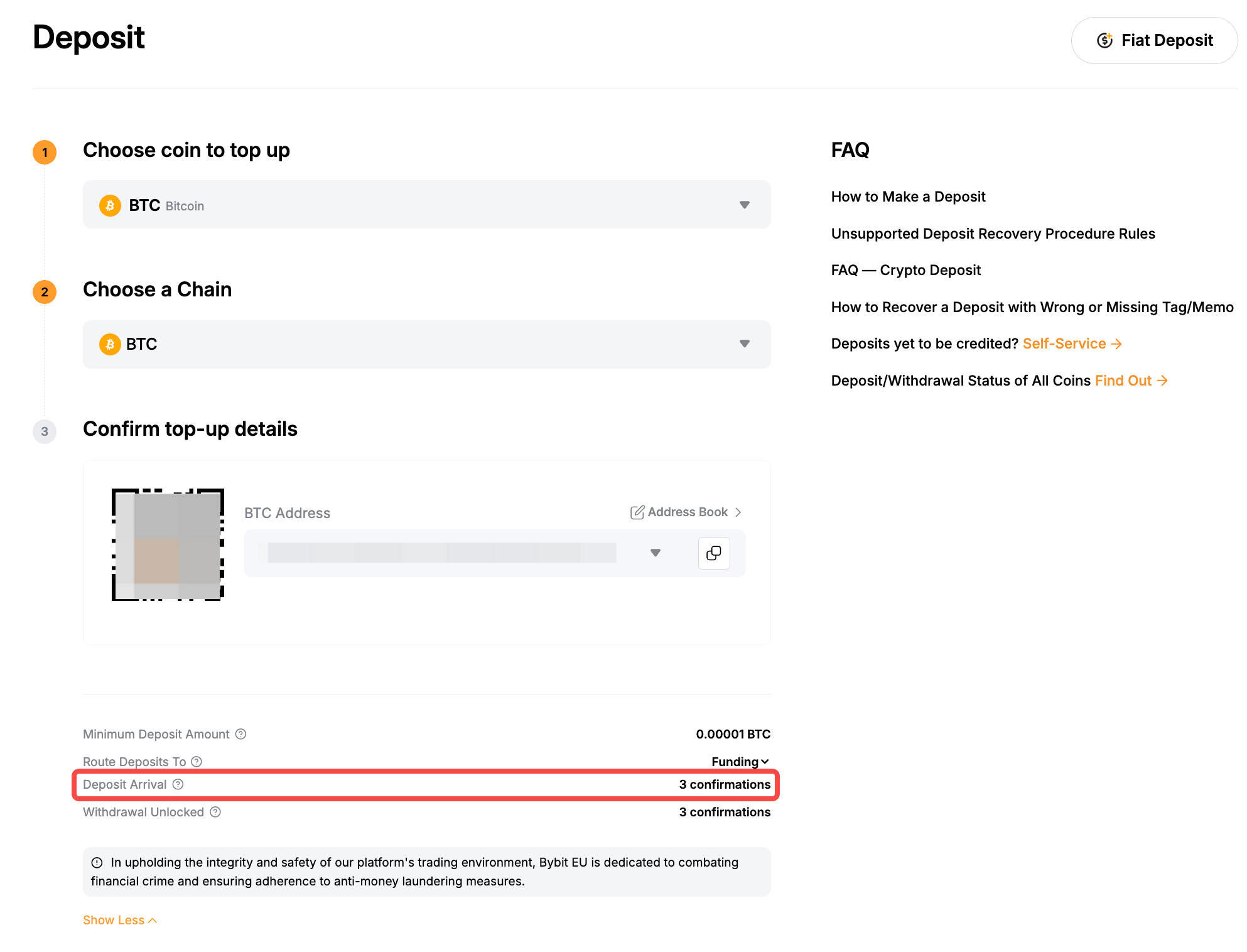
To check the locked assets and the outstanding number of confirmations required to unlock the withdrawal, you can go to Funding History → Deposit and open the relevant transaction details.
2. Assets Locked on Buy Crypto Platform
If potential security or compliance concerns are identified in connection with your account or a Buy Crypto transaction, crypto-assets purchased through Buy Crypto may be temporarily restricted from withdrawal.
To check the status of a purchased asset and any available withdrawal unlock date, go to Funding Account → History → One-Click Buy.
3. Incorrect Address Provided
In the event that the address provided does not match the selected chain type, your withdrawal request may be rejected. Please make sure the chain selected or the wallet address provided is correct. If you are unsure about this, please check with your recipient to confirm the wallet address and chain type.
A withdrawal sent to an incorrect wallet address or via an incompatible network may be irreversible and could result in the loss of your crypto-assets.
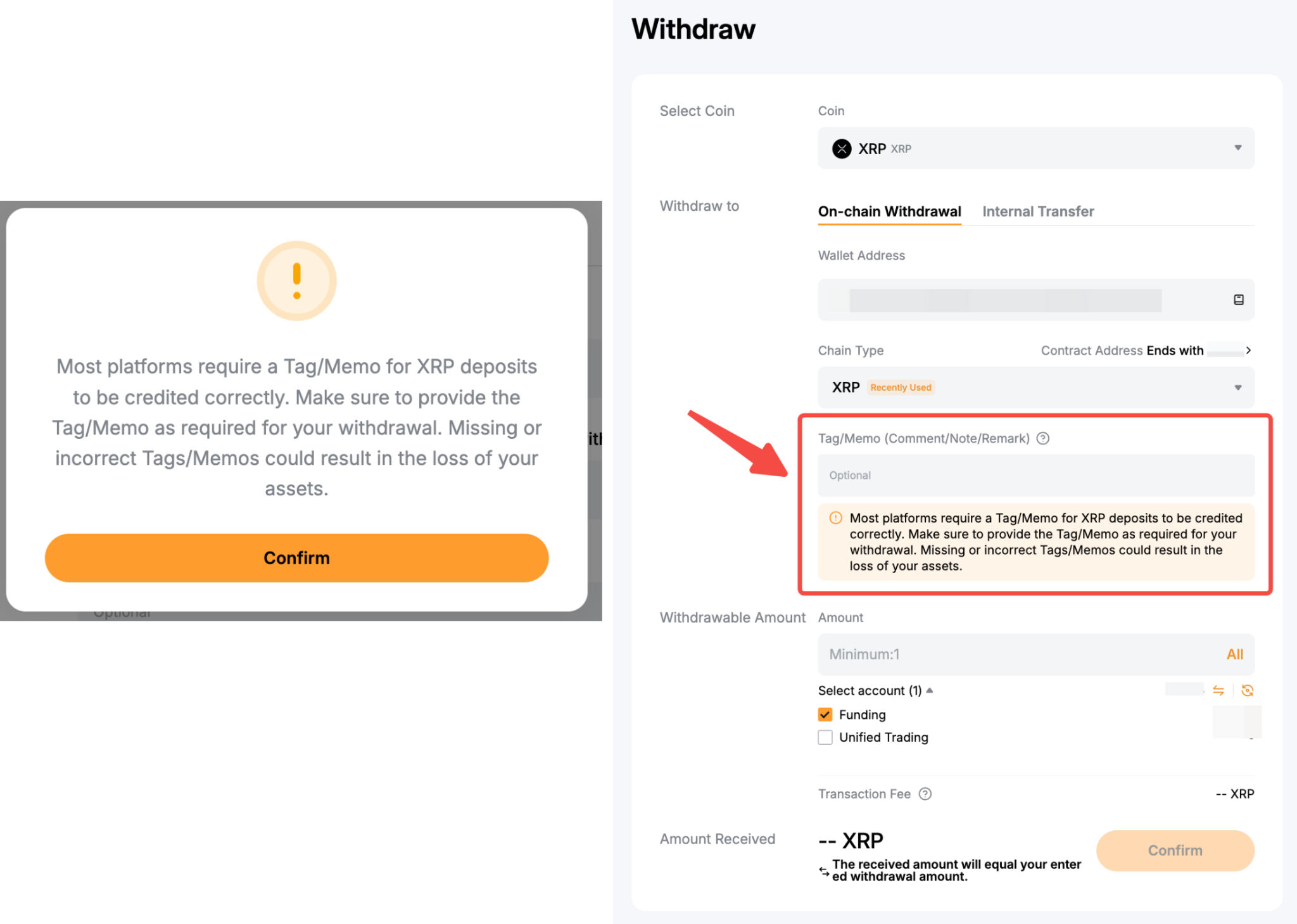
4. No Destination Tag/Memo Added
If the network you selected (e.g., XRP, EOS) supports a tag or memo, you will need to confirm with the receiving wallet or platform whether a Tag/Memo is required. You must therefore verify the recipient's requirements and enter the correct Tag/Memo, where applicable, before submitting your withdrawal.
An incorrect or missing Tag/Memo may result in delays, an unsuccessful transfer or the irreversible loss of your crypto-assets.
5. 24-Hour Withdrawal Restriction
For account and asset security purposes, the following actions will lead to withdrawal restrictions for 24 hours:
1. Changing or resetting your account password
2. Changing or resetting your registered mobile number
3. Changing or disabling your email address
4. Disabling the New Address Withdrawal Lock function on your account. Please note that activating this function will only restrict withdrawals to the newly added wallet address for 24 hours.
5. Disabling or resetting Google Authenticator
6. Changing or disabling your Fund Password
7. Self-reactivating your account
8. Removing your Passkeys
Please note that actions considered as withdrawals include Crypto On-Chain Withdrawal, Internal Transfer, and Fiat Withdrawal. You can only submit your withdrawal request after the restriction has been lifted.
6. Withdrawal Limit Exceeded
Crypto withdrawal limits depend on your identity-verification (KYC) level, VIP status and any lower daily or monthly withdrawal limits configured in your account. You may need to complete further identity verification or adjust your selected withdrawal limit within the applicable maximum. For more information, please refer to: FAQ — Individual KYC.
7. Withdrawal Amount Exceeds Available Balance
Please note that you can only withdraw the withdrawable balance available in your funding account, considering any applicable withdrawal fees and restrictions. If your requested withdrawal amount exceeds your available balance, this may be due to the following reasons:
- Your assets are being occupied by an active order. You can cancel your active order and transfer the funds to your Funding Account to withdraw the amount.
- Certain promotional bonuses are not withdrawable. Other promotional rewards or locked crypto-assets may only become available for withdrawal once the applicable eligibility requirements and lock-up conditions have been satisfied.
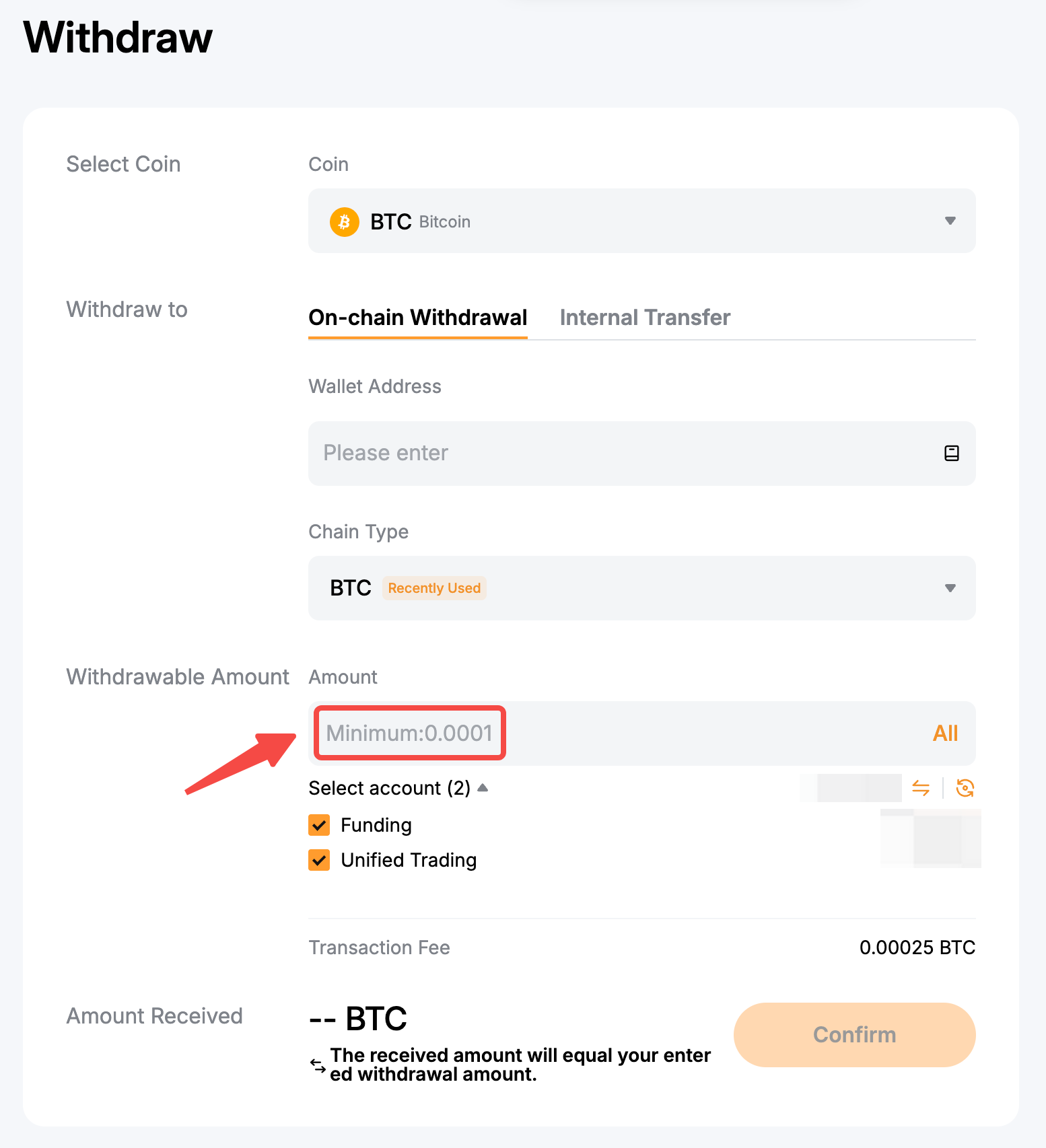
8. Withdrawal Amount Less than Minimum Requirement
In order to make a withdrawal, the withdrawal amount must meet the minimum withdrawal amount. You can check the minimum withdrawal amount from the withdrawal window after the chain type is selected.
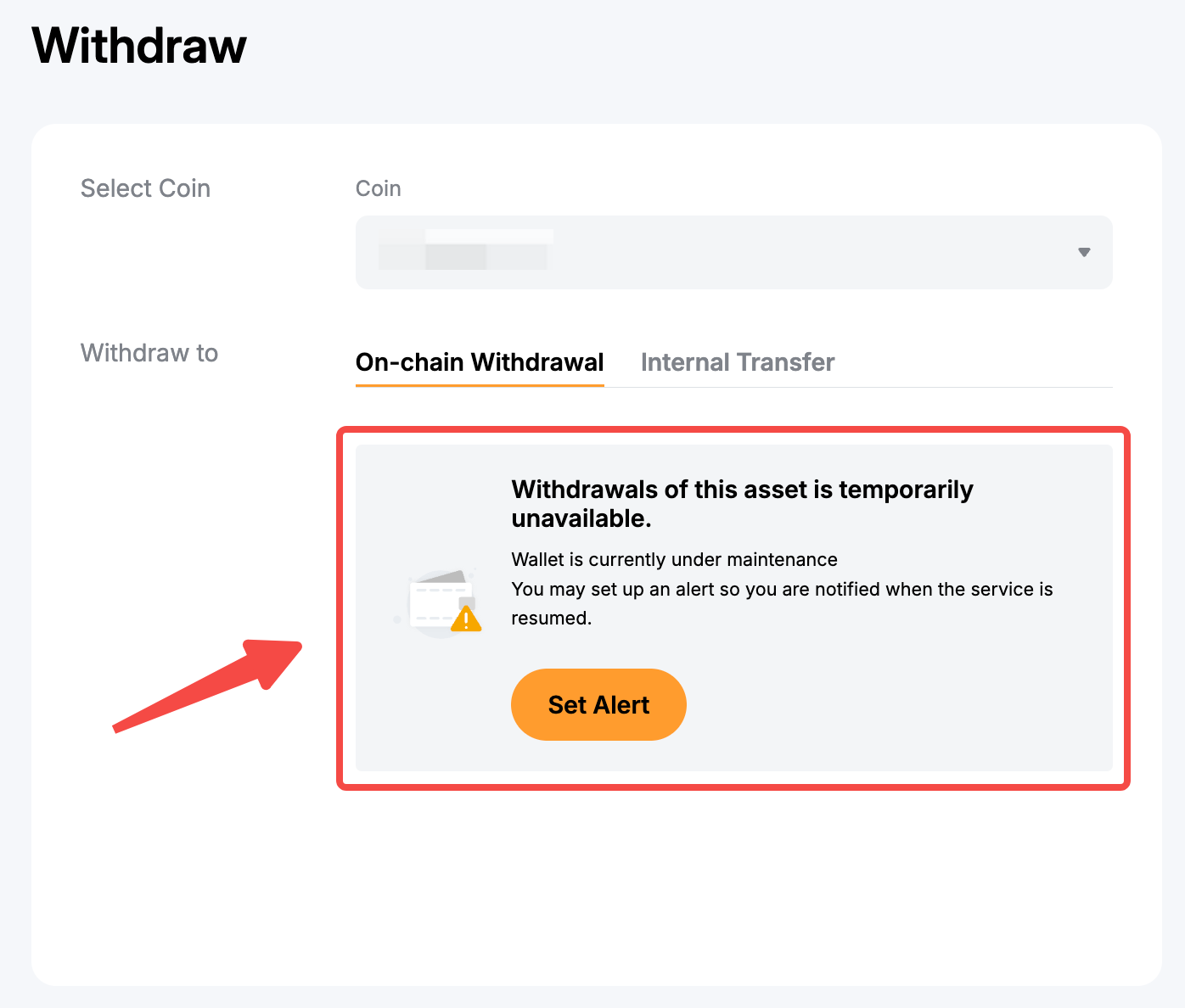
9. Withdrawal Suspension
Withdrawals may be temporarily suspended due to wallet maintenance, network upgrades, security checks, regulatory compliance requirements or other applicable restrictions. Where a suspension relates solely to a particular blockchain network, you may select another network supported by both Bybit EU and the receiving wallet or platform, where available. Alternatively, you may try again later or set up an alert to be notified when the relevant network service resumes. If your withdrawal is subject to additional verification or compliance checks, please follow the instructions provided or contact Customer Support.
Additional verification may be required before a crypto-asset withdrawal can be processed, including information concerning the recipient or destination wallet in accordance with applicable regulatory requirements. Please complete any requested verification to avoid delays or rejection of your withdrawal request.
Disclaimer
Investing in crypto‑assets is associated with risks, including high volatility and the potential loss of capital. Inform yourself thoroughly about the risks before making an investment decision. The information provided in this article is strictly for educational and informational purposes and should not be construed as financial or investment advice. This content constitutes a marketing communication from Bybit EU GmbH.