
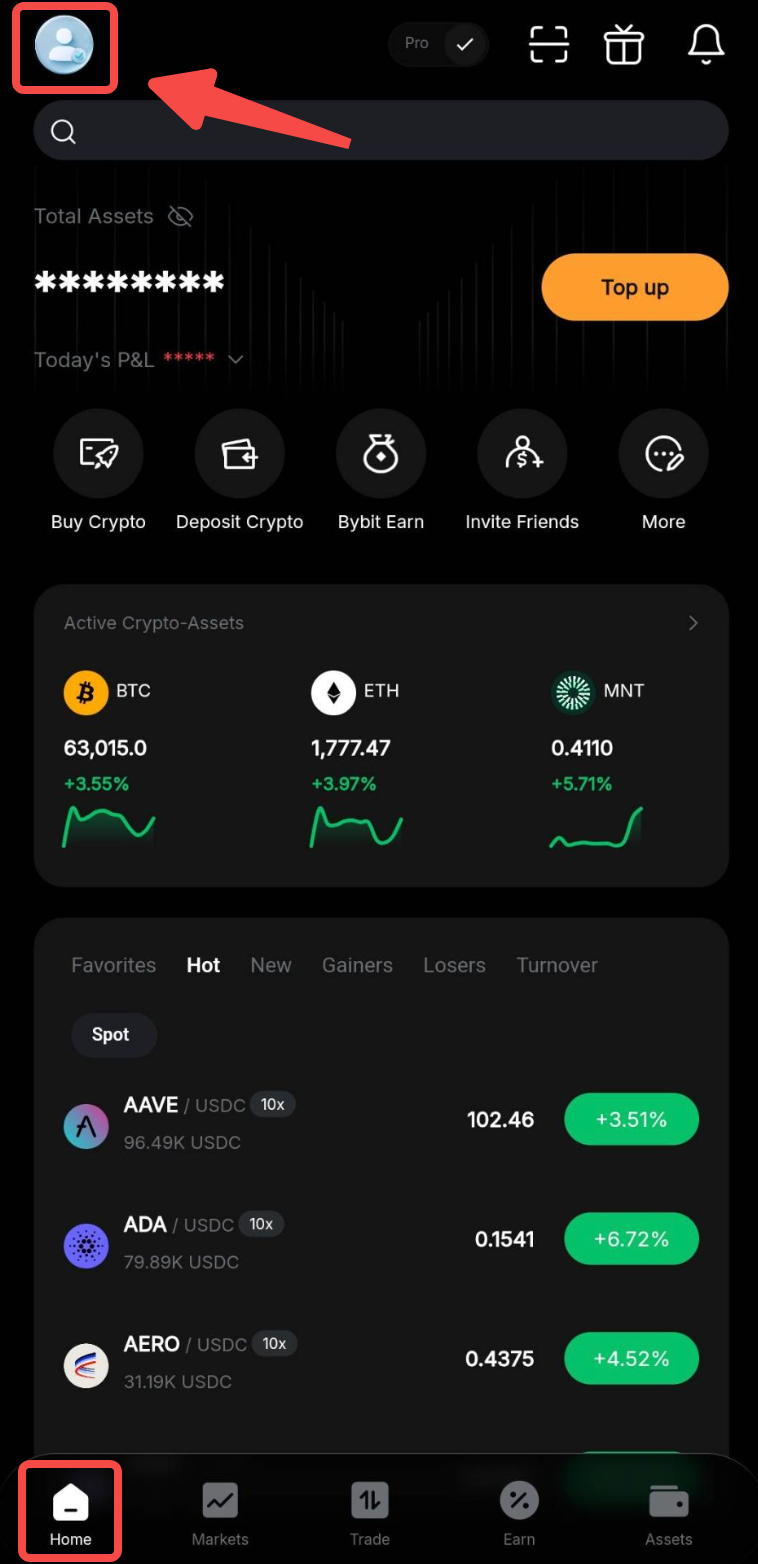
Step 1: Launch the Bybit EU App. At the bottom left corner, select Home. Click the Settings Button (Profile Icon) on the top left corner of your screen.
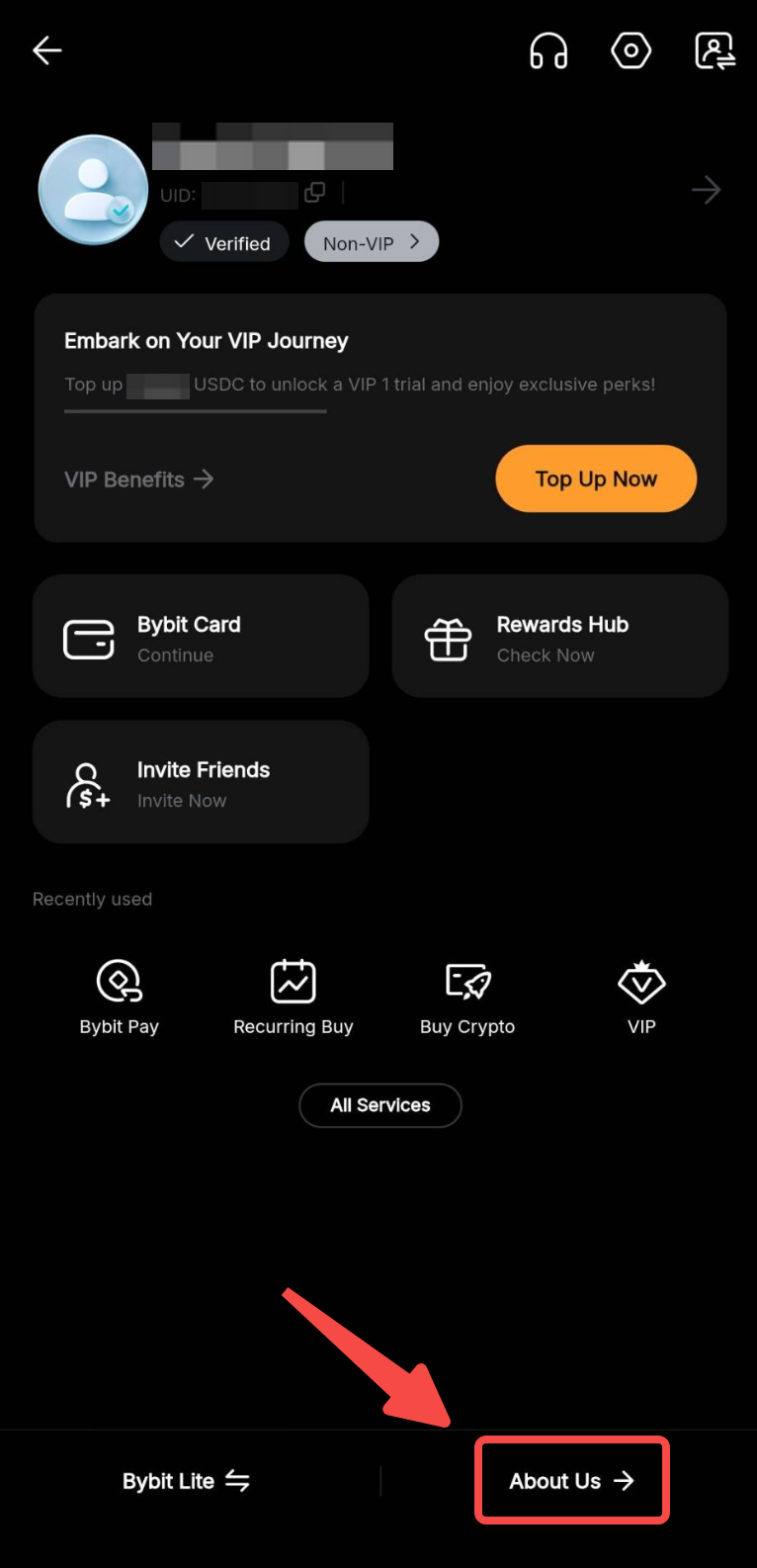
Step 2: Under My Settings, choose About Us.
Step 3: In the About us screen, you can view your current App Version.
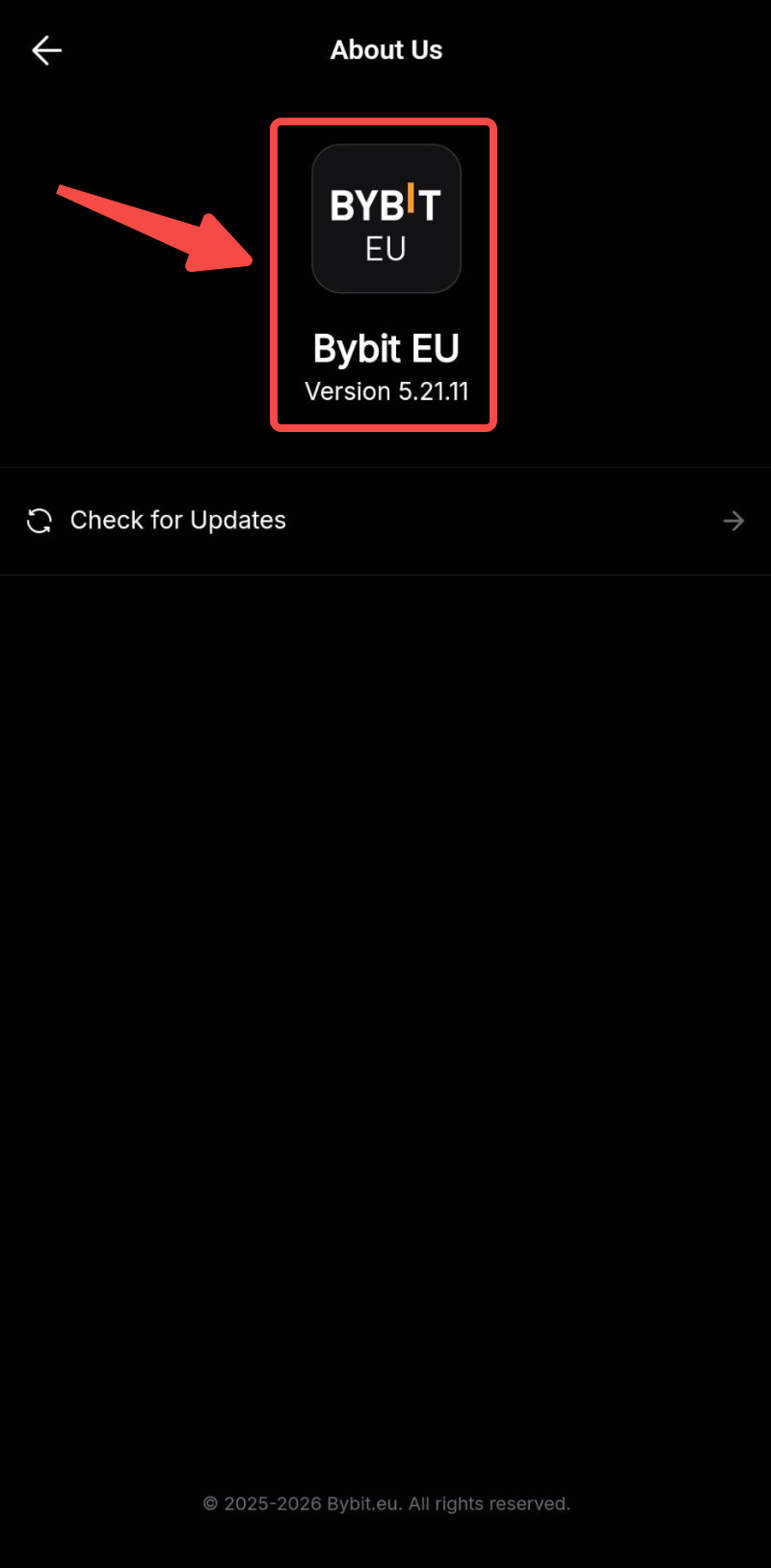
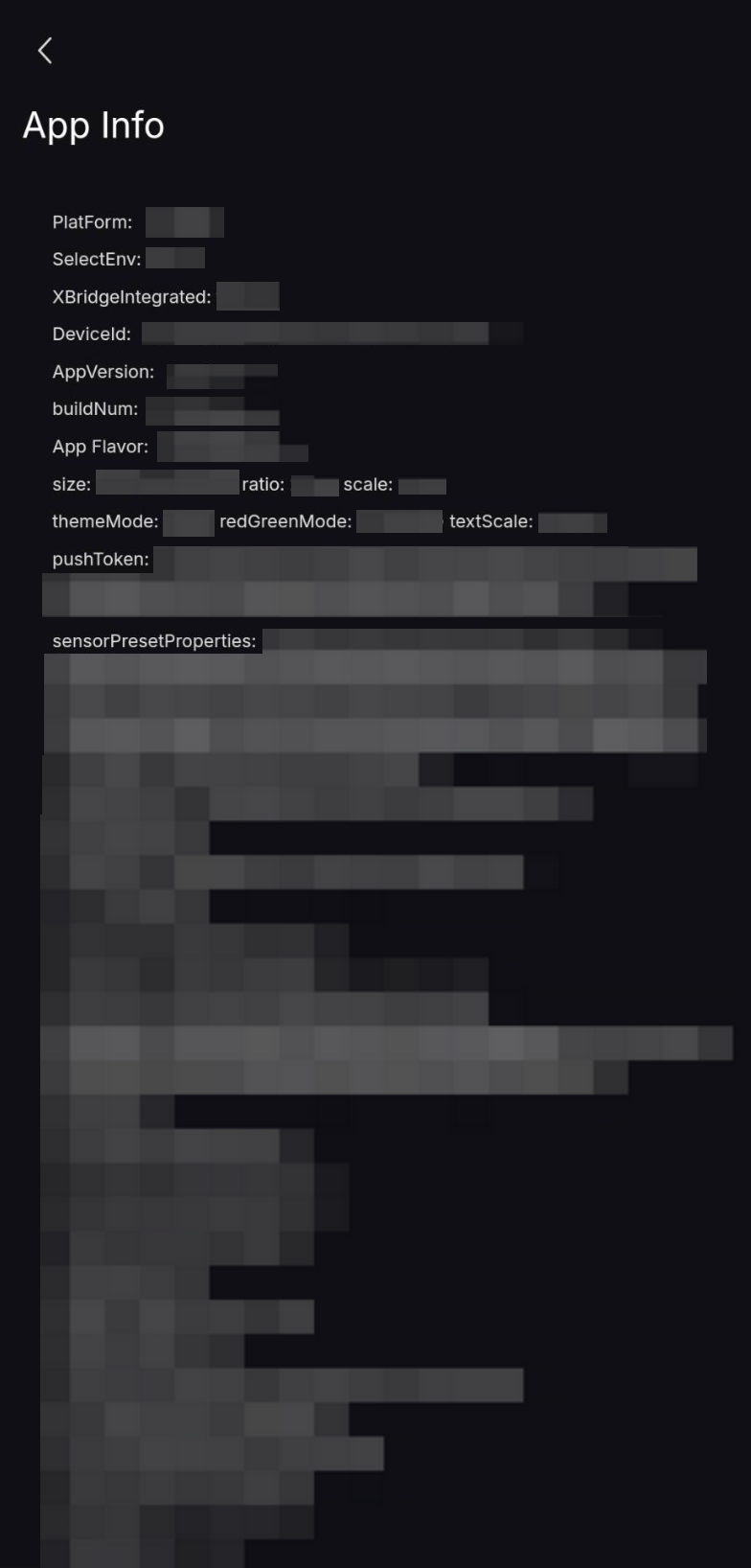
Step 4: To check more information about the App version, you can double-tap the Bybit EU Logo and you should see more info about the App.
Disclaimer
Investing in crypto‑assets is associated with risks, including high volatility and the potential loss of capital. Inform yourself thoroughly about the risks before making an investment decision. The information provided in this article is strictly for educational and informational purposes and should not be construed as financial or investment advice.