
Here is a step-by-step guide to create your API Key on Bybit EU. Please note that API key creation and key permission management are supported on the Bybit EU website only. Please ensure your account security settings are fully configured prior to generating API credentials.
For new users, API key creation may be restricted for the first 48 hours after registration for risk control purposes. For example, if you registered an account at 10AM UTC on May 12th, you will be able to create an API key starting from 10 AM UTC on May 14th.
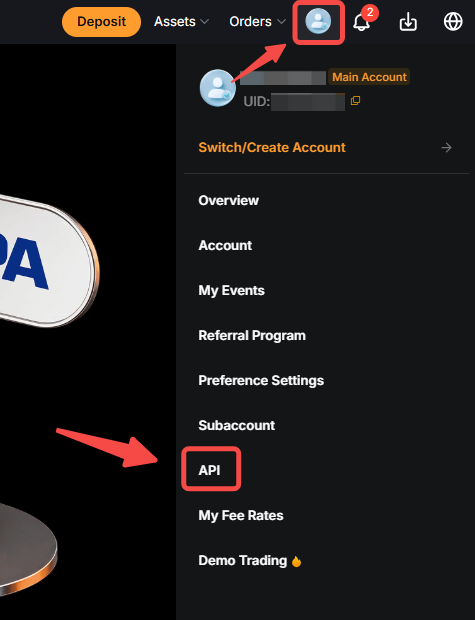
Step 1: In the top right corner of any Bybit EU webpage, hover your cursor over your profile icon and click on API to open the API Management page.
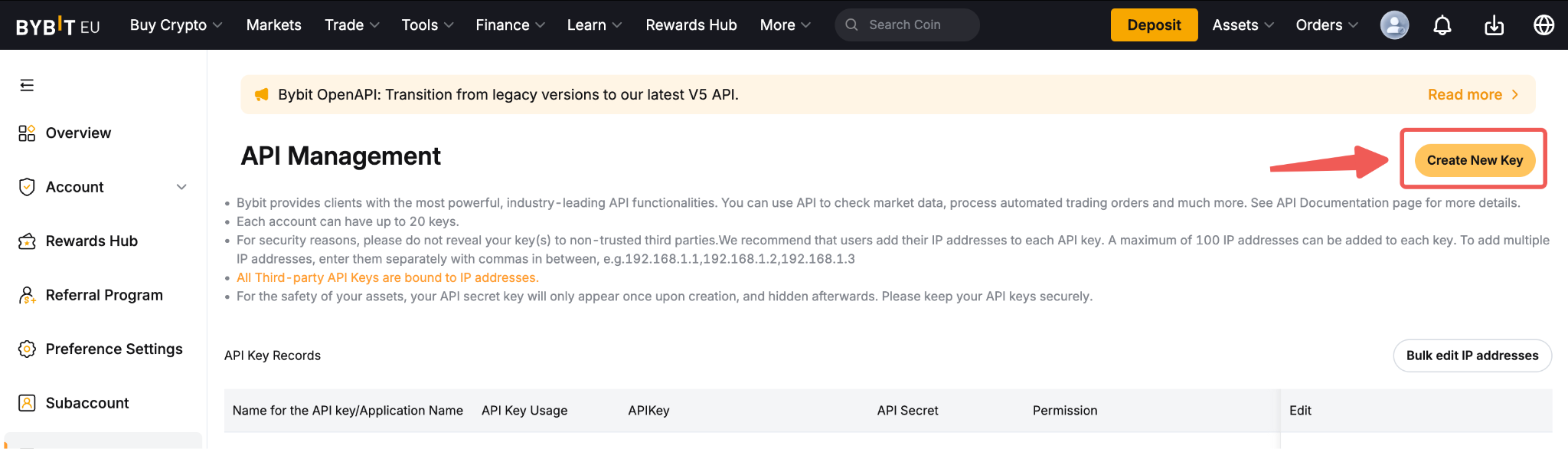
Step 2: Click on Create New Key located on the right side of the API Management page. Please note that Google Authenticator (2FA) is compulsory to create an API Key. For more information, please click here.
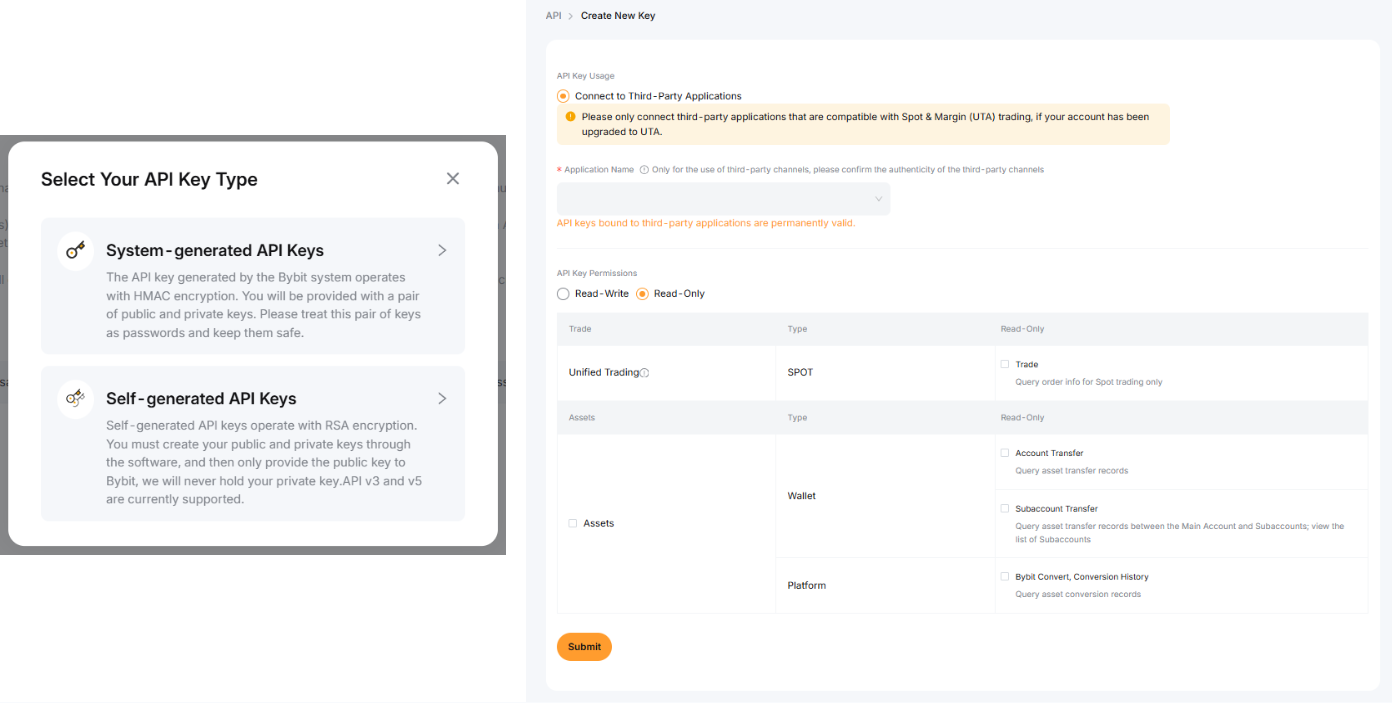
Step 3: The following pop-out window will appear. Please configure your API key by selecting the permissions and functionality you intend to use.
Step 4: Enter your Two-Factor Authentication (2FA) code from Google Authenticator and click on Next Step to proceed.
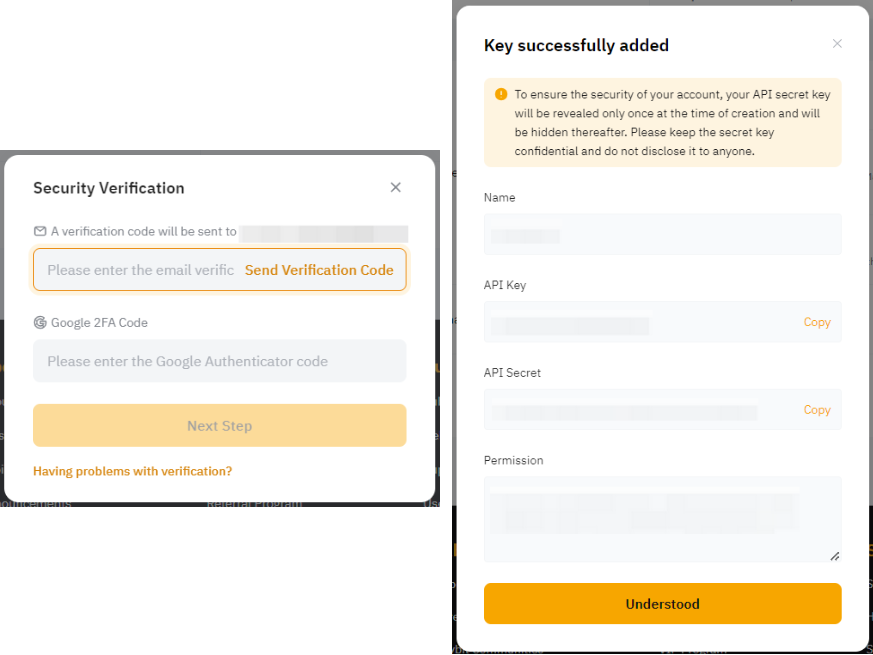
You have successfully created your API key!
Keep your API credentials secure. Do not share your API secret or other authentication credentials with unauthorised persons. Only enable the API permissions that you require.
Disclaimer
Investing in crypto-assets is associated with risks, including high volatility and the potential loss of capital. Inform yourself thoroughly about the risks before making an investment decision. The information provided in this article is strictly for educational and informational purposes and should not be construed as financial or investment advice. This content constitutes a marketing communication within the meaning of the Markets in Crypto-Assets Regulation (MiCAR) and is provided by Bybit EU GmbH.