
Disclaimer:
This feature is currently not available to Austrian nationals, residents, or tax residents. To modify your tax residence status, please visit here.
The following guide presents detailed steps on how to sell or withdraw fiat currency to your e-wallet using cryptocurrencies.
Please note that the payment methods displayed on the order page will vary depending on the coin and fiat currency you’ve selected. Please find below the list of currently supported fiat currencies for each payment method.
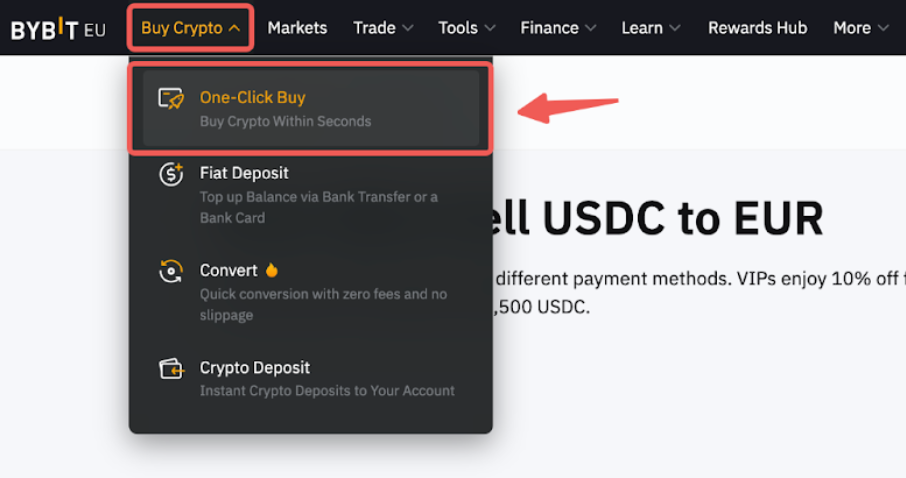
Step 1: Click on Buy Crypto → One-Click Buy on the top left corner of the navigation bar to enter the One-Click Buy page.
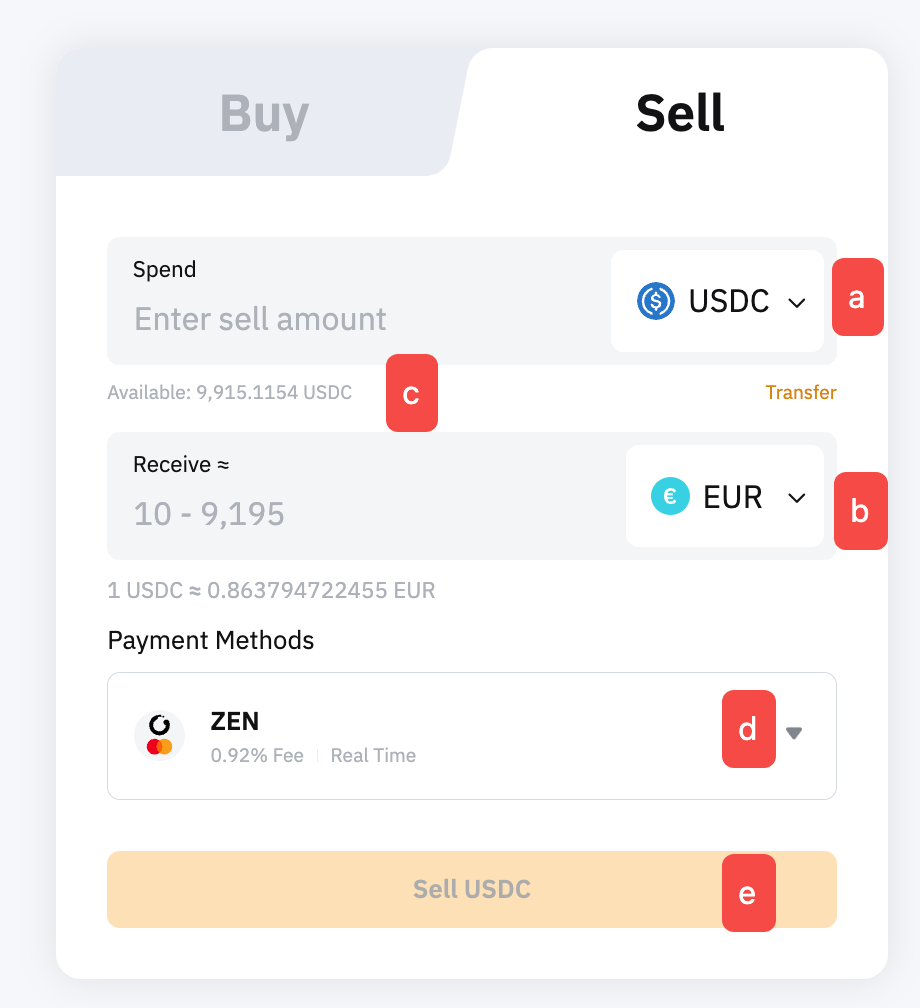
Step 2: Place an order by following these steps:
- Select the cryptocurrency that you want to pay with.
- Select the fiat you would like to receive.
- Enter the spending amount. You can enter the transaction amount based on fiat currency or coin, according to your needs.
- Select your preferred Payment Method.
- Click on Sell Fiat
Step 3: You will need to login and connect your e-wallet for the initial withdrawal. Enter your registration details, then open your e-wallet app to approve the connection. Once you have successfully connected your e-wallet, click on Continue to proceed.
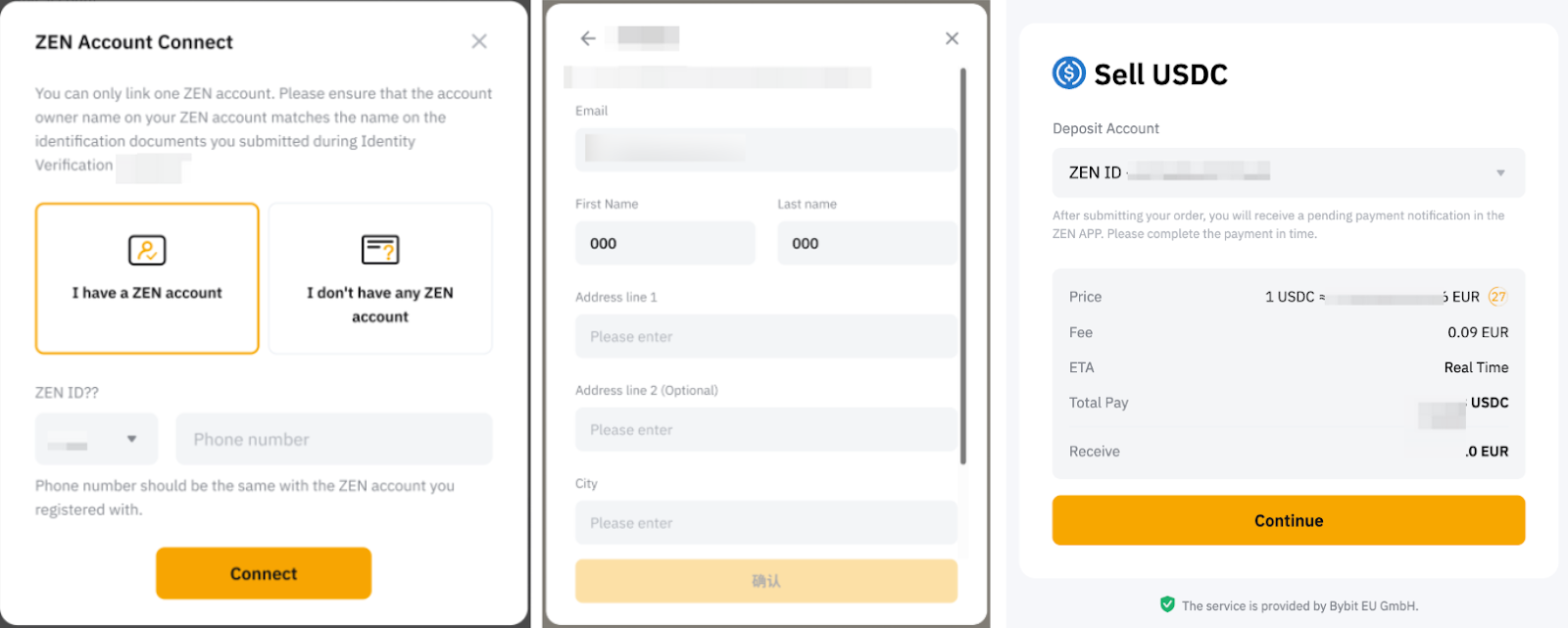
Please find below some important information to take note of when connecting your e-wallet.
Step 4: Complete the security verification.
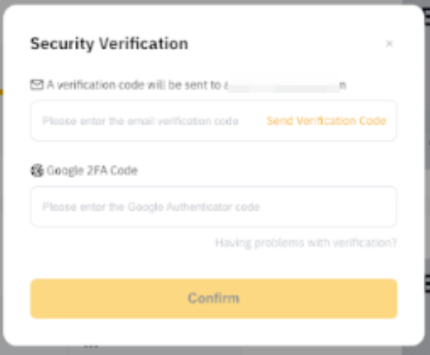
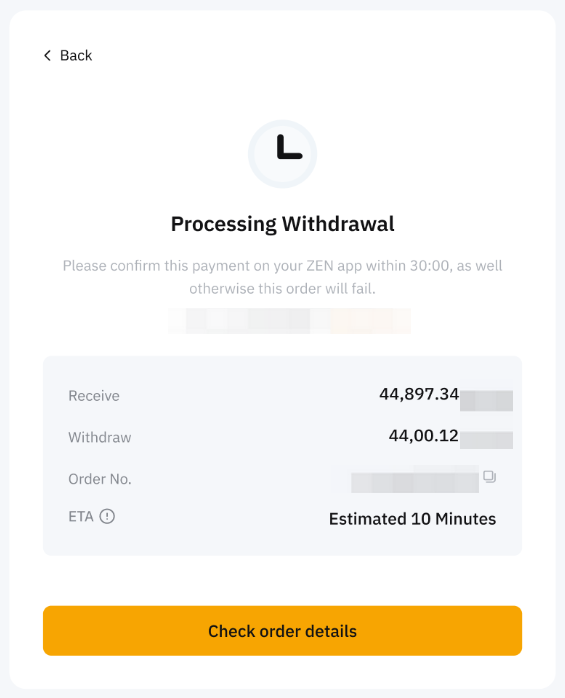
Step 5: Once completed, you will receive a notification on your withdrawal status. If successful, the assets will be withdrawn from your Funding Account to your destination account instantly. If not, the notification will indicate the failure reason and you will be advised to try again later.
If you have made the payment but have not received the asset in your Bybit EU account after 3 working days, kindly submit your request here with the Order ID and UID.
You can track your deposit on the One-Click Buy order page by clicking on the history icon on the One-Click Buy page.