To make the most of your trading experience on Bybit EU, it is important to understand the different trade settings you can configure for your account before starting trading.
Please find below the various settings to consider to set up your orders.
In Account Settings
You can access some of the Trade Settings by simply clicking on your Profile Picture → Preference Settings to access the Trade Settings.
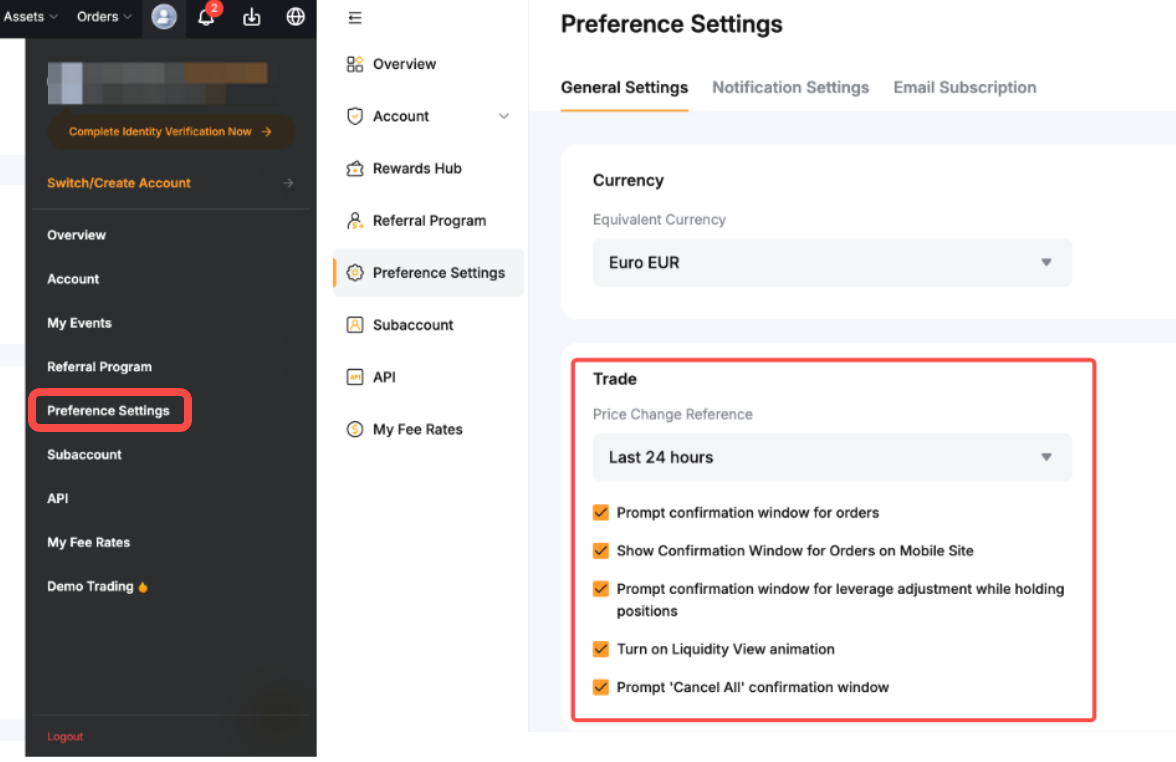
From this page, you can activate and deactivate the different confirmation windows available when handling orders. It is recommended to keep most if not all of the confirmation window to ensure you do not place an order or make changes by accident.
You can also decide the timezone and calculation for the price changes visible in the trading pages as well as the orderbook animation. However, please note that orderbook animation can be turned off if you prioritize speed and would like to optimize your trading experience on Bybit EU.
In the Trading Page
The Settings in the trading pages will offer you options on how to receive notifications and customize your trading interface for better convenience. To access the Settings menu, simply click on the Settings icon on the top right corner of the page.
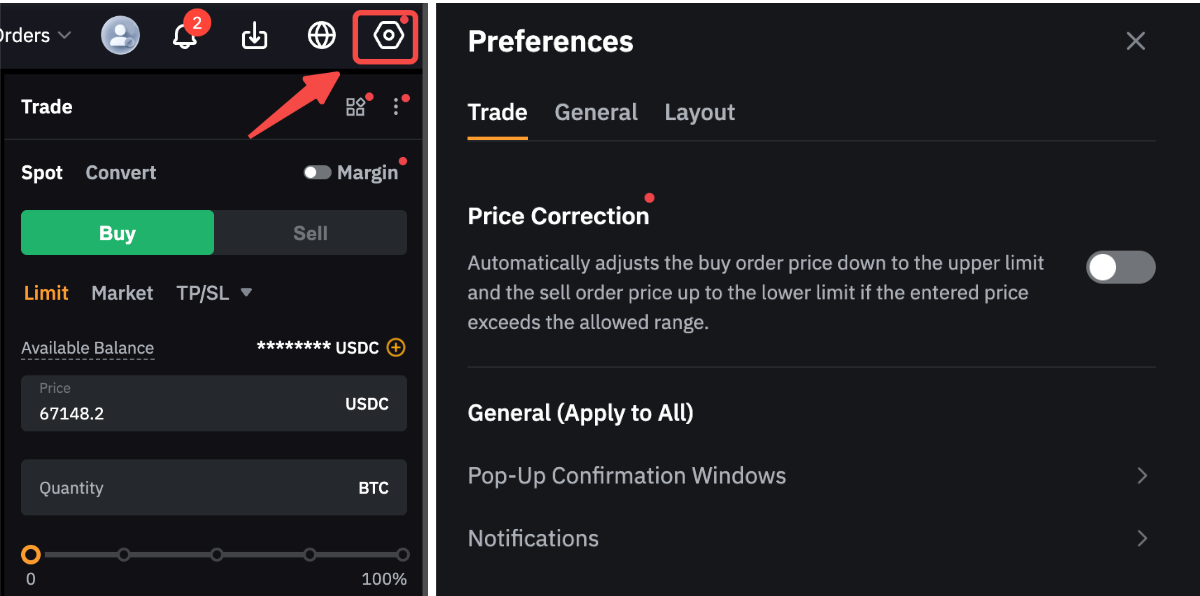
The trading preferences page allows you to set up key characteristics of your trades and personalize the information shown on your trading page.
Please find below the current settings available on the app:
Settings | Explanation |
Price Correction | acts like "auto-correct" for your buy and sell orders. If you accidentally type a price that is way off—like trying to buy a coin for much higher than its current value due to a typo—this feature steps in to save you. Instead of letting you overpay, it automatically adjusts your order to the current best market price, ensuring you get a fair deal even if you made a mistake entering the numbers. |
Pop-Up Confirmation Windows
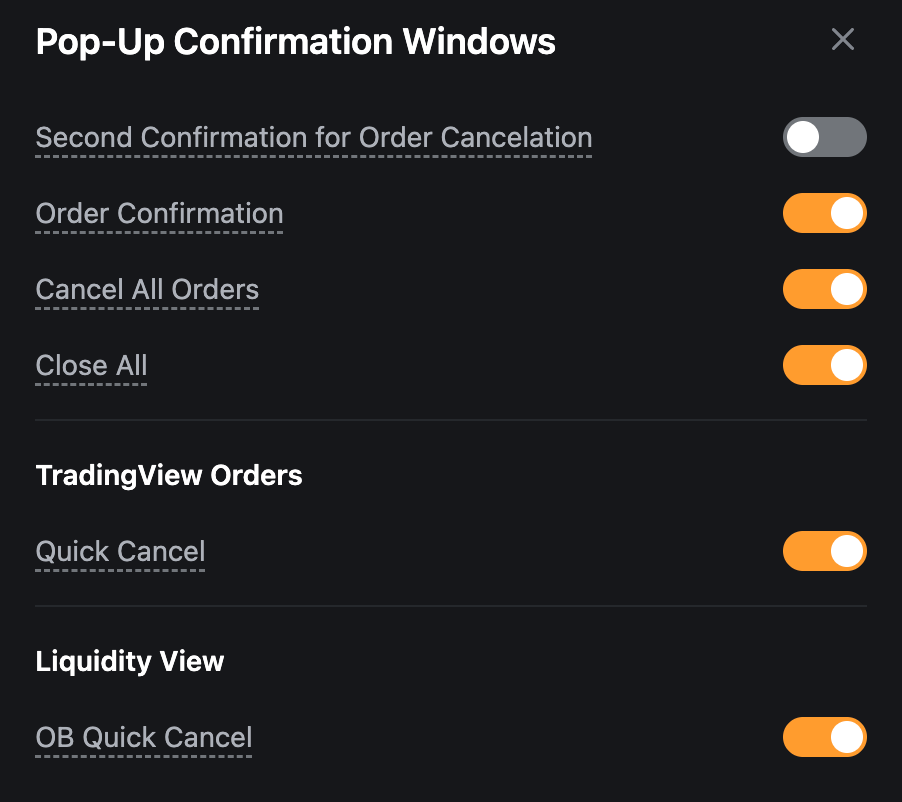
| Enabling the different type of confirmation windows allows you to get a second confirmation before placing an order and to prevent you from order placement or modification mistakes.
Bybit EU highly recommends having at least the Order Confirmation, Quick Reverse, Close All and Cancel All confirmation windows enabled to avoid any wrong actions. |
Notification | Enable the notification sounds from this page. You can also check on the type of notification you want to receive |
Benchmark Time Zone | Choose the timezone that will be used for the calculation of percentage change for each trading pair on your account (excluding Demo Trading). By default, the percentage change will be calculated on the last 24 hours. If a time zone is selected, the percentage will be calculated from 12am in that time zone until now. |
Favorite Trading Pairs | Select which information. between the percentage change or the Last Traded Price, you wish to display for the trading pairs shown in your Favorite strip at the bottom of the page. |
Layout Style | Change the theme of the Bybit EU Website in this section. |
