
Here’s a step-by-step guide to help you create and manage your Custodial Trading Subaccount on Bybit EU.
Before linking with the trading team, please make sure that the investment agreement is negotiated offline by you and the trading team.
- Create Your Custodial Trading Subaccount
- Link With Your Trading Team
- Unlink Your Custodial Trading Subaccount
Create Your Custodial Trading Subaccount
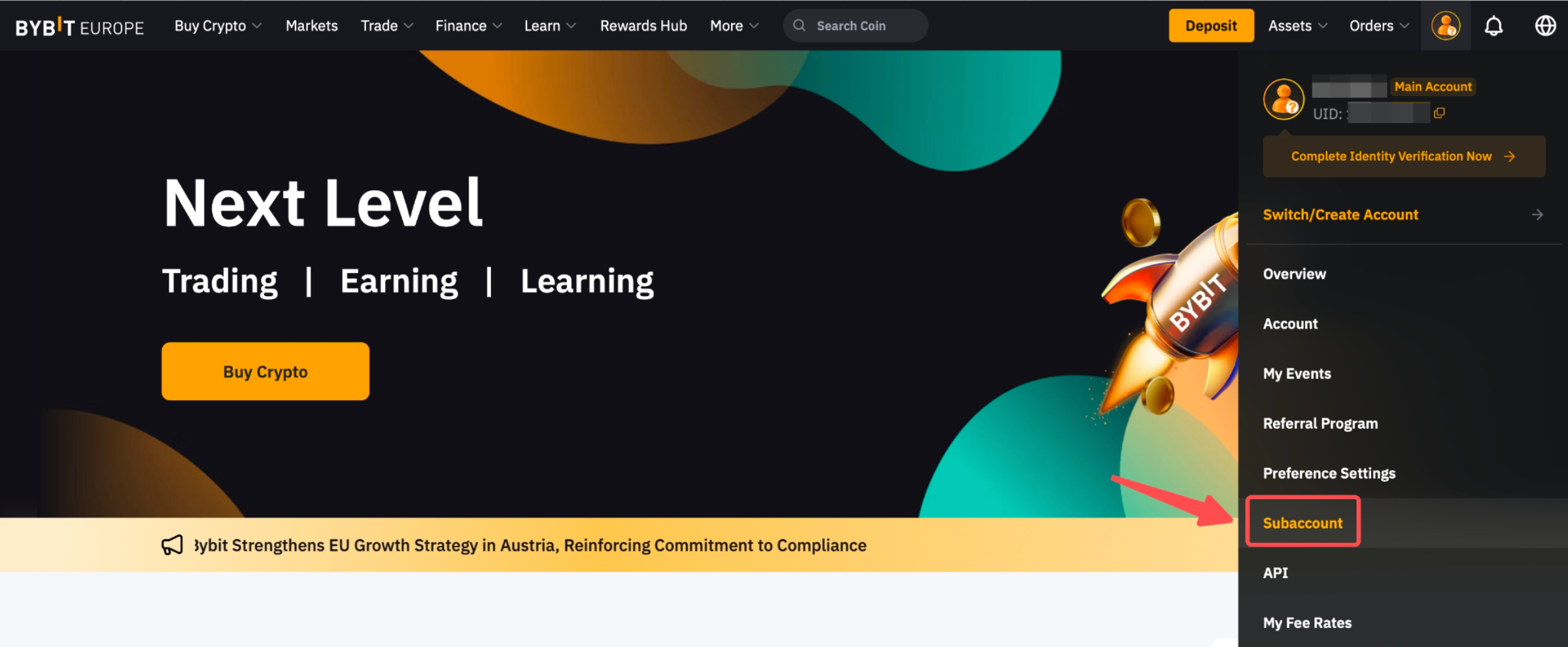
Step 1: Click on Subaccount under the avatar icon in the upper right corner of the homepage to enter the Subaccount page.
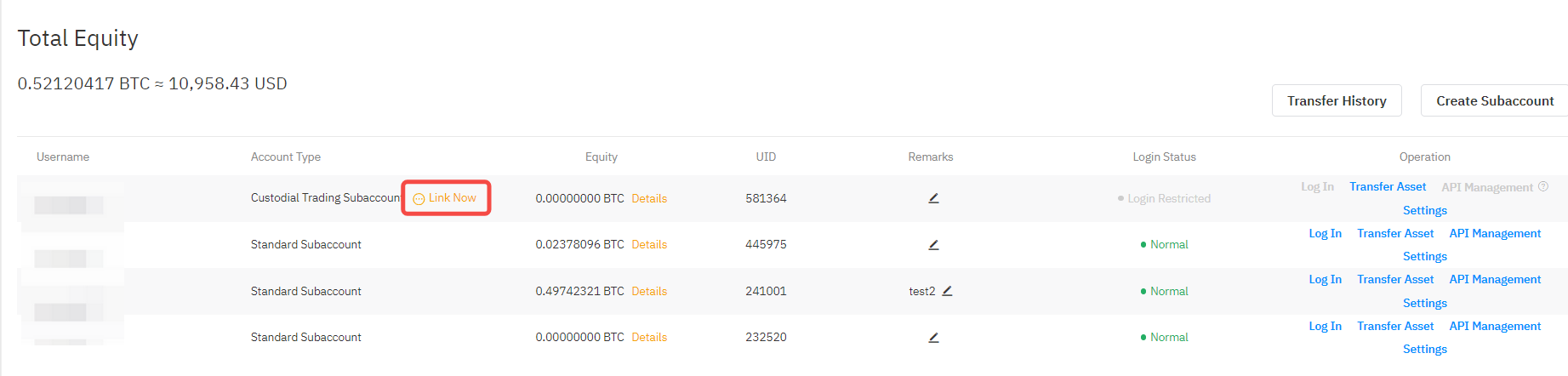
Step 2: Click on Create Subaccount.

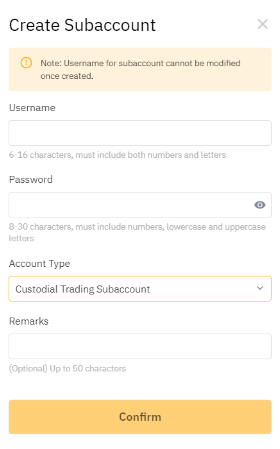
Step 3: Create your Custodial Trading Subaccount with the following parameters, then click on Confirm.
-
Username
-
Password
-
Account Type: Custodial Trading Subaccount
-
Remarks (Optional)
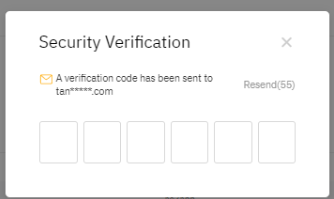
Step 4: A verification code will be sent to your email address. Check your email box and enter the 6-digit verification code.
Congratulations! You have successfully created a Managed Account.
Link With Your Trading Team
After successfully creating a Custodial Trading Subaccount, you can link a trading team to it.
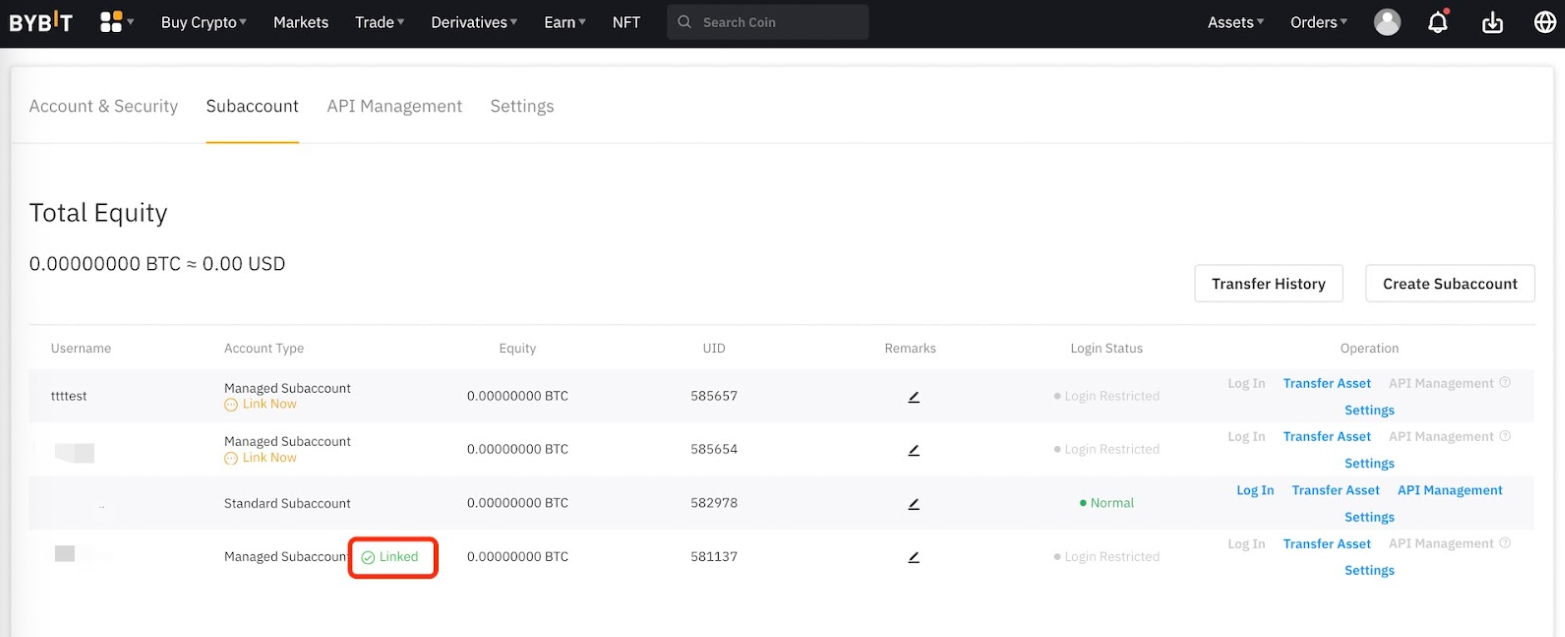
Step 1: Click on Link Now.
Step 2: Enter the trading team code and upload the investment contract or agreement.
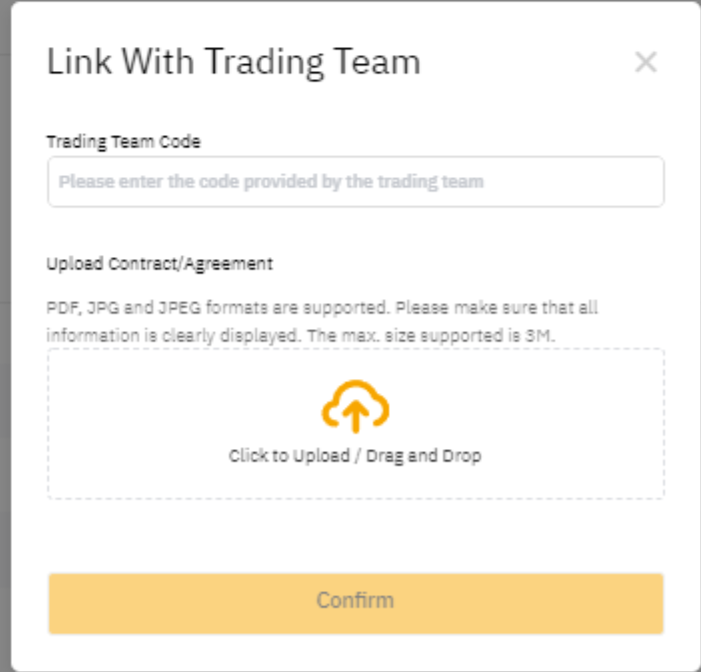
Step 3: Please make sure all your information is correct, and click on Confirm. Your binding request has been sent to the trading team.
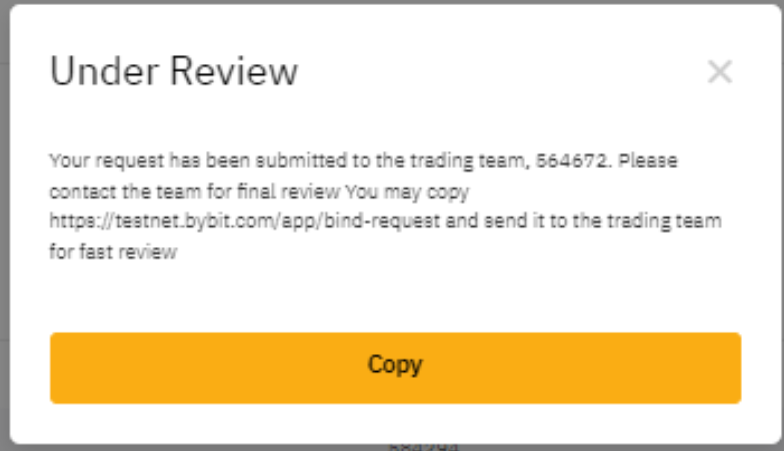
The application will be reviewed by the trading team. Once the binding is successful, the status will change to Linked.
Note: For inquiries regarding the approval time of your binding application, please contact the trading team directly.
Unlink Your Custodial Trading Subaccount
Before unlinking, investors must communicate with the trading team in advance to confirm that the current Custodial Trading Subaccount has no active orders. Otherwise, the subaccount cannot successfully be unlinked.
Step 1: Click on Linked to enter the Unlink window.

Step 2: Click on Unlink in the pop-up window, then tap on Confirm to unlink the trading team.
