Trailing Stop in Spot and Margin trading is a dynamic order type that functions as an enhanced feature for Buy and Sell. It operates as a stop order that tracks the market price of an asset and automatically adjusts the stop order to minimize loss or lock in profits as the price moves in the trader's favor. Once the Trailing Stop is determined, if the market price reaches a certain level and then retraces back by a predetermined amount set by the user, a market order will be triggered.
How Does It Work?
The Trailing Stop order functions similarly for Spot and Spot Margin trading, and it can be utilized for both Buy and Sell orders.
You can set your Trailing Stop order in two (2) ways:
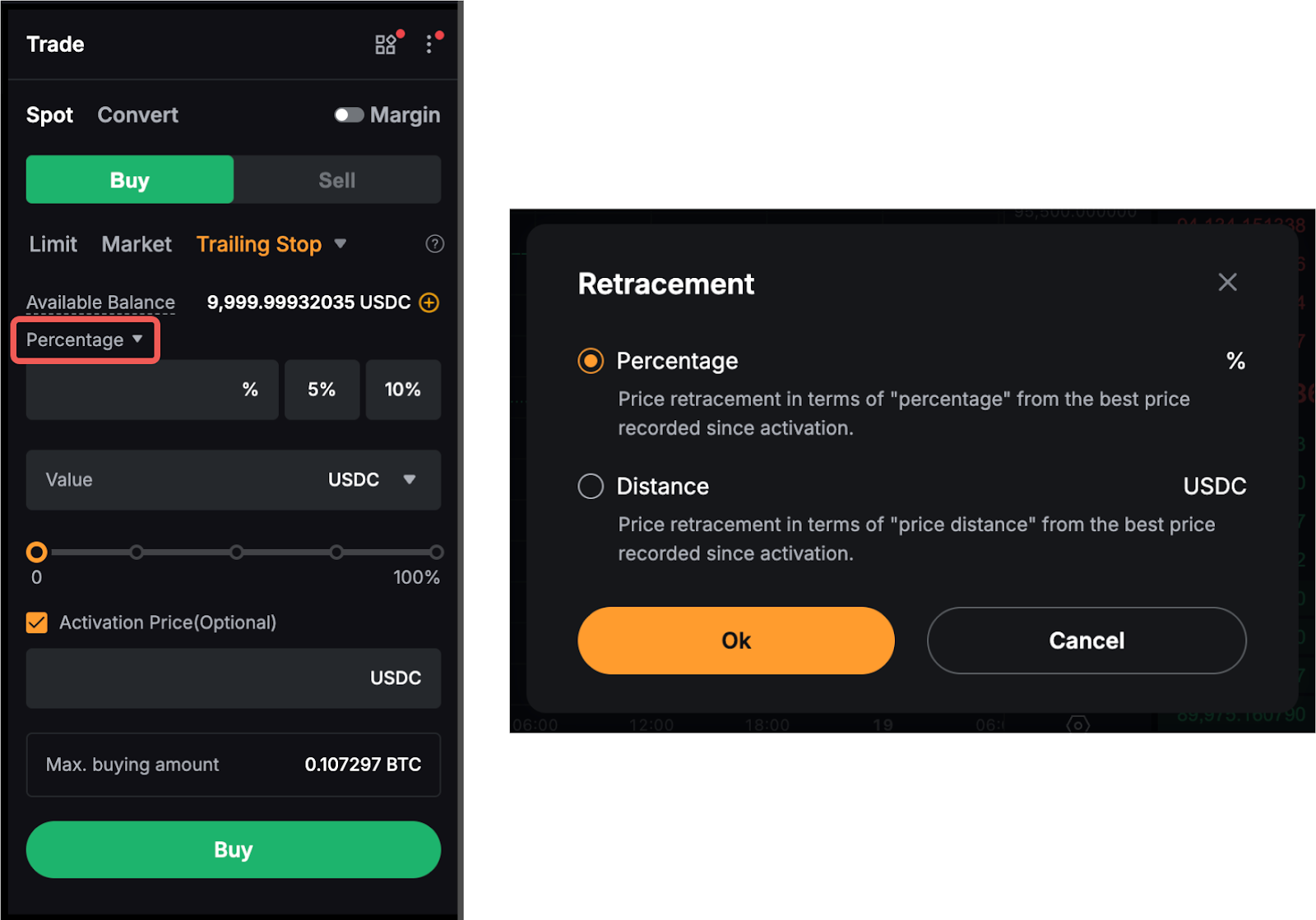
- By Distance: Price retracement in terms of price distance from the best price recorded since activation.
- By Rate (or Percentage): Price retracement in terms of percentage from the best price recorded since activation.
Examples (Spot and Spot Margin Trading)
Example 1: Place a trailing buy order by retracement distance
Suppose Trader A places a trailing buy order of BTC/USDC with a retracement distance of 1,000 USDC. Assuming the last traded price (LTP) is 50,000 USDC.
The Trailing Stop function works as follows in the following scenarios:
- If the LTP doesn’t fall below 50,000 USDC, the Trailing Stop will be triggered at 51,000 USDC and a market buy order will be placed.
- If the LTP falls to 48,000 USDC, the Trailing Stop price will automatically adjust downwards, and the Trailing Stop order will be triggered at 49,000 USDC (48,000 + 1,000).
- If the LTP rises back to 48,500 USDC, the Trailing Stop order will remain at 49,000 USDC.
- A Trailing Stop order will only trigger in the event of a retracement of 1,000 USDC from the lowest price (48,000 USDC) reached.
- If you have set an activation price, the trailing stop order will be activated only after the activation price is reached. If no activation price is set, the Trailing Stop order will be activated immediately based on the current LTP after order placement.
Example 2: Place a trailing sell order by retracement percentage
Suppose Trader B places a trailing sell order of ETH/USDC with a retracement percentage of 10%. Assuming the last traded price (LTP) is 4,000 USDC.
The Trailing Stop function works as follows in the following scenarios:
- If the LTP never exceeds 4,000 USDC, the Trailing Stop will be triggered at 3,600 USDC and a market sell order will be placed.
- If the LTP rises to 4,100 USDC, the Trailing Stop price will automatically adjust upwards, triggering at 3,690 USDC [4,100 x (1-10%)].
- If the last traded price falls to 3,700 USDC, the Trailing Stop will remain at 3,690 USDC.
- A Trailing Stop order will only trigger in the event of a retracement of 10% from the highest price (4,100 USDC) reached.
- If you have set an activation price, the Trailing Stop order will be activated only after the activation price is reached. If no activation price is set, the Trailing Stop order will be activated immediately based on the current LTP after order placement.
Therefore, with the above examples, we can derive that the trigger price of a Trailing Stop order for Spot trading is as follows:
- Buy Order: Lowest price + Retracement Distance or Lowest price x (1 + Retracement Percentage)
- Sell Order: Highest price - Retracement Distance or Highest price x (1 - Retracement Percentage)
How to Place a Trailing Stop Order on Spot & Margin Trading
Here’s a step-by-step guide on how to place a trailing stop order on Spot & Margin trading.
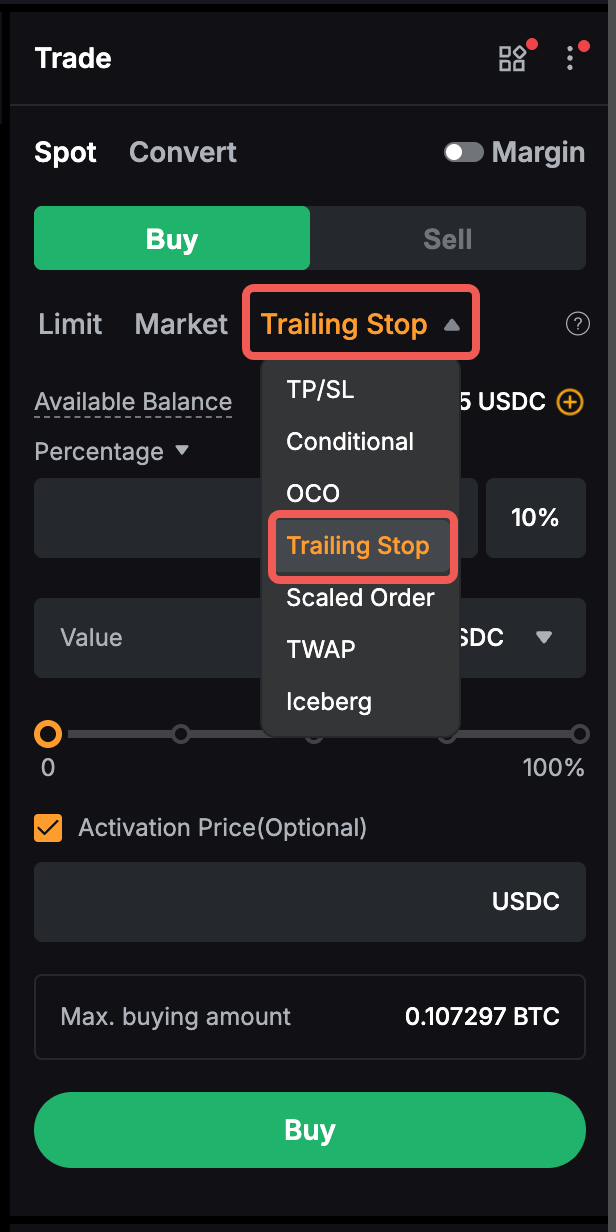
Step 1: Go to the Spot Trading page and select Trailing Stop order.
Step 2: Set your retracement by percentage or distance.
Step 3: Input your order value or quantity.
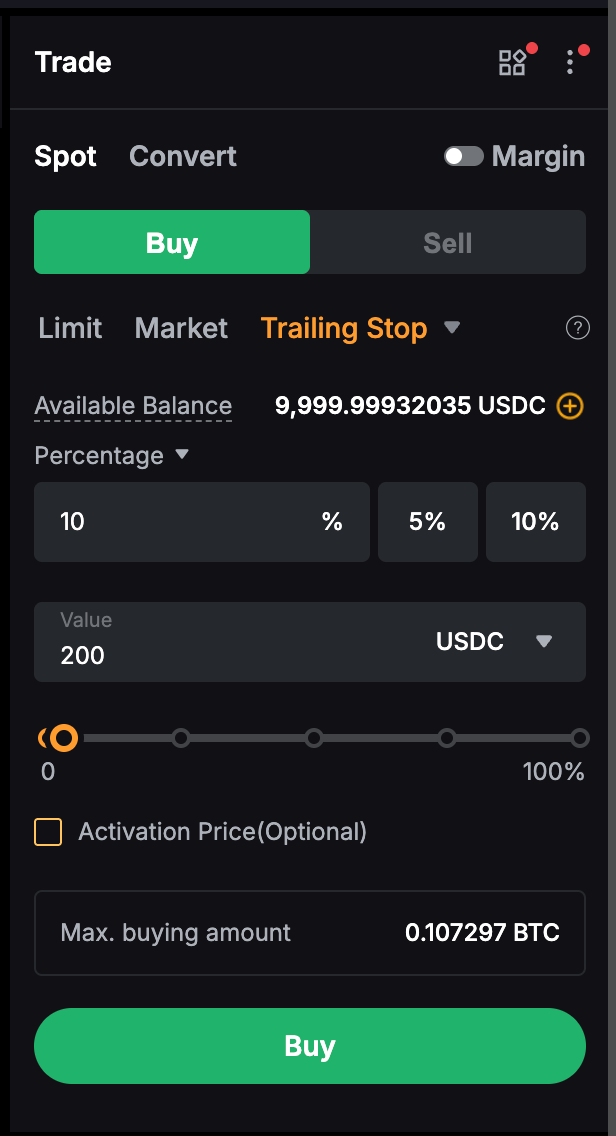
Step 4: Set your activation price (Optional). If you do not wish to set an activation price, you can uncheck the activation price box.
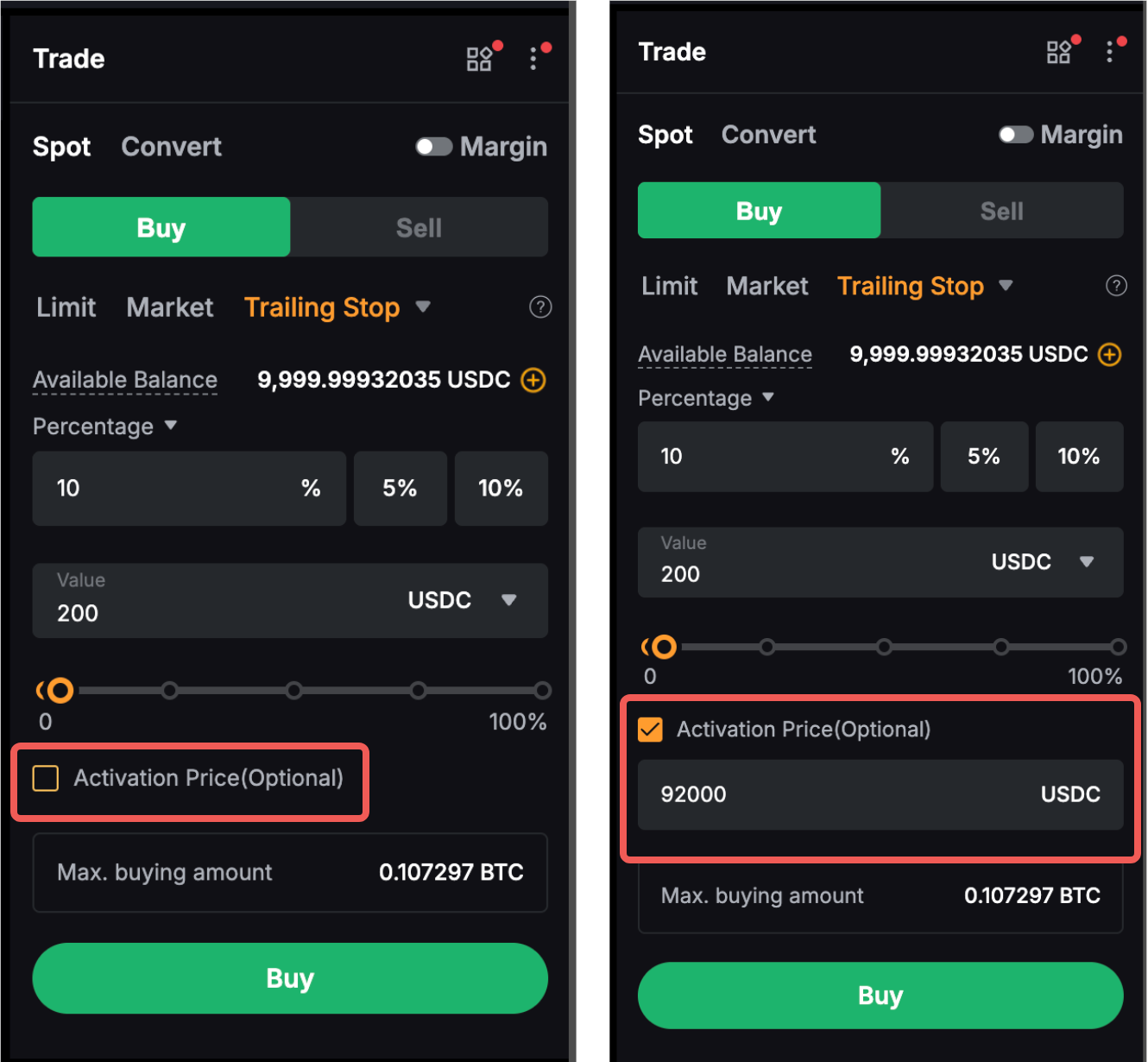
Click on Buy or Sell and you have successfully placed your Trailing Stop order!
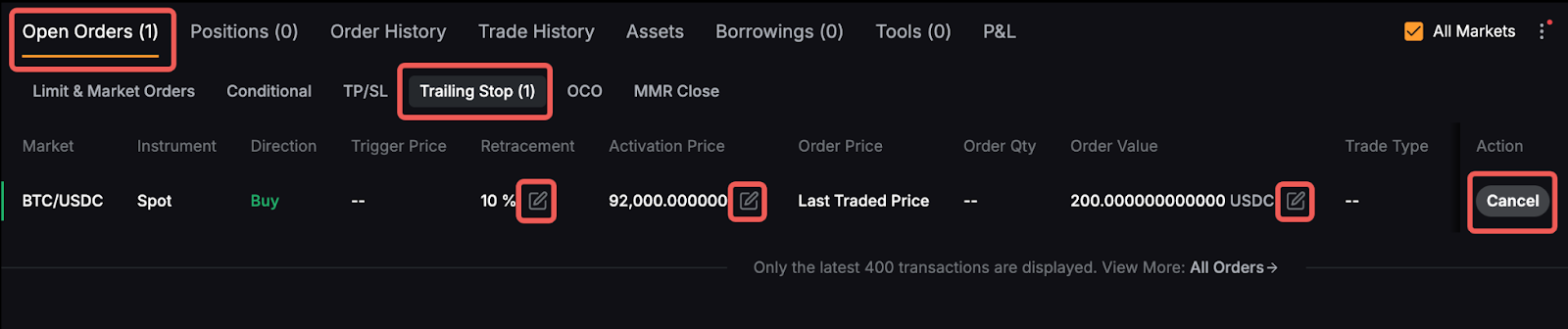
To view your current Trailing Orders, go to the Open Orders → Trailing Stop tab.
You can modify your order by clicking on the pencil icon next to your order details, or cancel your order by clicking on the Cancel button .