
To comply with Strong Customer Authentication (SCA) requirements in Europe, Bybit EU has introduced biometric verification in the app for certain scenarios. This guide will walk you through how to set it up.
What Is Biometric Verification?
Biometric verification is a secure authentication method that uses unique physical traits, such as your fingerprint or facial features, to confirm your identity. Compared to passwords or verification codes, these traits are harder to replicate, providing an additional layer of security. On Bybit EU, you can use fingerprint recognition or Face ID for added convenience and protection.
Bybit EU does not collect or process your actual biometric data, such as your fingerprint image or facial scan, for the purpose of this feature. Biometric authentication is performed locally on your device through your device’s own operating system and security framework.
The Bybit EU app only receives confirmation from your device that the biometric authentication check has been successfully completed by the device holder, for example in the form of a token or a similar confirmation mechanism. The actual biometric data remains on your device and is not transmitted to, accessed by, or stored by Bybit EU.
How to Enable Biometric Verification
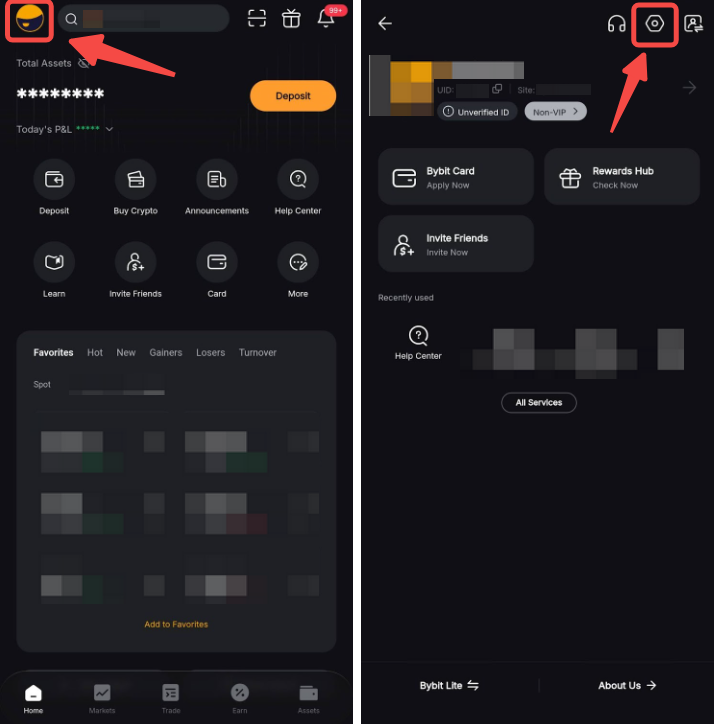
Step 1: Log in to your Bybit EU App, tap your profile picture, then tap the Settings icon in the top-right corner to access the User Center.
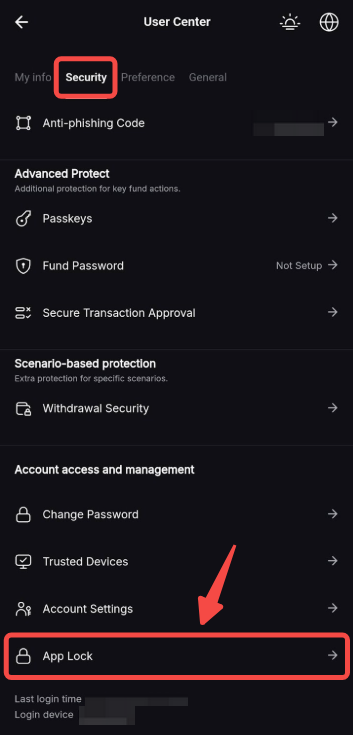
Step 2: In the User Center, tap Security and in the section Account Access and Management, tap App Lock.
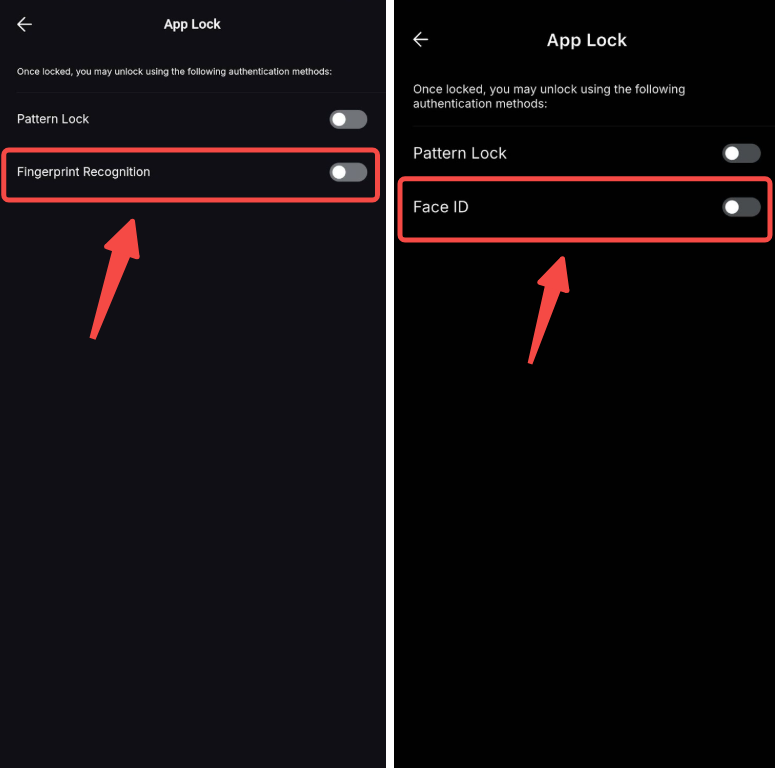
Step 3: Depending on your phone’s operating system, different biometric verification options will be available to you.
- If you are using Android, please tap Fingerprint Recognition. You will be able to open your Bybit EU app with your fingerprint.
- If you are using iOS, please tap Face ID. You will be able to open your Bybit EU app via facial recognition.
Complete the required security verification to finish setup.
Notes:
— If you haven't enabled biometric verification yet, you may be prompted to set it up after updating the app or when placing orders, making fiat withdrawals, or performing other sensitive actions. Simply follow the on-screen instructions.
— Biometric verification is required for certain sensitive actions and cannot be skipped. This helps ensure the security of your account.