Subscribe to a Plan
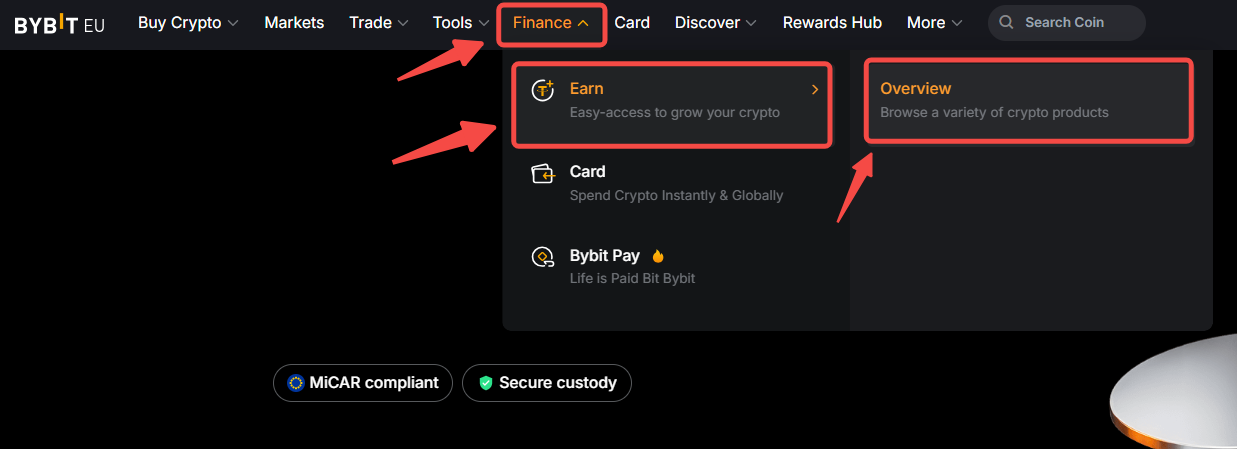
Step 1: Visit the Rewards Service page by clicking on Finance → Earn → Overview in the navigation bar.
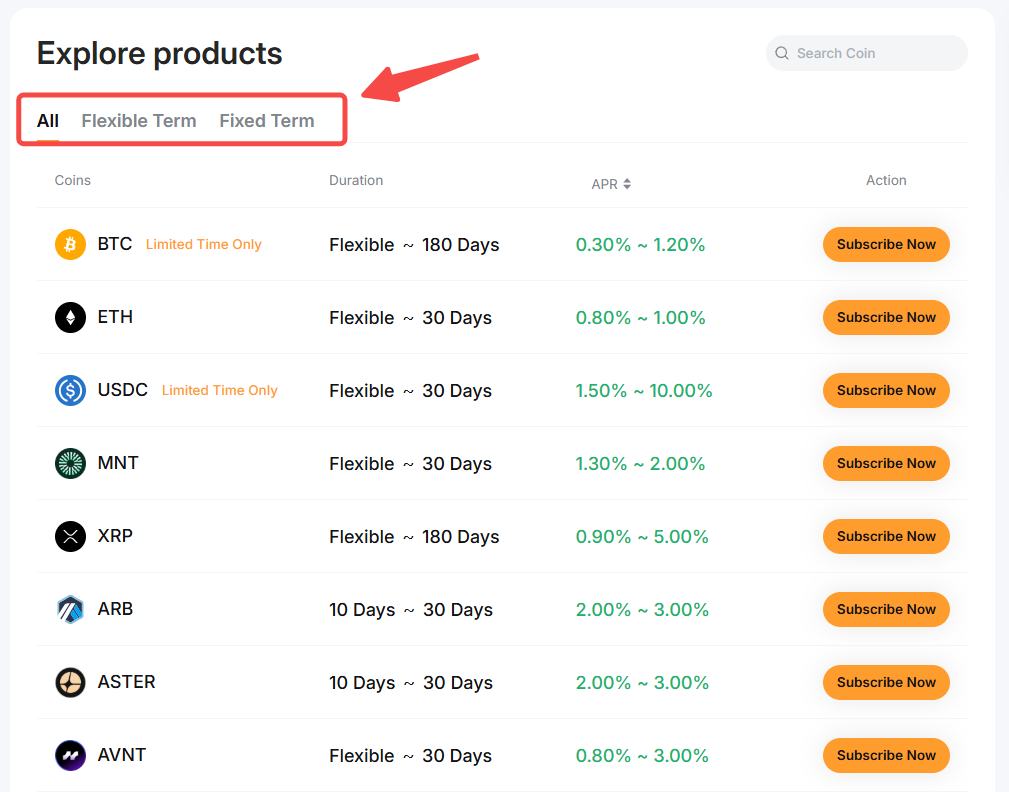
Step 2: Explore the available plans based on Coin, Term Period and APR, and select the one you would like to purchase. Then, click on Subscribe Now.
Step 3: Enter your subscription amount and ensure you acknowledge all the parameters you chose. Then click on Subscribe Now.
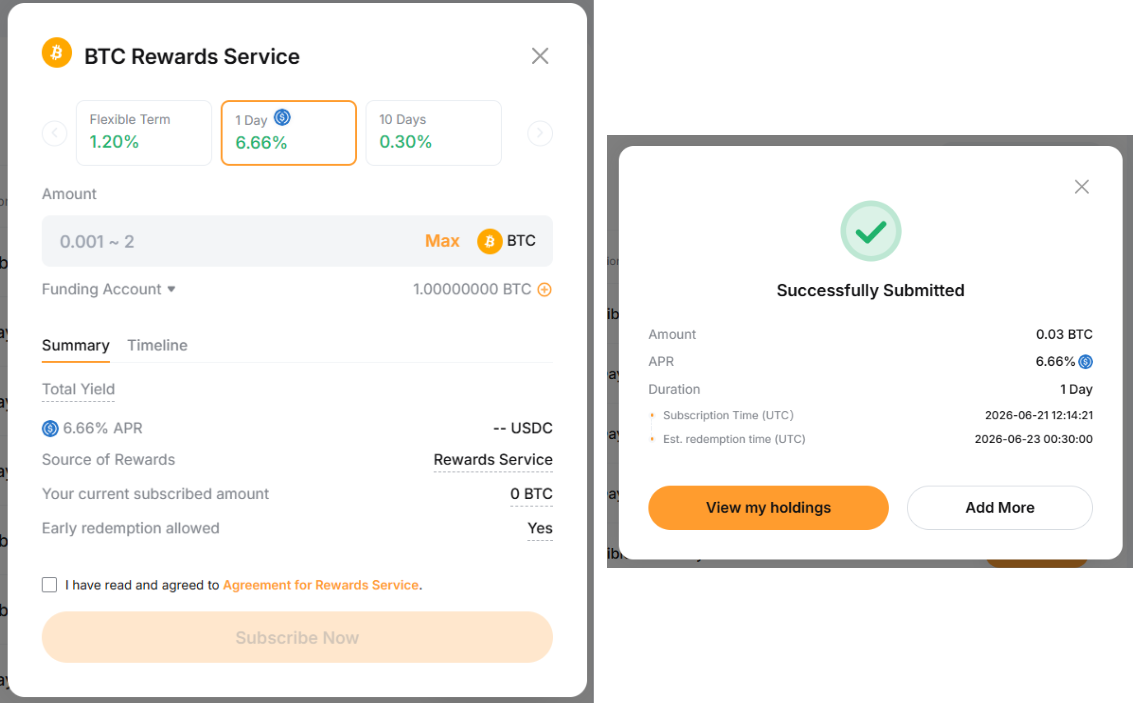
Congratulations! You have successfully subscribed to a plan.
View Your Orders
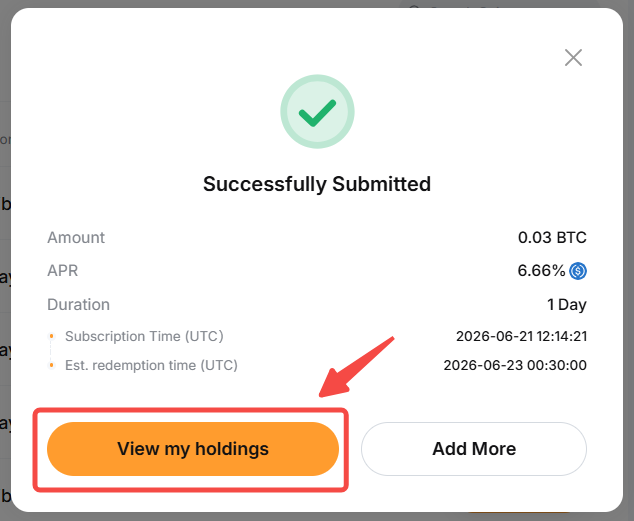
To check the details of your Rewards Service orders history, please click on View My Holdings in the successful order notification pop-up window.
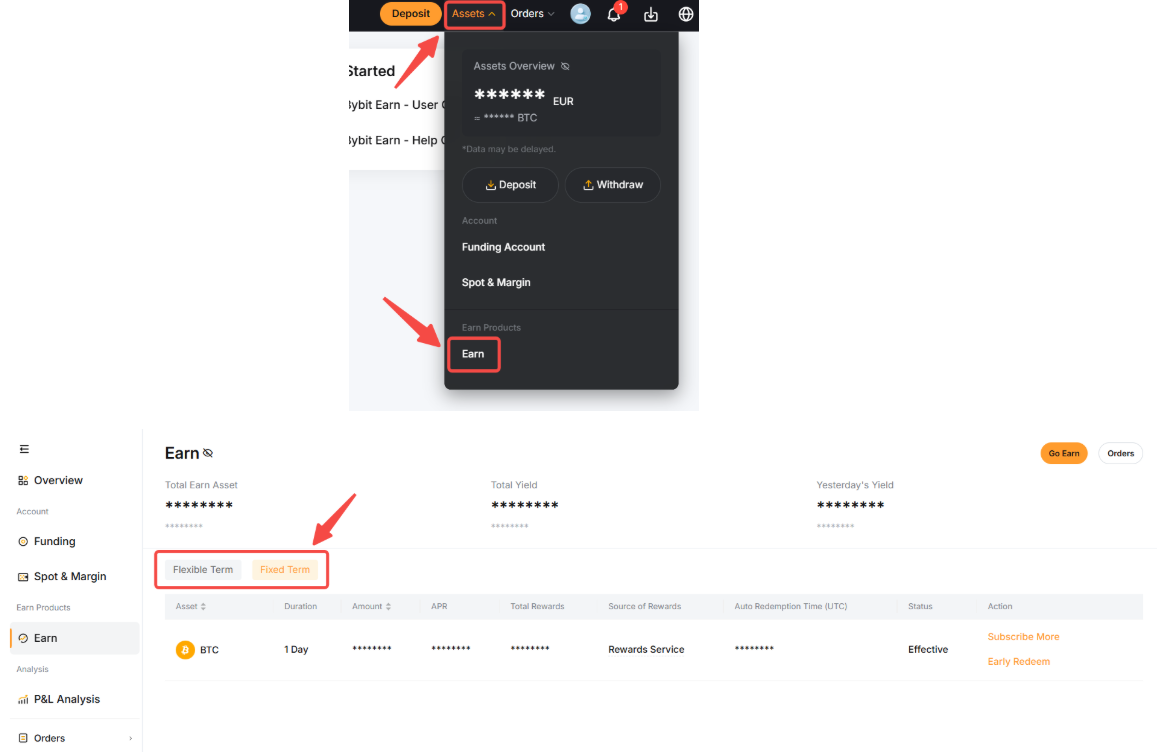
Alternatively, you can click on Assets at the top right of the Bybit EU page to enter the Earn Account page. From there, you can view your existing orders.
Redeem Your Assets
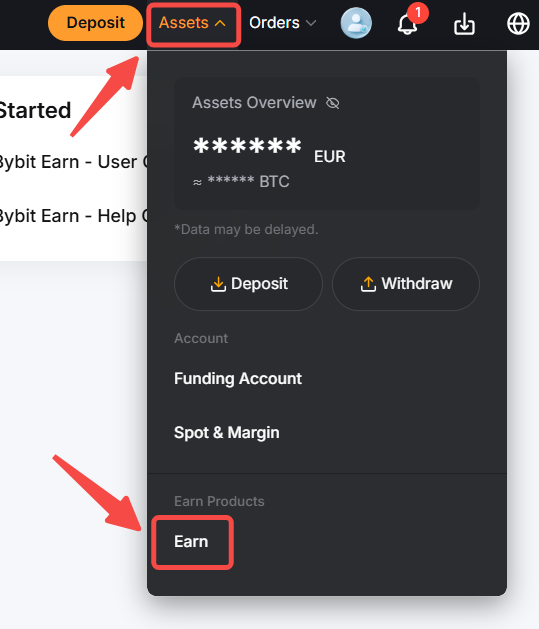
Step 1: Go to your Earn Account page by going to Assets at the top right of the Bybit EU page and clicking on Earn.
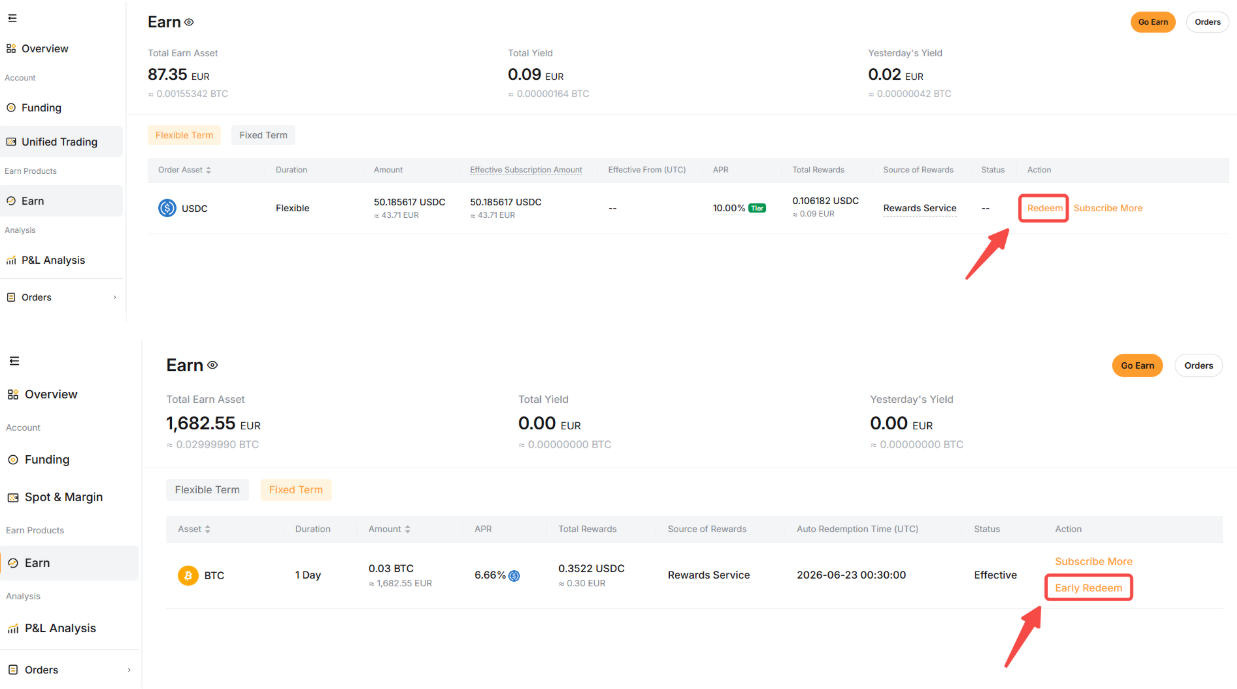
Step 2: Select the plan you wish to redeem, review the order details, and then click on Redeem for a Flexible Term plan or Early Redeem for a Fixed Term plan.
Step 3:
a) For a Flexible Term plan:
Enter the amount you wish to redeem or select Max to redeem the entire plan. Select the account in which the funds will be redeemed to and click Confirm once done.
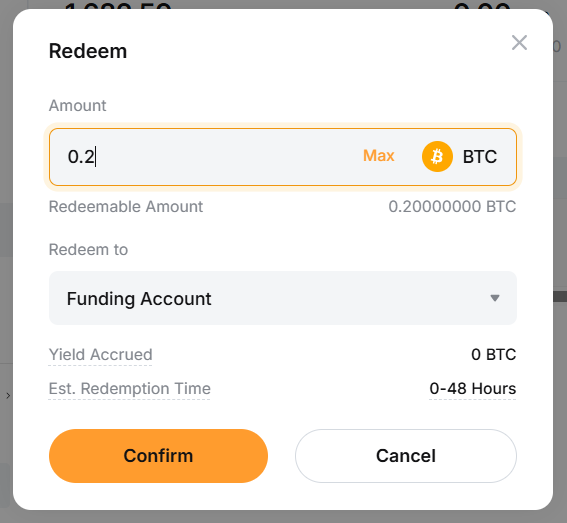
b) For a Fixed Term plan:
Please note that while it is possible to redeem the assets held in a Fixed Term plan, the redemption will be made for the full amount and the funds will be redeemed to your Funding account by default.
If you want to proceed with the early redemption of your Fixed Term plan, simply click on Confirm.
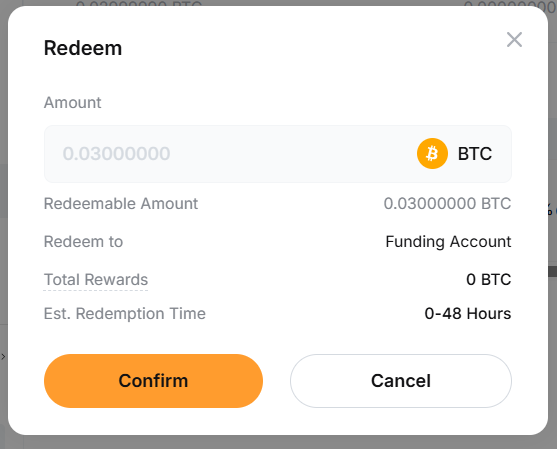
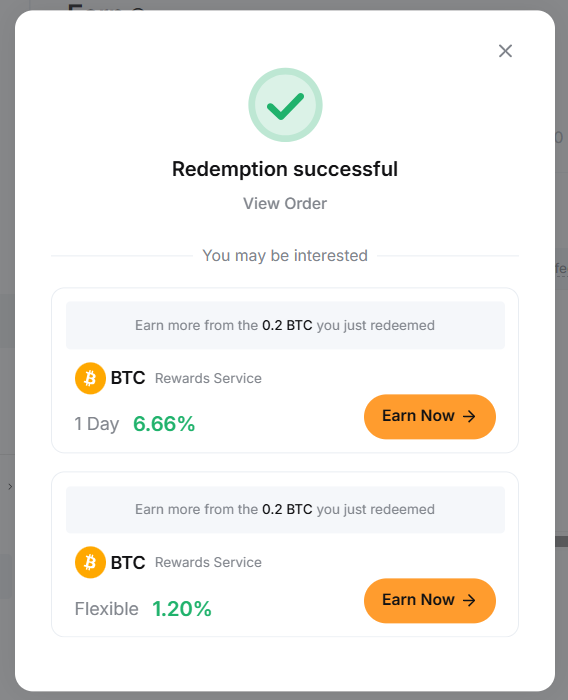
Your funds have been successfully redeemed!