Disclaimer:
This feature is currently not available to Austrian nationals, residents, or tax residents. To modify your tax residence status, please visit here.
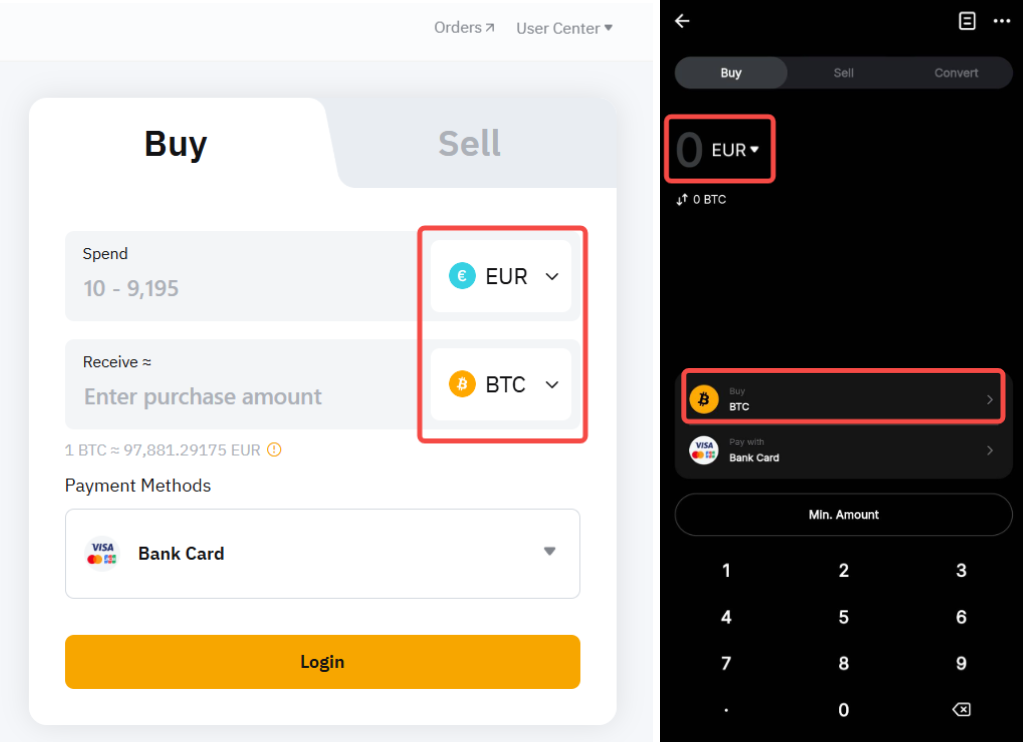
Which fiat currencies and coins are available for purchase and sale through One-Click Buy?
You can find the list of supported currencies and coins available for different payment methods by going to the One-click buy page and selecting the currency and coin in their respective menus. The available options will appear as a payment method if your purchase and sale can be supported.
Are there any Identity verification requirements for One-Click Buy?
Yes, Individual Identity verification is required for One-Click Buy. Unfortunately Business verification is not supported at the moment.
To learn more about Identity verification, please refer to the following articles: FAQ — Individual KYC.
Are there any fees associated with payment methods in One-Click Buy?
Yes. Please refer to the table below for details:
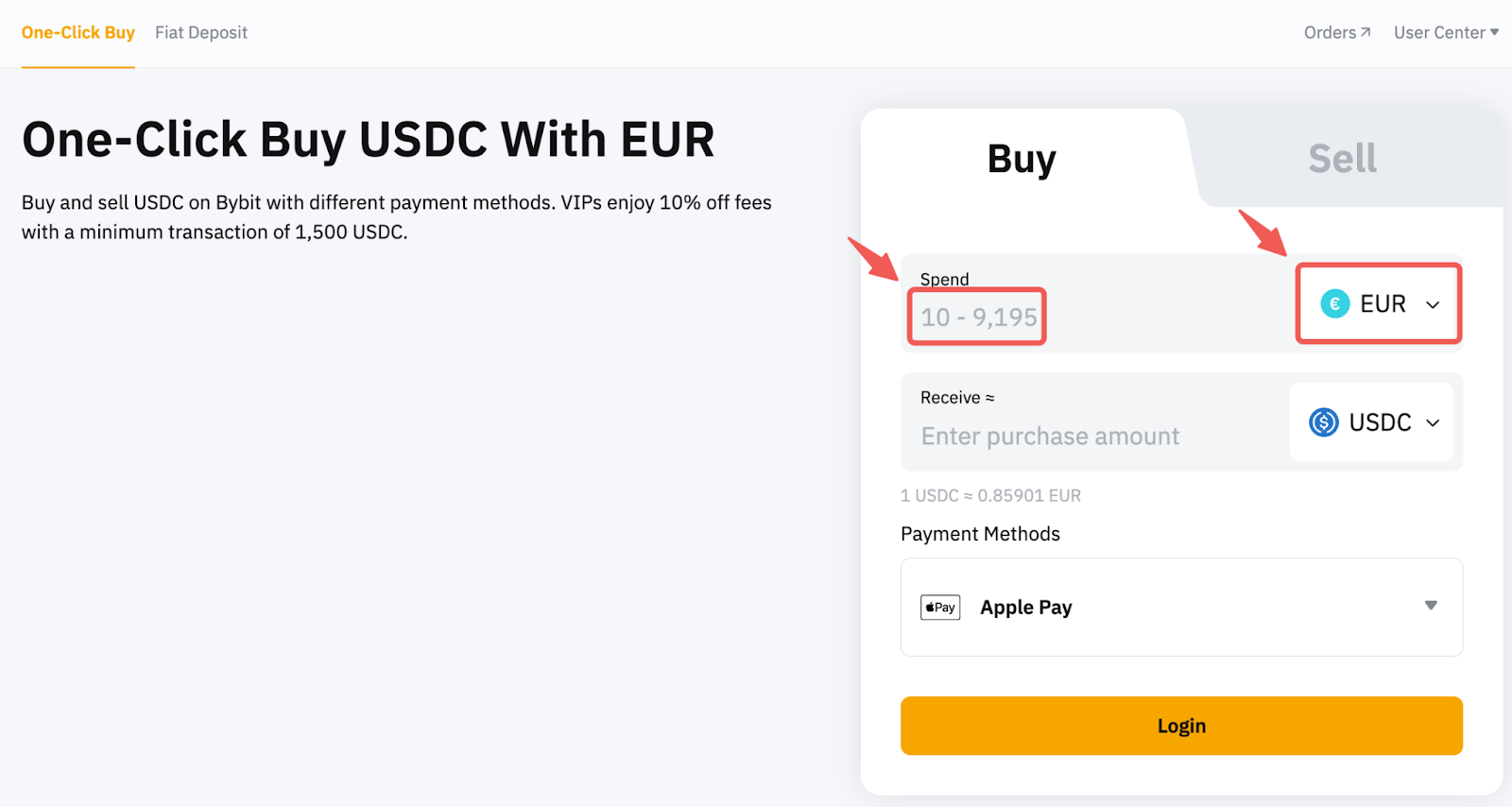
Is there a minimum and maximum limit for each transaction?
Yes. Please check the transaction limits for each fiat currency by selecting your preferred currency on the One-Click Buy page.
Is there a transaction limit per user?
Yes. It depends on your Identity verification (i.e., Standard or Advanced). Please see the table below for more details:
Notes:
— Per order transaction limits may vary depending on the channel. Please refer to the landing page for the minimum and maximum limits applicable to each transaction.
— Daily, weekly, and monthly limits are determined based on the corresponding KYC level.
— The accumulation of the transaction amount will be calculated from Monday, 00:00 AM UTC to Sunday, 23:59 PM UTC for the weekly total.
— The accumulation of the transaction amount will be calculated from the first day of the month, 00:00 AM UTC to the last day of the month, 23:59 PM UTC for the monthly total.
How can I increase the purchase limit?
Click on Account & Security → Identity Verification to set your verification level to upgrade your purchase limit.
Does the Subaccount support One-Click Buy?
Currently, One-Click Buy is not supported on subaccounts. However, you can make purchases with your Main Account and transfer the coin to your subaccount by following this guide.
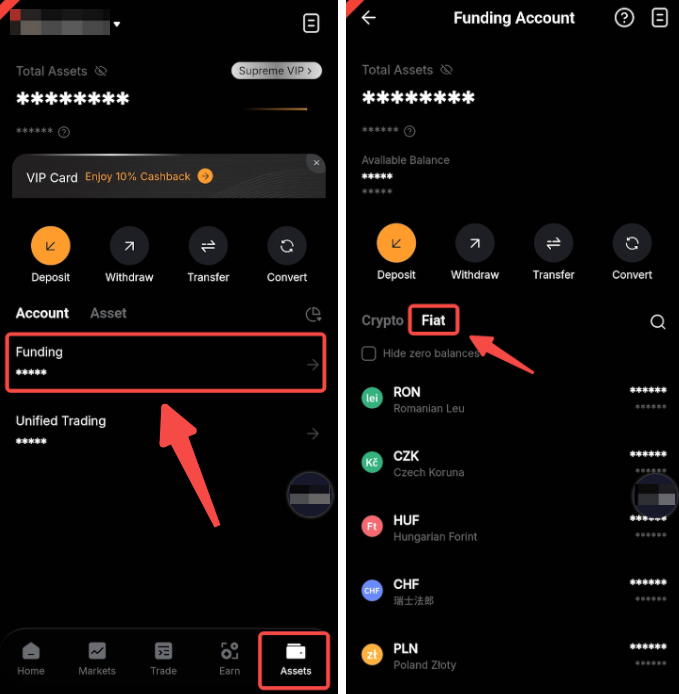
Where can I view the coin I purchased once the order is complete?
On the website, please click on Assets → Funding Account to view your purchased coin.
On the App, please tap on Assets → Funding → Fiat.
How long does it take for coins to be credited to my wallet?
Coins purchased with One-Click Buy will be credited to your account immediately (or at least within 24 hours) after the purchase is complete. It usually takes less than 10 minutes for the transaction to be credited. If a payment is successful, but the order expired, transactions will be refunded within 7 working days.
What should I do if my order is pending for a long time?
An order is usually processed within seconds. However, it has a validity of 30 minutes, which means some orders can be processed within 30 minutes. If the funds are only received in our system after the order validity has ended, the funds shall be refunded within 7 business days.
If the order is processing for more than 30 minutes or you did not receive your refund after 7 business days, kindly submit your inquiry here.
If my crypto buy or sell transaction fails, how do I get back the amount I paid?
Funds will not be deducted from your account if your order is unsuccessful.
If you are buying or selling crypto through a bank card and e-wallet, please check whether your bank card or linked wallet is functioning normally. If there is an issue with your bank card or e-wallet, contact the third-party platform’s customer support for assistance. If the external account or wallet is functioning normally, please send a request via this form. To help you solve any problems more efficiently, please provide your UID, Order Number and any applicable screenshot(s).
Can I exchange coins for fiat currencies after purchasing?
Yes, you can use the Sell function available on the One-click Buy page to exchange coins for fiat currencies.
Can I withdraw my fiat currency?
There are two ways you can withdraw fiat: One-Click Buy (Sell) and Fiat Withdrawal. However, some fiat currencies can be withdrawn based on availability.
To learn more about how to withdraw from One-Click Buy, please refer to How to Sell Coins With One-Click Buy. For Fiat Withdrawal, please refer to FAQ — Fiat Withdrawal.
How can I increase the success rate of my crypto buy and sell transactions?
- Use payment methods with the same name as your Bybit KYC.
- Ensure your payment account has sufficient balance before placing an order.
- Ensure that your internet connection and device are stable during the transaction.
- For e-wallets and bank cards, please complete payment within the specified time.
Where can I view my order history?
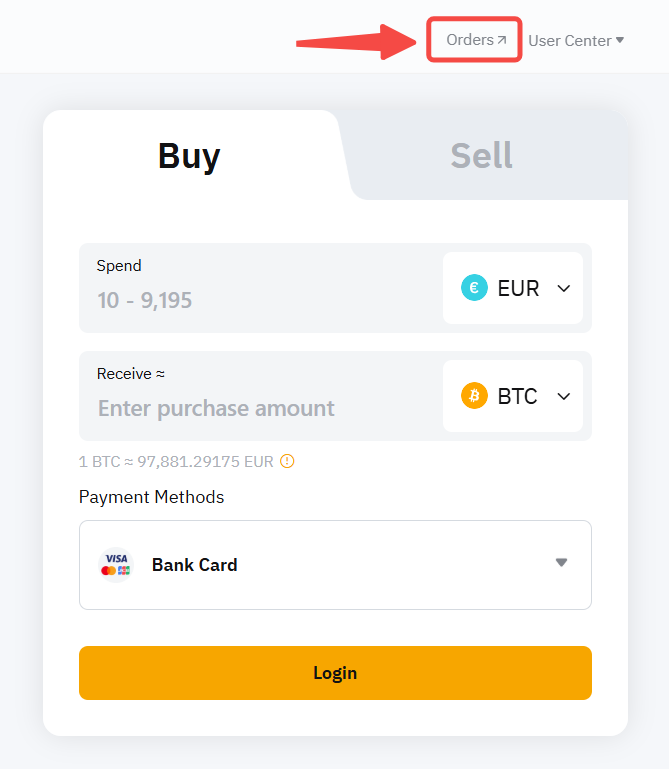
Click on Orders at the upper right corner of the One-Click Buy page to view your order history.
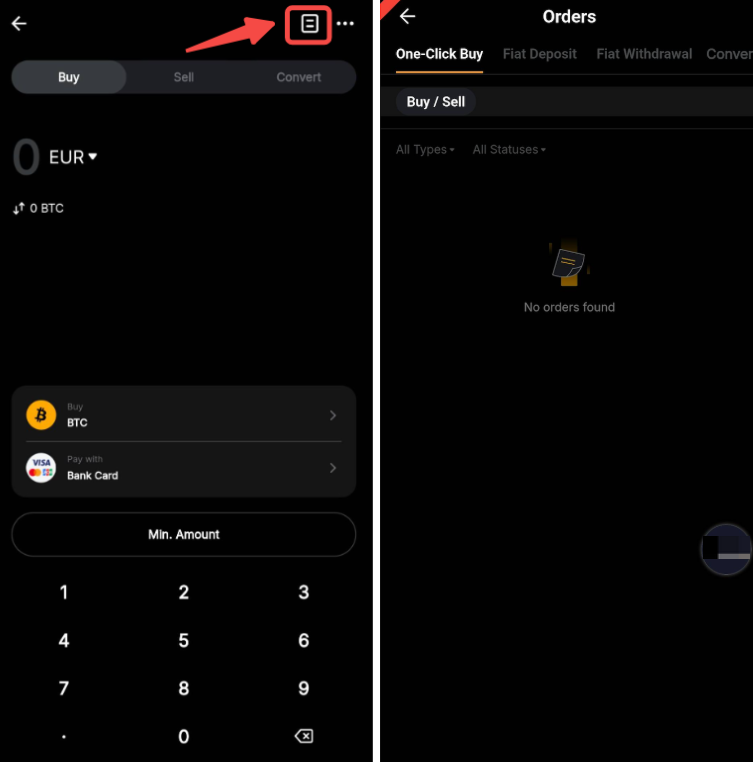
On the App, please go to the Homepage → tap More → Buy Crypto→ click on the paper icon located at the upper right corner.
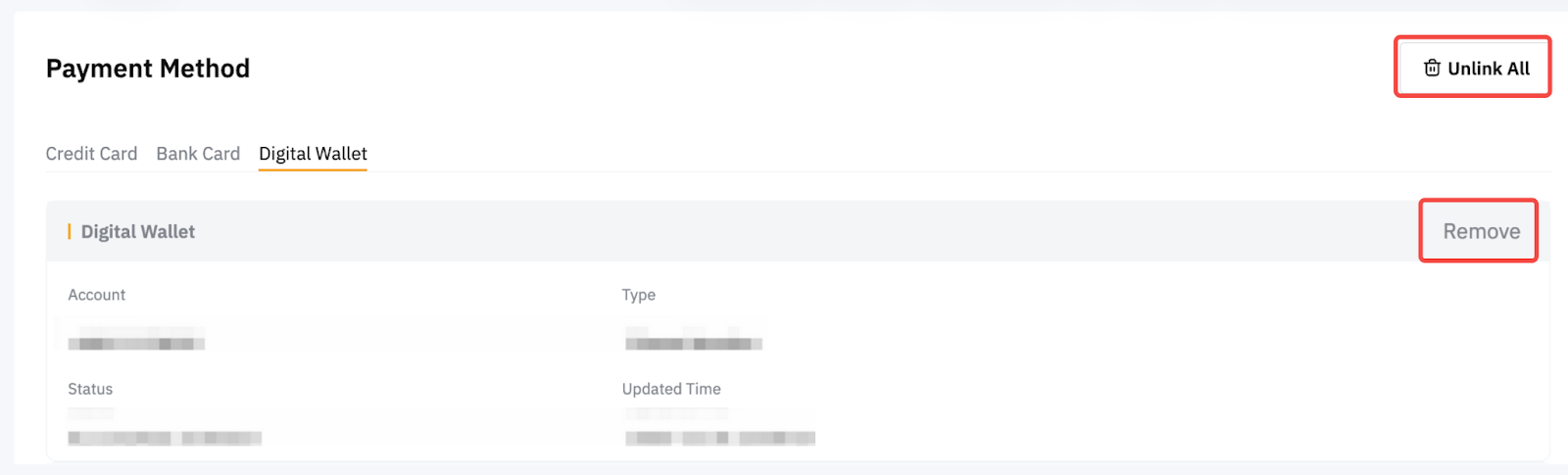
Can I remove my fiat deposit account?
Yes, you can unlink all of your accounts or remove a specific account from the Payment Method page.