Bybit EU is committed to complying with the regulatory environment in the European Economic Area (EEA), offering our users a secure and accessible platform for trading crypto. As part of this commitment, all EEA users must complete Standard Verification to access Bybit EU’s products and services. Advanced Verification is optional but allows for higher fiat deposit limits. The requirements for standard and advanced verifications are as follows:
Standard Verification (compulsory)
Proof of Identity
Quick Verification
Bank Verification
Video Verification
BankID
Profile Survey
Enhanced Due Diligence (EDD)
Advanced Verification
Proof of Address
Review Your Identity Verification
Standard Verification (compulsory)
Proof of Identity
Here’s a step-by-step guide to completing Proof of Identity on Bybit EU.
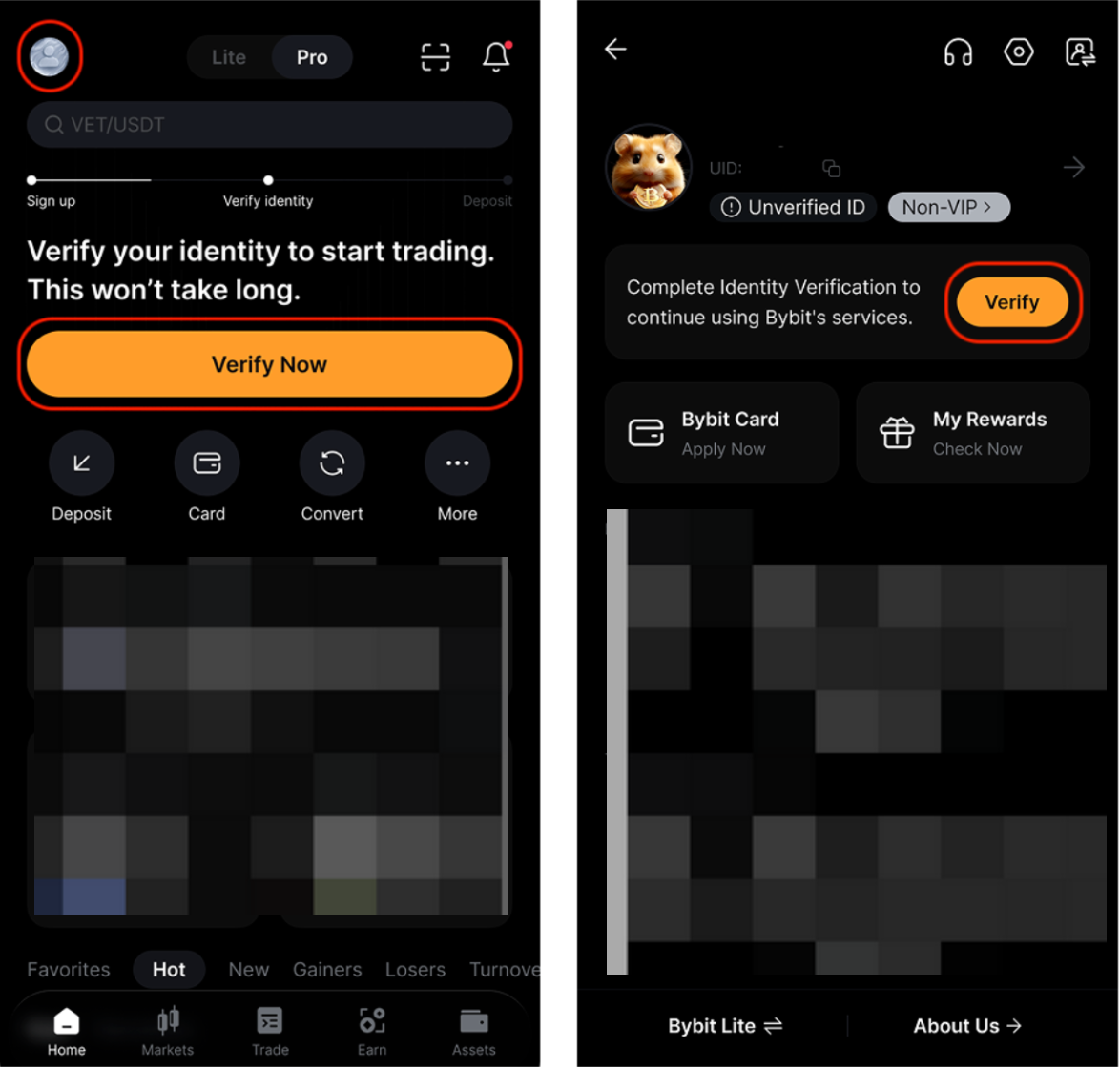
Step 1: Tap Verify Now on the homepage or tap the avatar icon in the upper left corner → Verify.
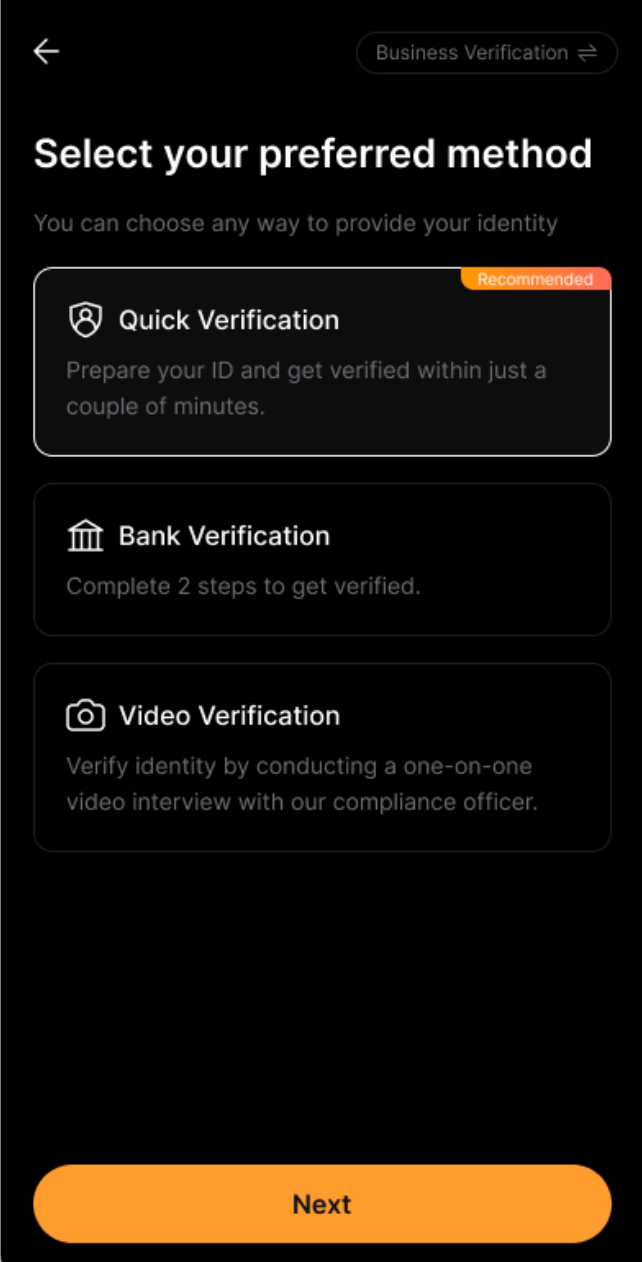
Step 2: You will see three (3) types of verification methods to complete your identity verification: Quick Verification, Bank Verification, and Video Verification. You can choose any type to verify your Proof of Identity and tap Next to continue.
Quick Verification
If you proceed with the Quick Verification process, you are required to verify your identity, complete the selfie liveness, and sign the contracts.
Note:
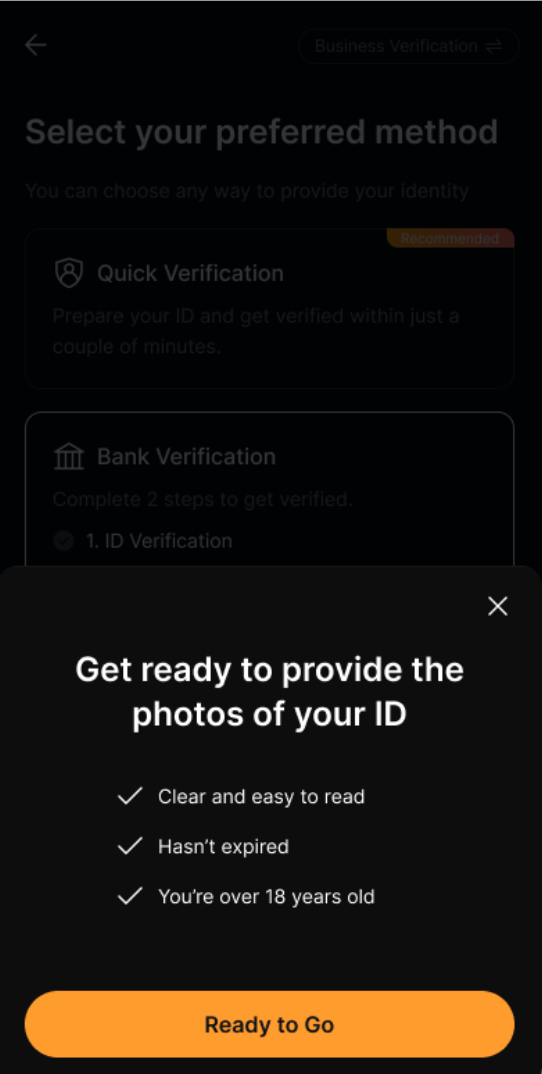
- Before you start, prepare your identity document and make sure it is valid. Take a photo of the front and back sides of your document.
Bank Verification
If you proceed with the Bank Verification process, you will need to verify your identity before you can submit a fiat deposit to complete the Bank Verification effectively.
To submit your Proof of Identity, tap on Bank Verification → Next, select your country of residence as well as the type of identity document you will use for verification, and tap Confirm to proceed with the verification.
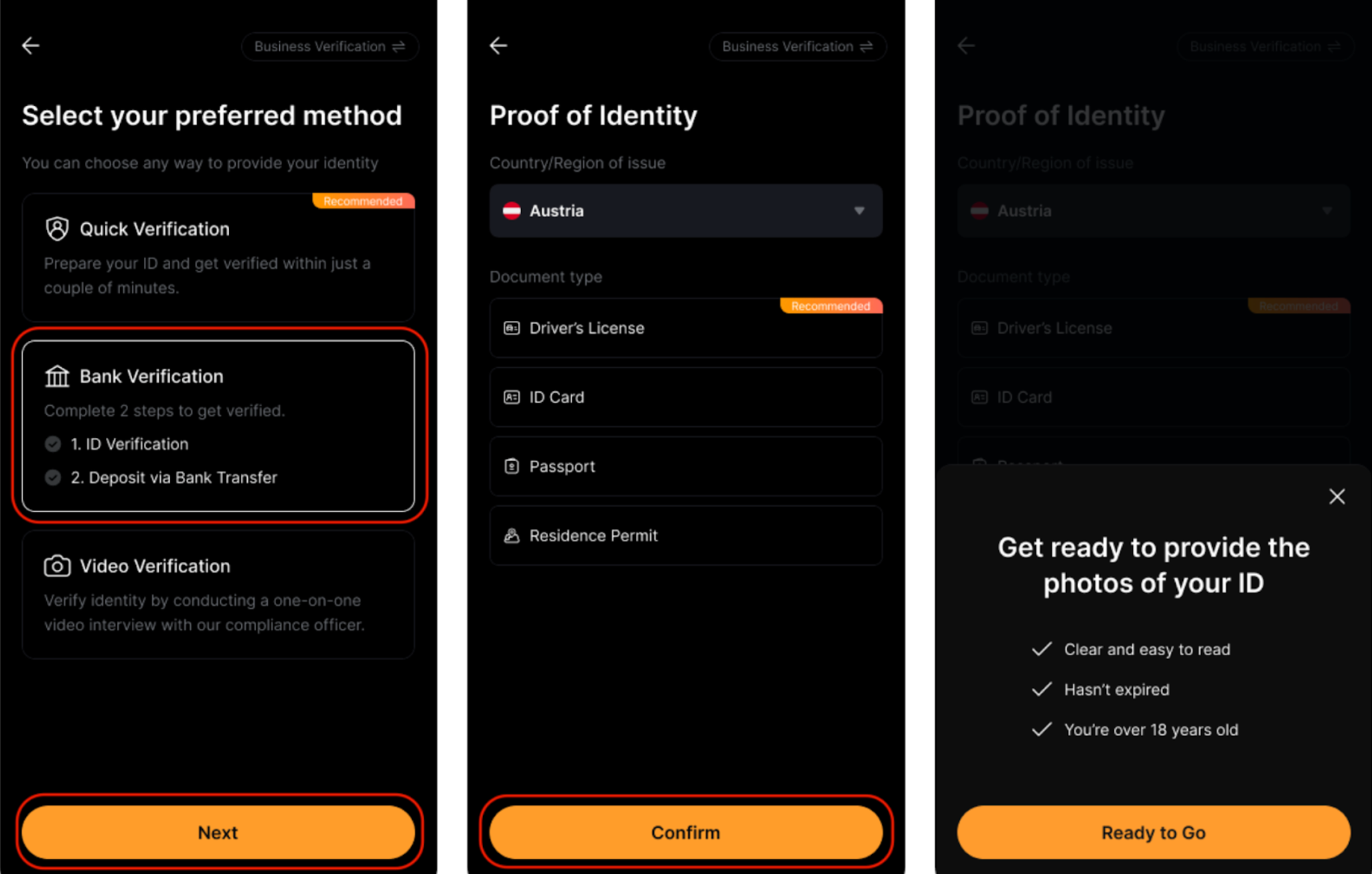
Notes:
- Before you start, prepare your identity document and make sure it is valid. Take a photo of the front and back sides of your document.
- To pass verification, your identity document needs to comply with the requirements indicated in the next window. To ensure a smooth process, please check that the requirements are all met before tapping on Ready to Go.
- Please ensure that your device has granted access to your camera, as you will need to complete your facial recognition scan through your device’s camera.
Once you have completed the ID verification, you can continue with the Bank Verification. There are two (2) steps to complete your Bank Verification.
Step 1: Enter your IBAN, tap Next to continue.
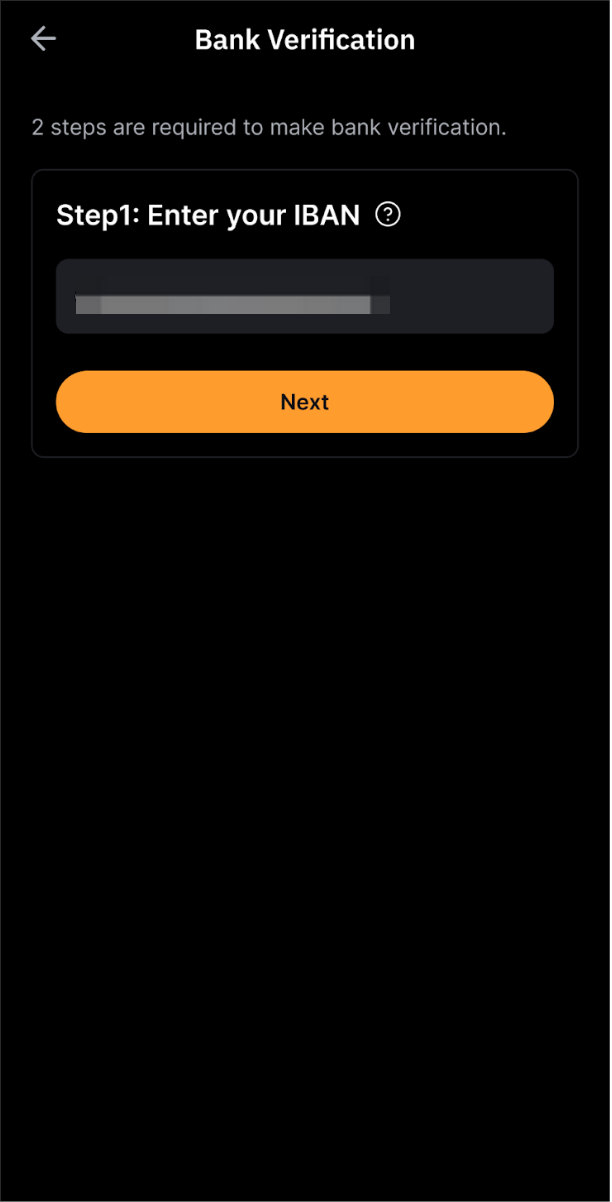
Step 2: Send €1 via SEPA (Single Euro Payments Area). You may save and Scan QR using your bank app or make a bank transfer to a certain bank account number.
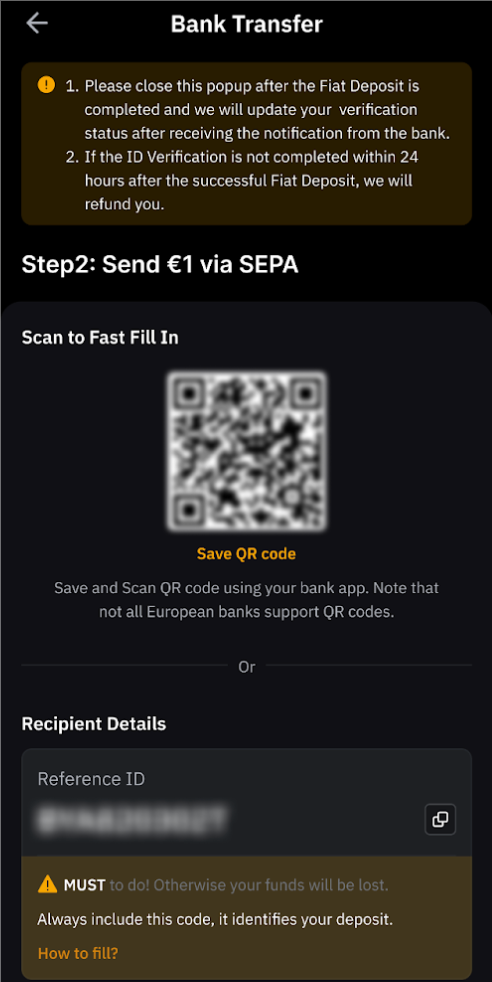
Notes
- Kindly note that not all European banks support QR codes. Please ensure your bank app supports the QR code given.
- If your ID verification is not completed within 24 hours after the successful Fiat Deposit, we will refund you.
- Please ensure you deposit funds from a bank account registered under your name, and that it matches your KYC verification. Payments from third-party accounts are not allowed.
- Please close this page after the Fiat Deposit is completed, and we will update your verification status after receiving the notification from the bank.
Video Verification
If you choose to proceed with the video verification, you are required to complete the following during the process:
- Identity document
- Selfie Liveness
- Video interview
- Phone verification
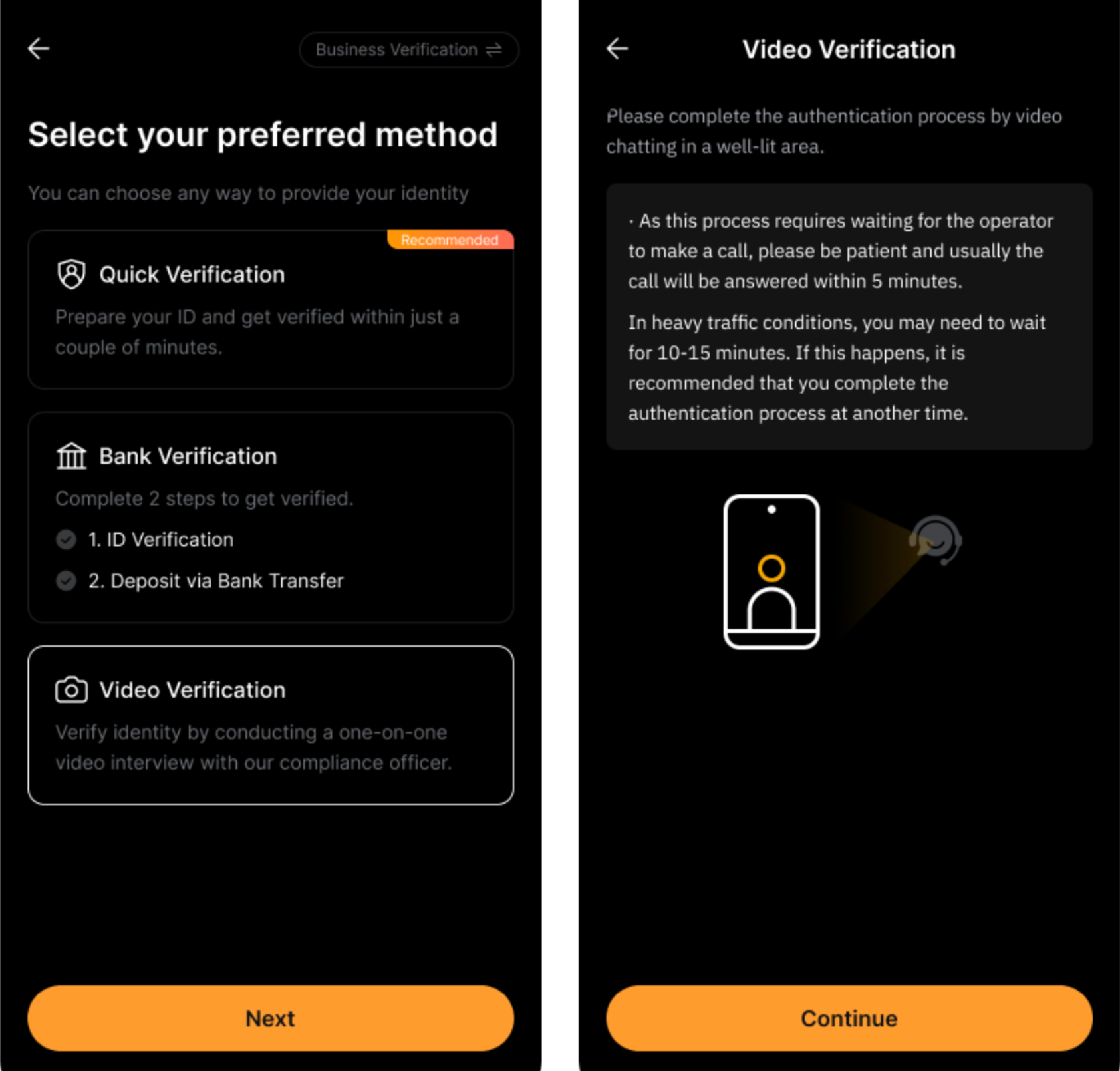
Once you've completed the verification process, please review your personal information and check if any additional information is required.
BankID
BankID is a widely used digital identity authentication system in Nordic countries and is available to eligible users only. It allows you to verify your identity securely online and can be used as part of the KYC process on Bybit EU.
If you proceed with the Bank ID verification, please follow the steps below:
Important: Please note that BankID verification steps may vary across Nordic countries. The steps outlined below apply to users in Norway only and are provided for reference purposes.
Step 1: Select BankID as your verification method.
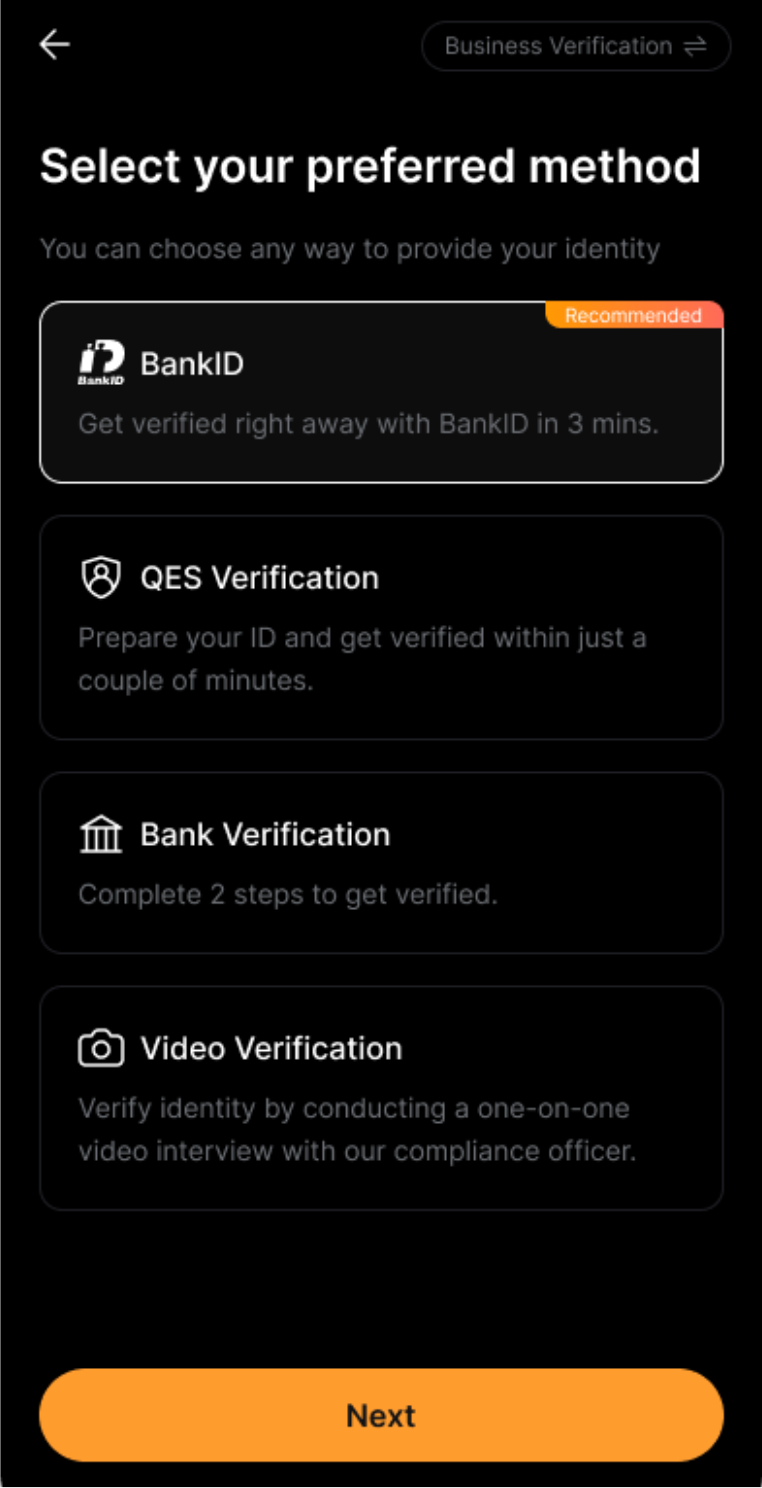
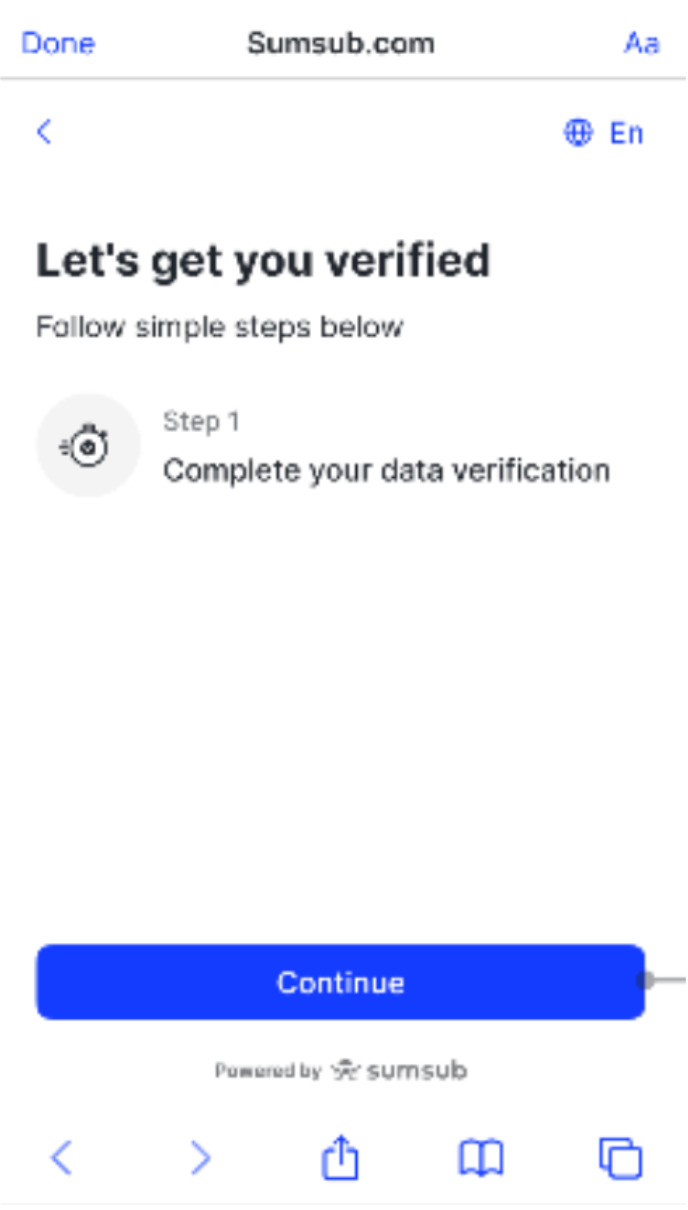
Step 2: You will be redirected to a webpage. Tap Continue to begin the verification process.
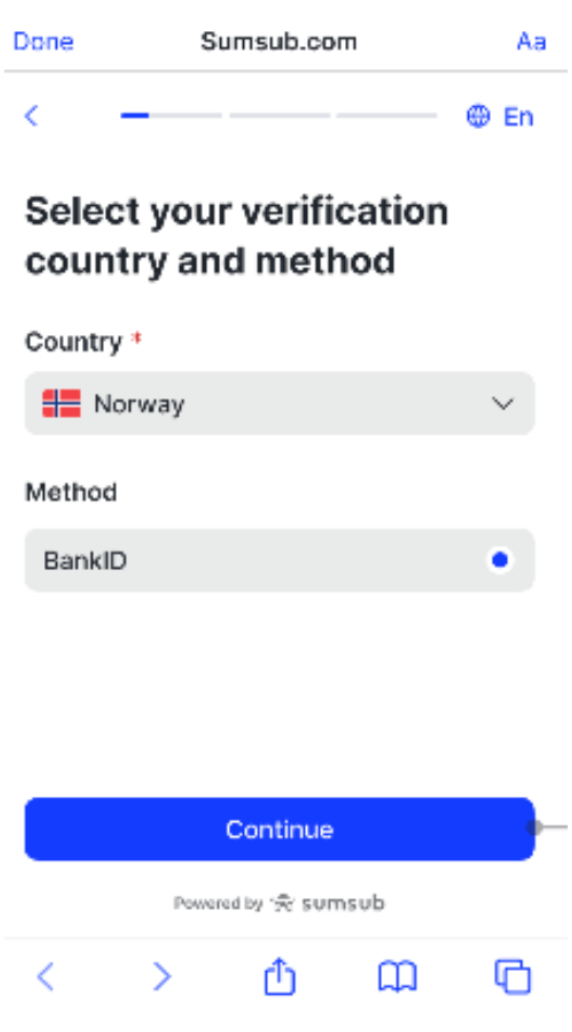
Step 3: Select your verification country and method, then tap Continue. Please ensure that the selected method is BankID.
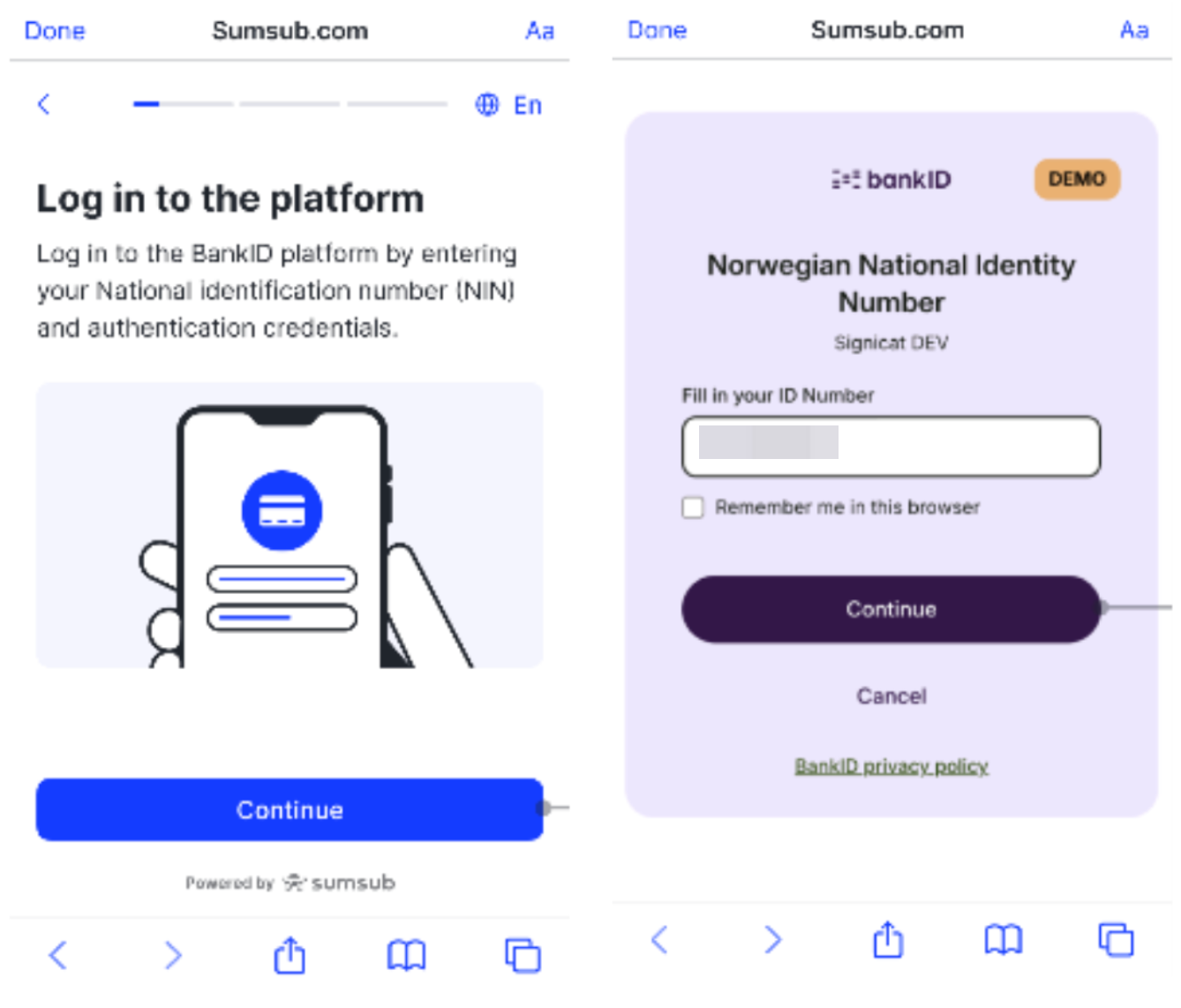
Step 4: Tap Continue to enter your ID Number, then tap Continue again to proceed.
Step 5: Enter your one-time code, then tap Next to complete the process.
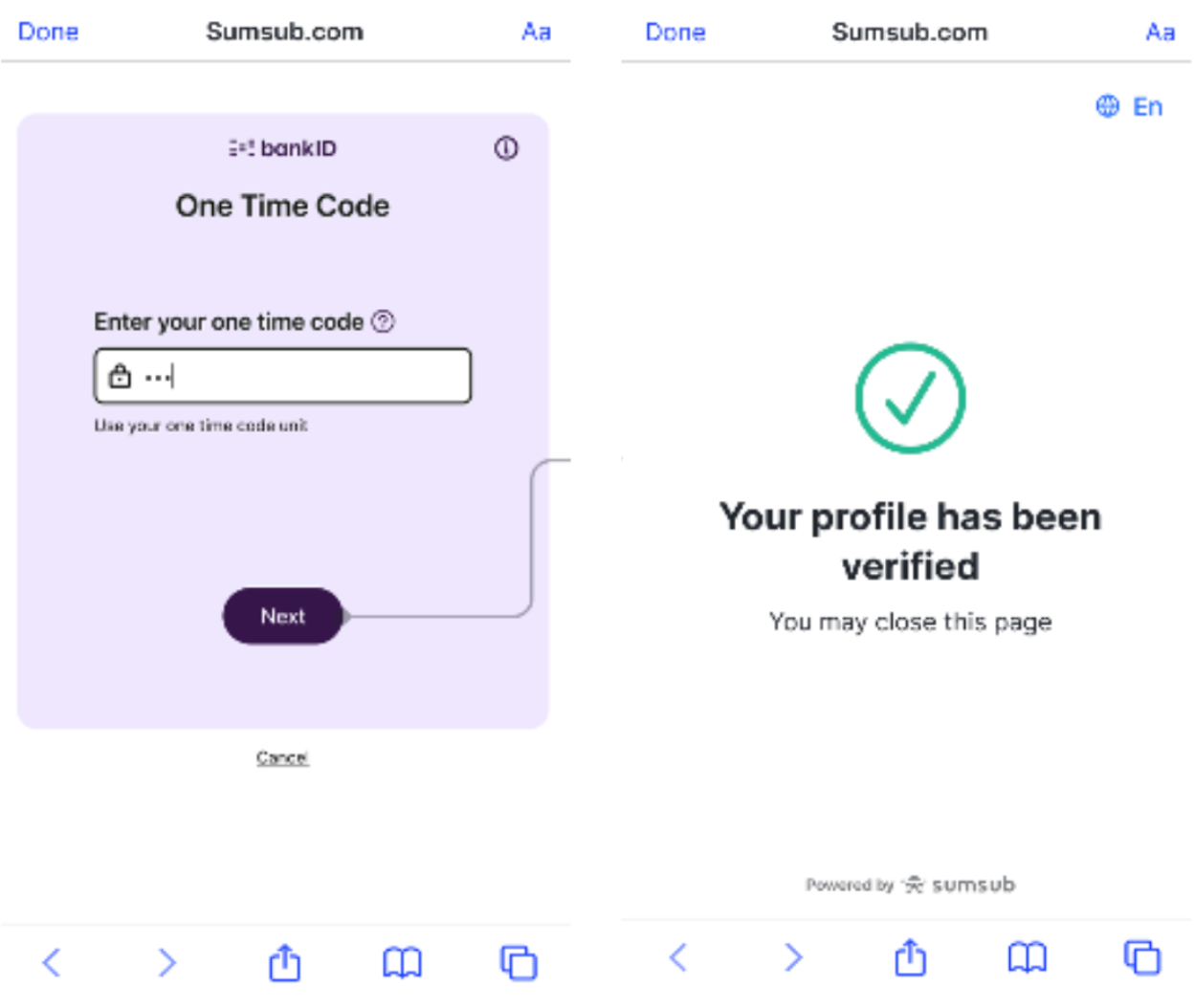
Notes:
- Verification typically takes 5 - 10 minutes to process.
Profile Survey
You have a further action required for your verification after you completed the Standard Verification.
The Profile Survey consists of seven (7) questions, designed to understand the purpose and nature of our business relationship, ensuring we offer the most suitable products, services, or transactions. The last step will require you to indicate your residential address. Please provide honest and accurate responses based on your actual situation.
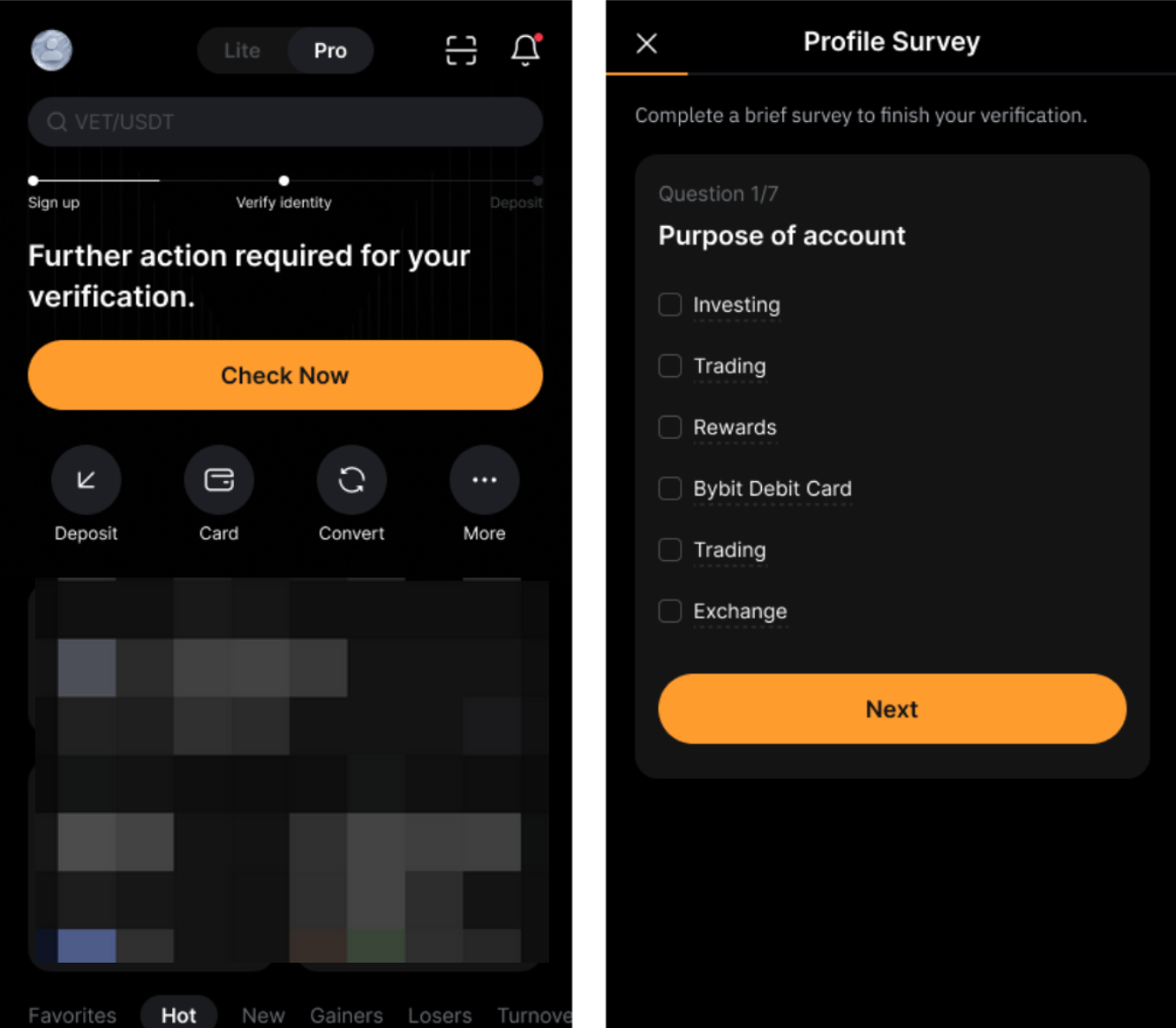
Notes: The Profile Survey is required only for users who choose Quick Verification, Bank Verification, or Video Verification
Enhanced Due Diligence (EDD)
Due to regulatory requirements, you may need to complete Enhanced Due Diligence (EDD) before you can continue using certain features.
You may be required to complete a short 2-question questionnaire and an EDD (Enhanced Due Diligence) process. This requires uploading Proof of Funds or Proof of Wealth, such as bank statements and income proof. The review process should be completed within 72 hours.
Note: You can visit the Support Hub page to check the review status under Compliance Ticket. If the processing time is exceeded, please contact our Compliance Team at EU-compliance@bybit.eu for further assistance.
Congratulations! Your Standard Identity Verification has been completed. You are now eligible to access the supported products and services. To be entitled to higher fiat deposit and withdrawal limits, you can proceed to complete the advanced verification.
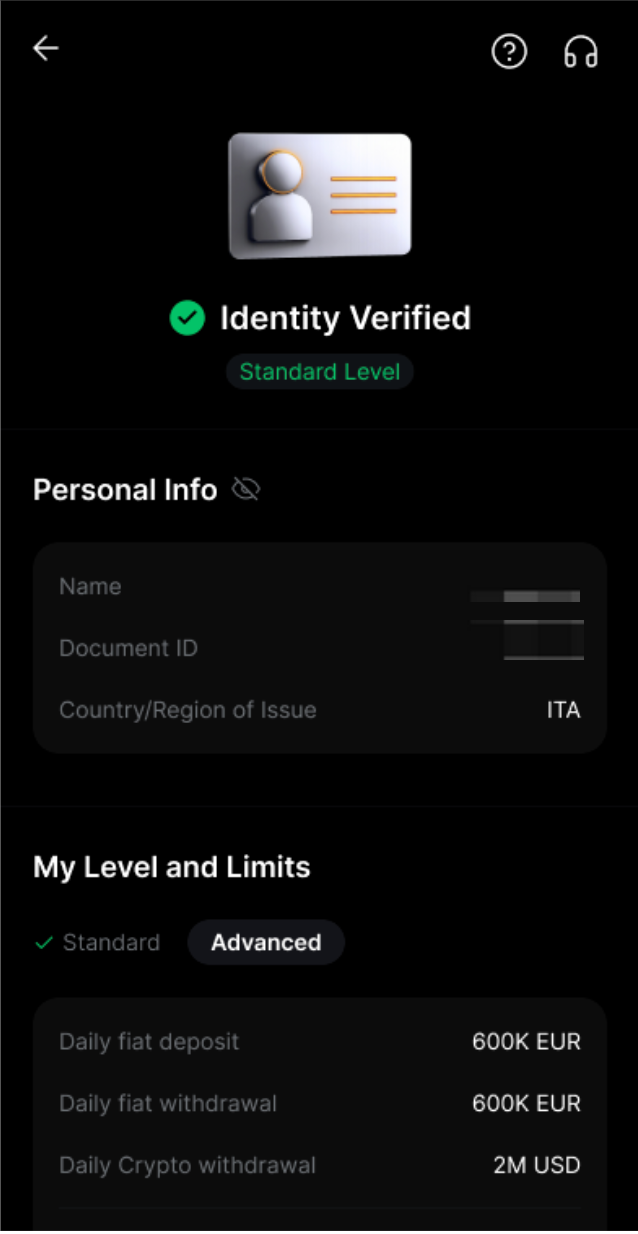
Advanced Verification
In some cases, to ensure that you reside in one of the countries of the European Economic Area (except Malta), you are required to submit a valid Proof of Address, in accordance with EU and Austrian regulatory requirements.
Proof of Address
Only proof of address from European Economic Area (EEA) countries is accepted.
Bybit EU only accepts Proof of address documents such as utility bills, bank statements, and residential proof issued by your government. Please note that Proof of Address must be dated within the last three months. Documents dated older than three months will be rejected.
You may go to your Identity Verification page and tap on Upgrade to Next Level to complete your Advanced Verification.
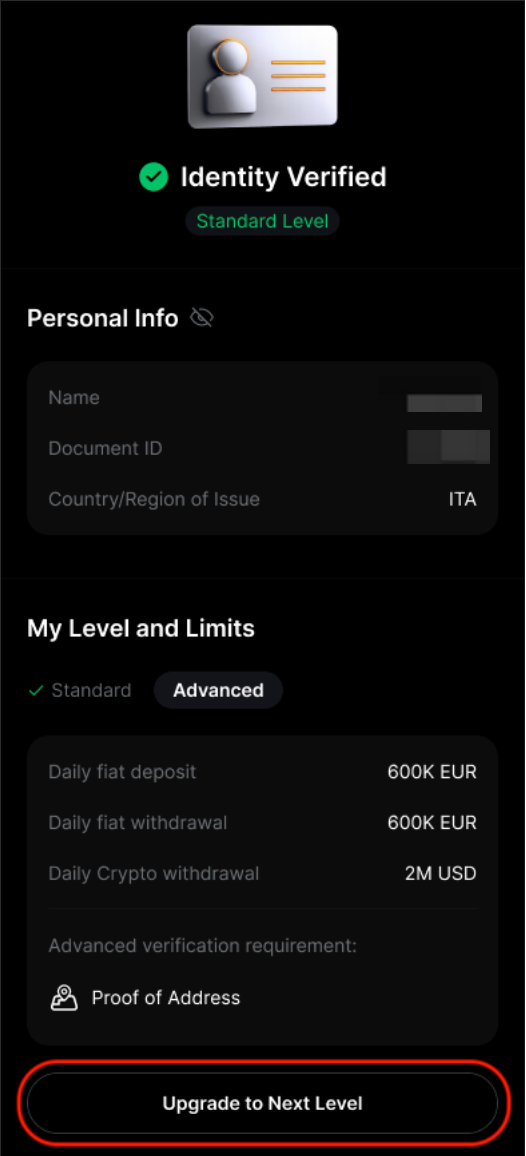
Review Your Identity Verification
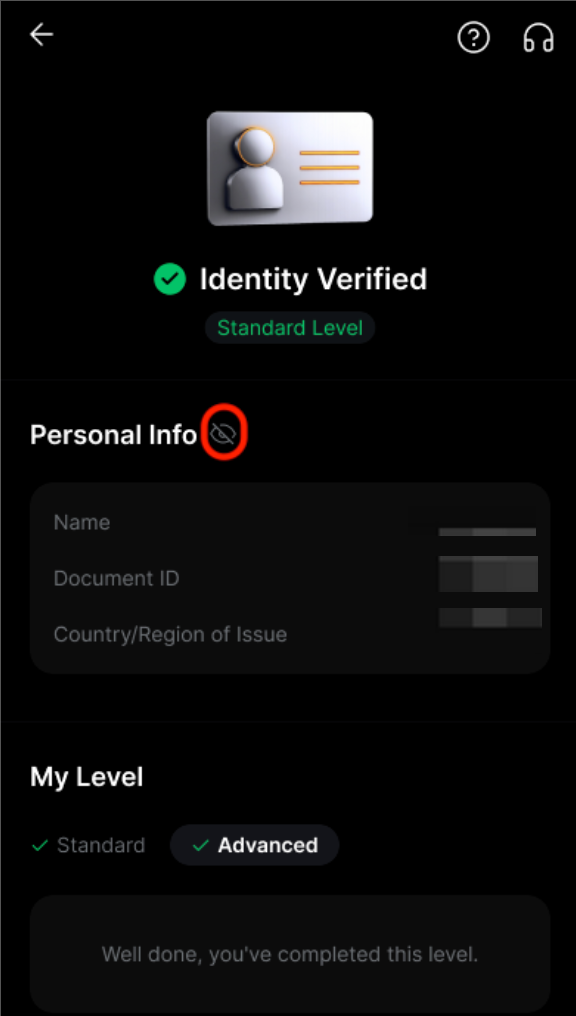
To review the information you submitted during the Identity Verification process, click on the eye icon. Please be aware that you will need to enter your Google Authenticator code to access this information.