
To comply with Austrian tax regulations, users are required to declare the acquisition cost of deposited assets for accurate tax reporting. Follow this step-by-step guide to submit your cost information.
Disclaimer:
1. The declared acquisition cost cannot be modified once submitted.
2. The acquisition cost declared for the deposit will be used to calculate the average acquisition cost of your assets and for tax reporting purposes. This cost is solely for tax assessment and may differ from the values displayed on the Asset Overview or Trading pages, which are based on your asset value changes and trading activity.
3. You are responsible for ensuring the accuracy of your declaration.
4. For more details on withholding tax, please refer to the FAQ — Withholding Tax in Austria.
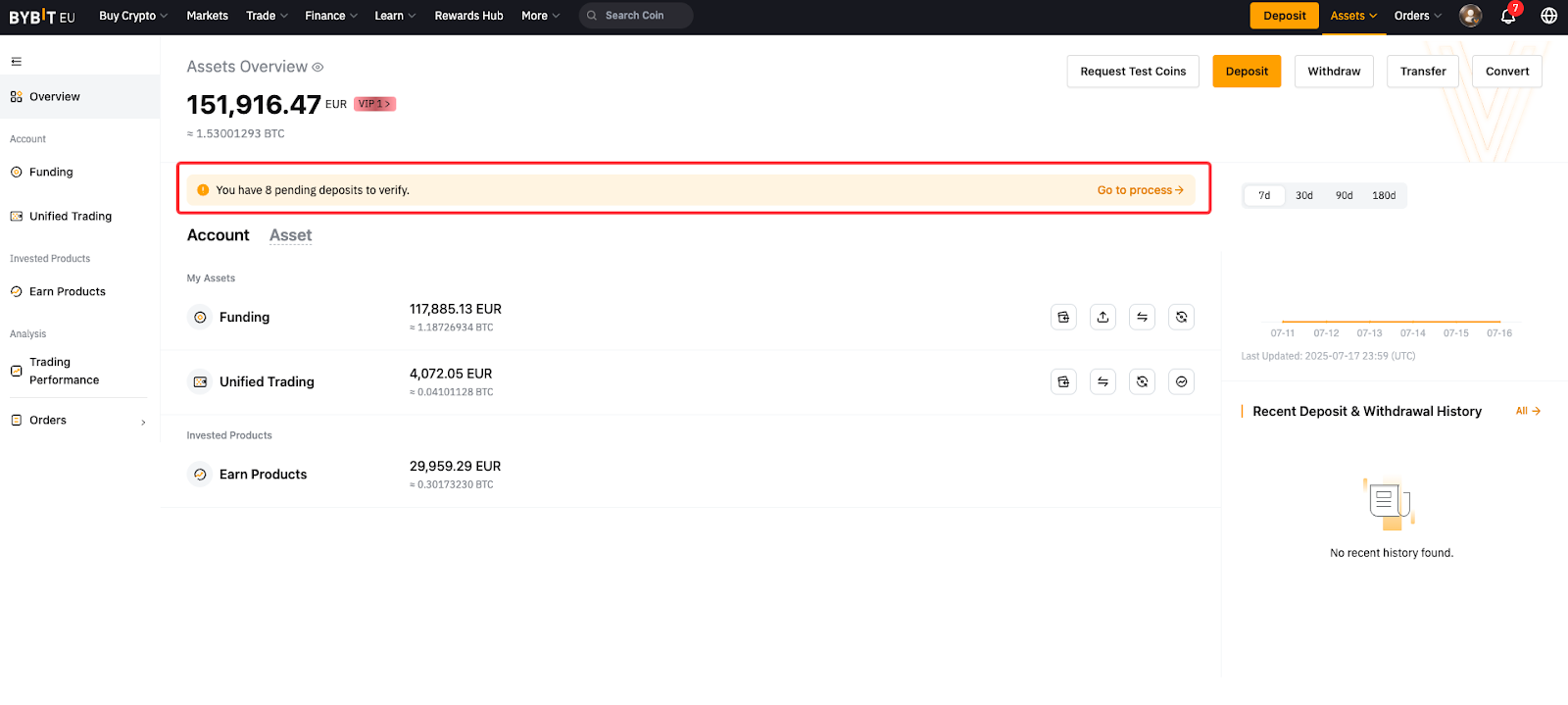
Step 1: Click Assets in the navigation bar. If you have any deposits that require a cost declaration, you'll see a prompt, and click Go to process.
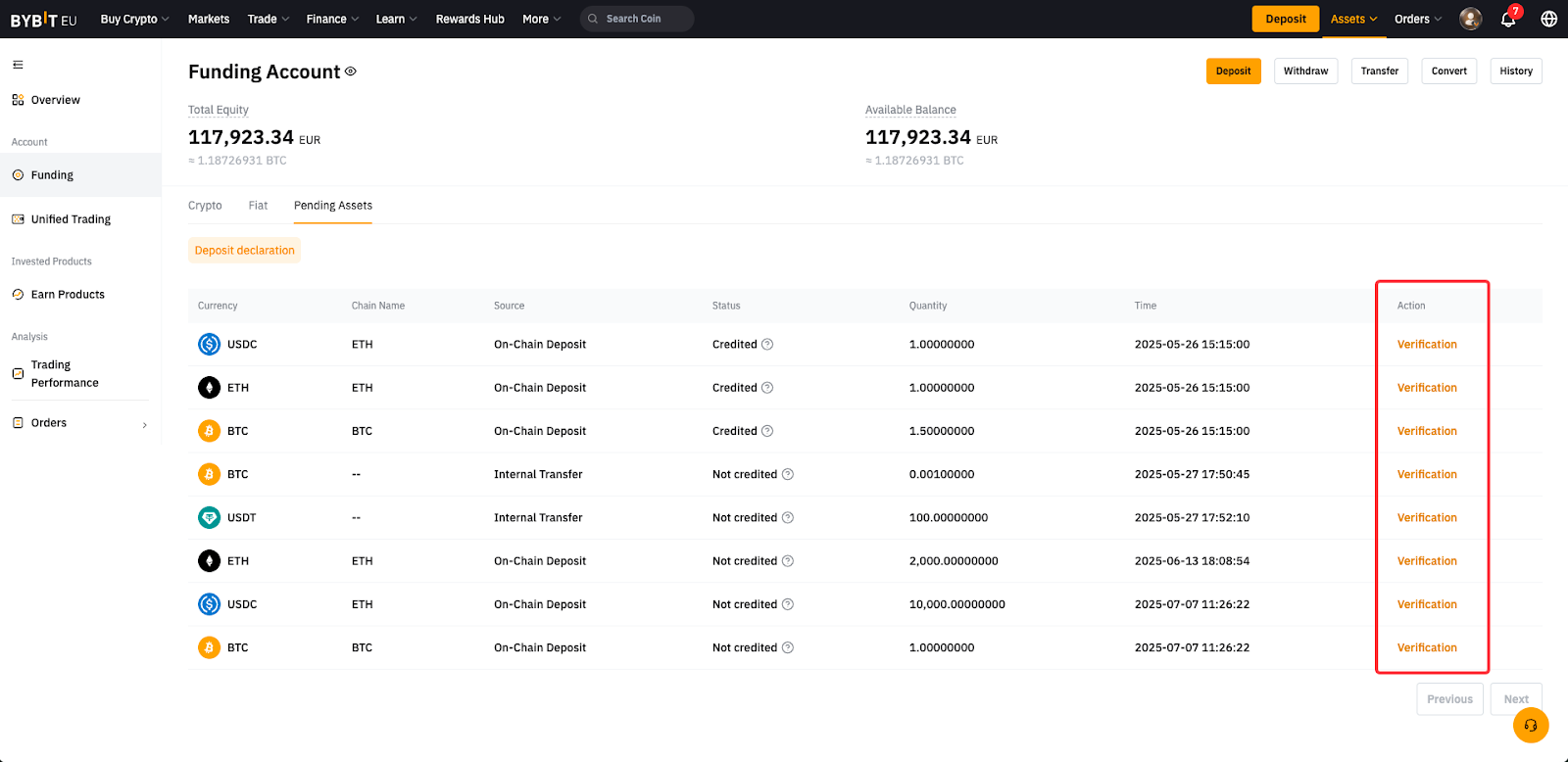
Step 2: You will be redirected to the Pending Assets page on the Funding Account. Locate the relevant deposit and click Verification next to it.
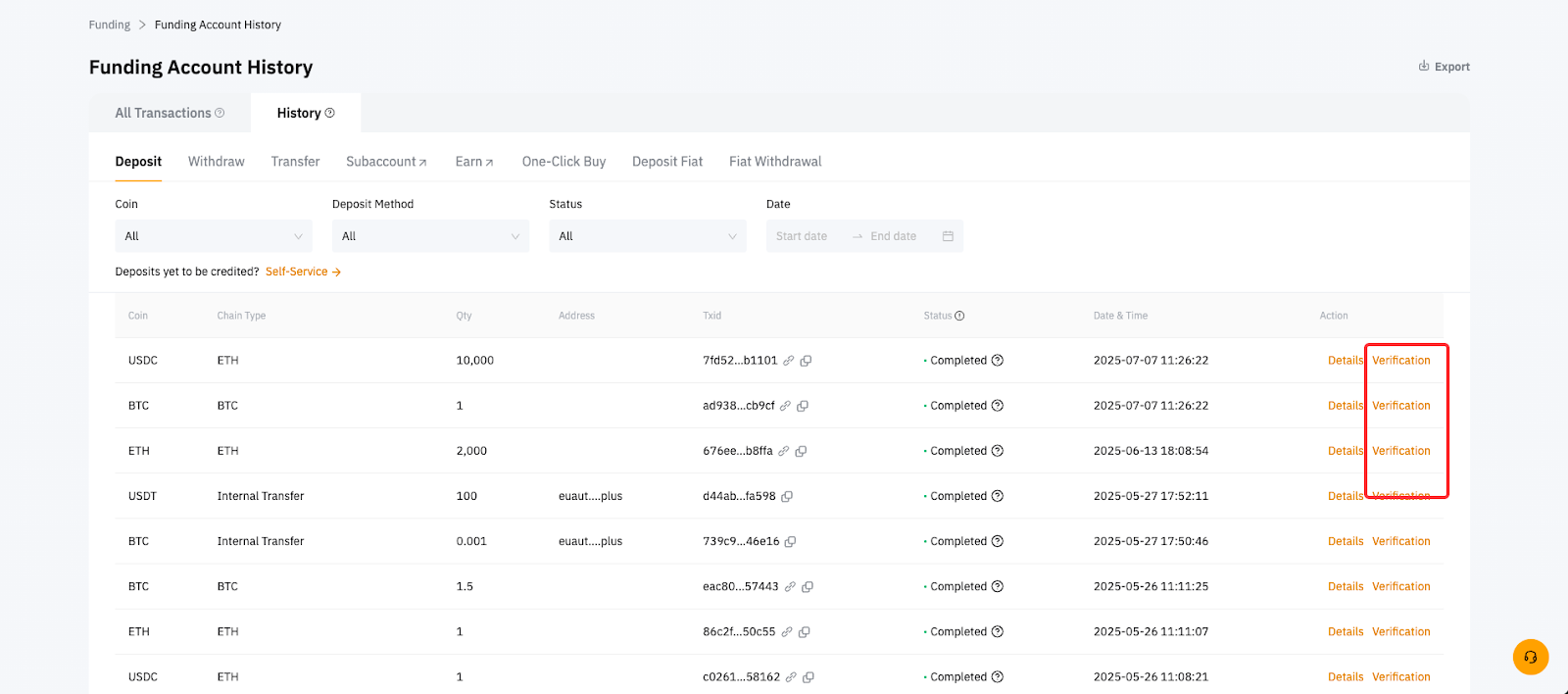
Alternatively, you can find the Verification link from the crypto deposit history page.
Step 3: In the Asset cost confirmation window, provide the information for the Time of acquisition and Cost of acquisition:
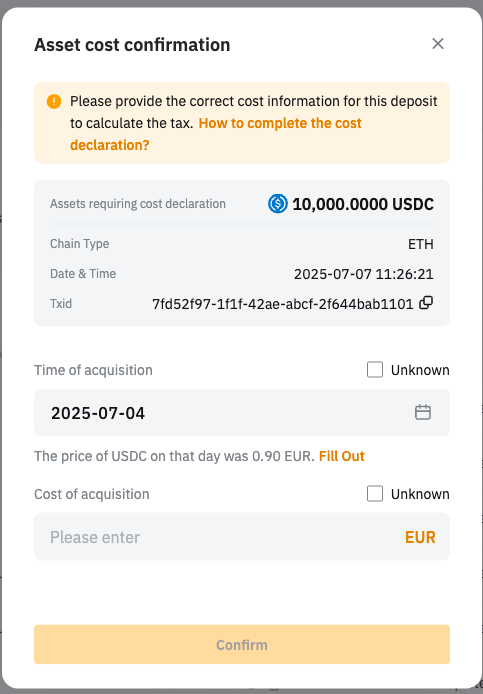
Depending on your input, your asset will be categorized into different types of assets and will be subject to different tax treatment. For more information, please refer to the FAQ — Withholding Tax in Austria.
-
Old assets: Acquired before Mar 1, 2021
-
New assets with unknown cost: Acquired on or after Mar 1, 2021, without any cost provided
-
New assets with known cost: Acquired on or after Mar 1, 2021, with a cost provided
Step 4: Click Confirm. A toast message will appear showing the result.