You can now deposit fiat cryptocurrencies on Bybit EU using Google Pay and Apple Pay. Please find below the list of currently supported fiat currencies for Google Pay and Apple Pay:
Note: Apple Pay is only compatible with iOS devices (iOS 16.2 or above) and the Safari browser supports the Bybit EU version 4.40.0 or higher.
Here is the step-by-step guide on how to deposit fiat currency with Google Pay/Apple Pay:
Step 1: On your Bybit EU App homepage, tap on More → Fiat Deposit.
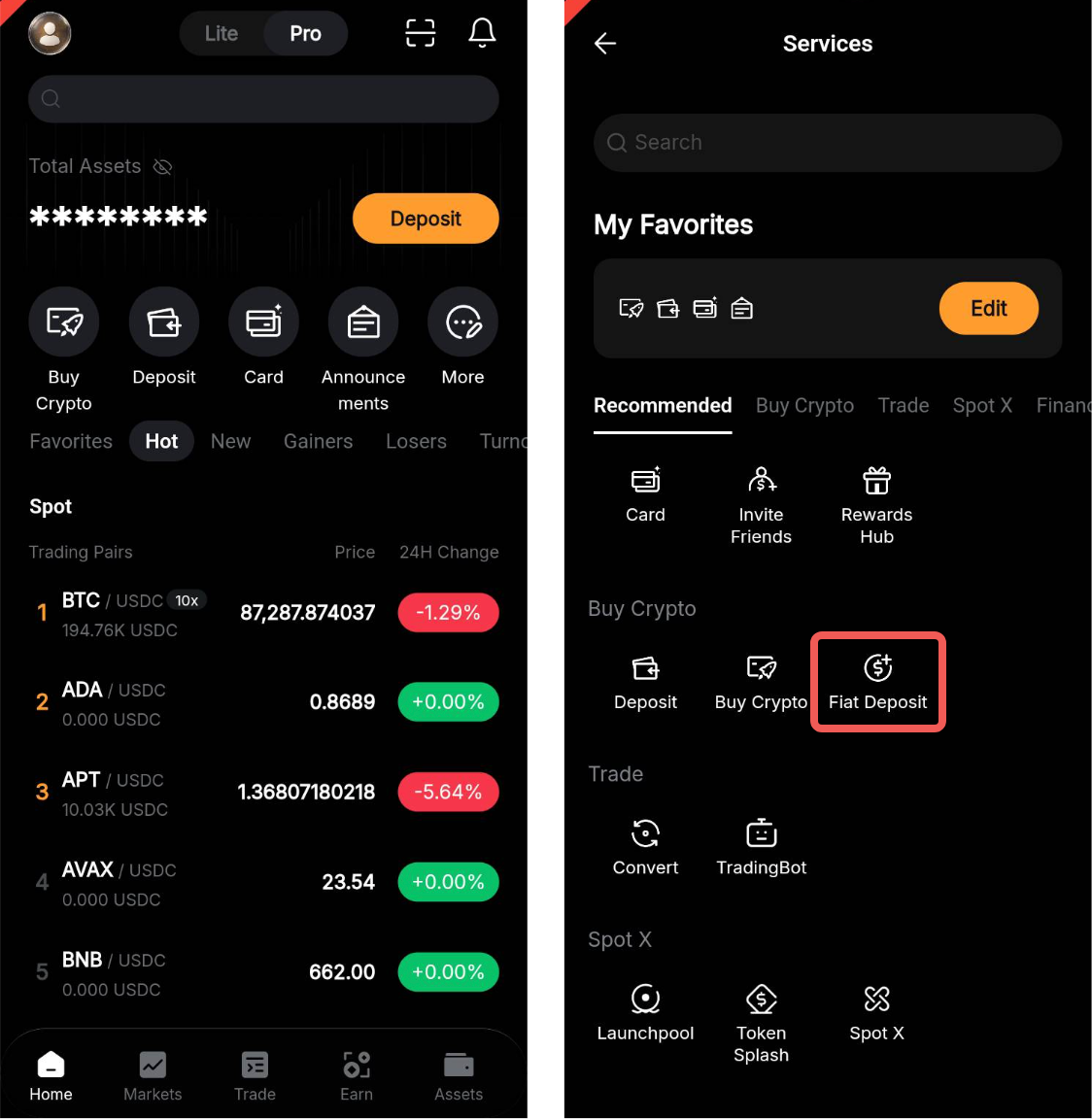
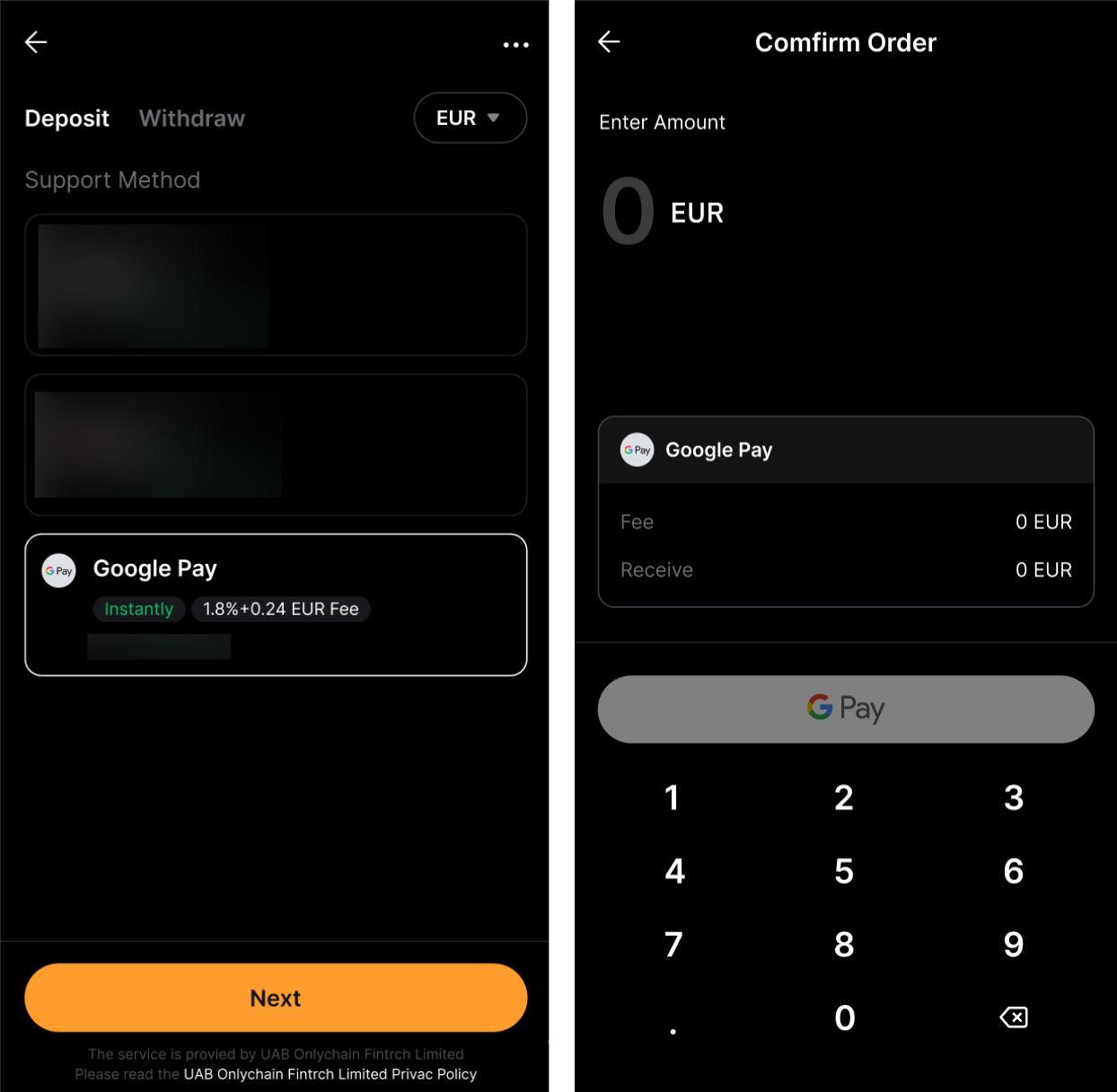
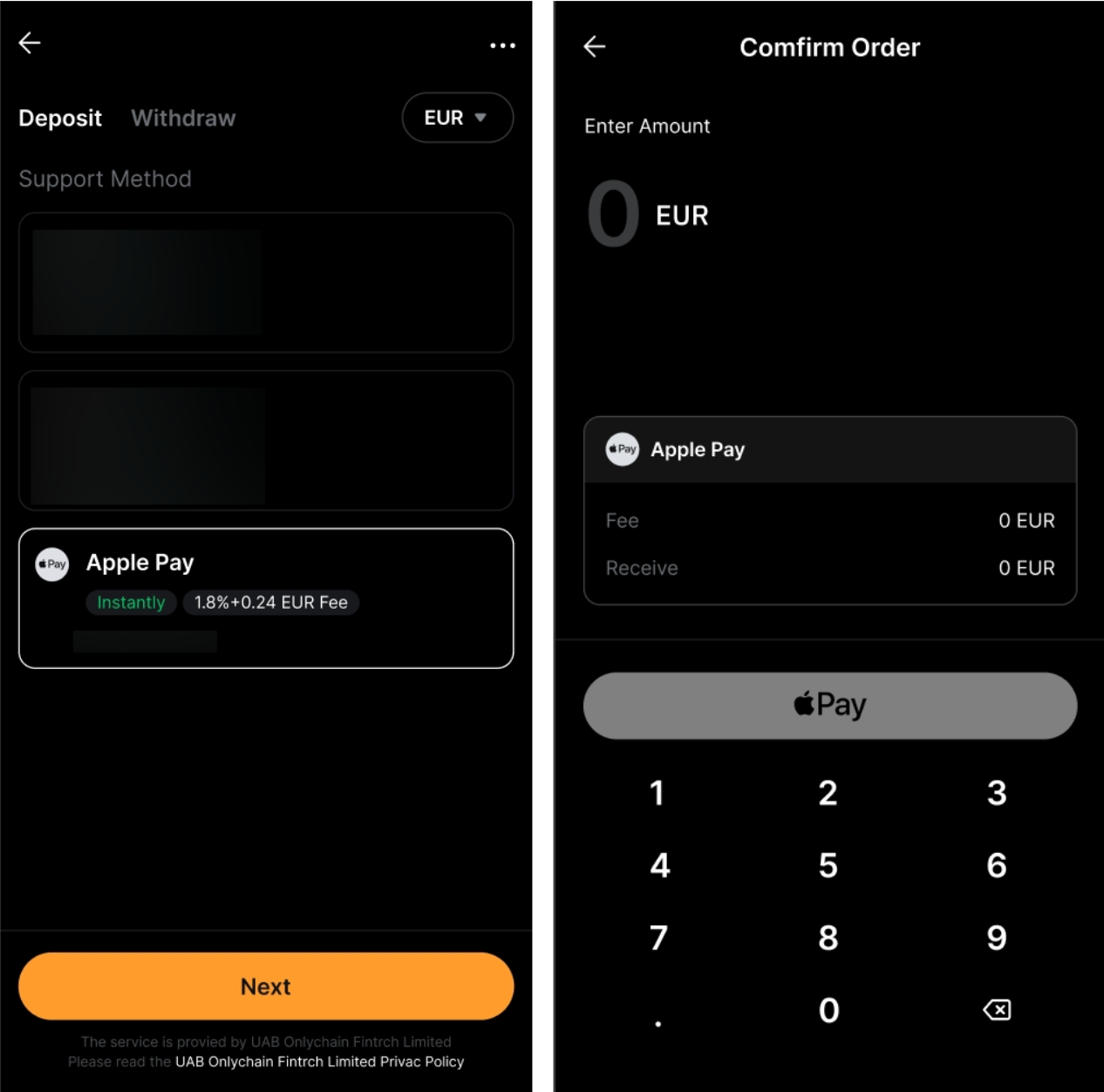
Step 2: Place an order by following these steps:
- Select the fiat currency that you want to deposit.
- Select Google Pay/Apple Pay as your Payment Method.
- Tap on Next
- Enter the purchase amount.
- Click on Continue
Note: Transaction limits will be applied when using Google Pay/Apple Pay. Please consult this FAQ to learn more.
Step 3: Choose the deposit account and check the payment details carefully before confirming your order. To link your Google Pay/Apple Pay account for the initial deposit, tap on Continue on the payment window.
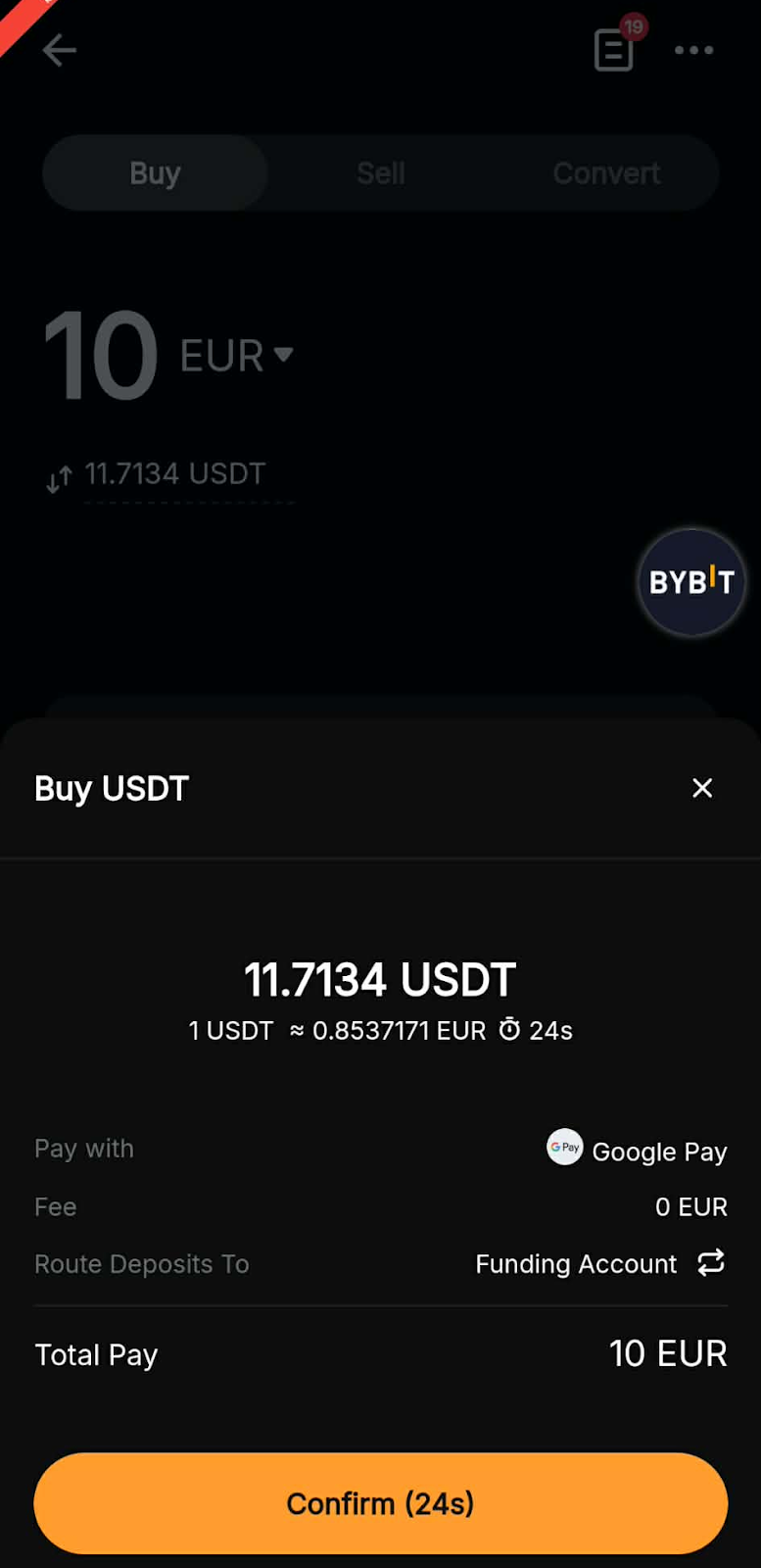
Note: Kindly ensure to select your Country/Region before entering your Card Details, as Google/Apple Pay may require specific formats.
Step 4: Once you have successfully added/chosen your bank card, click on Continue to proceed with the payment.
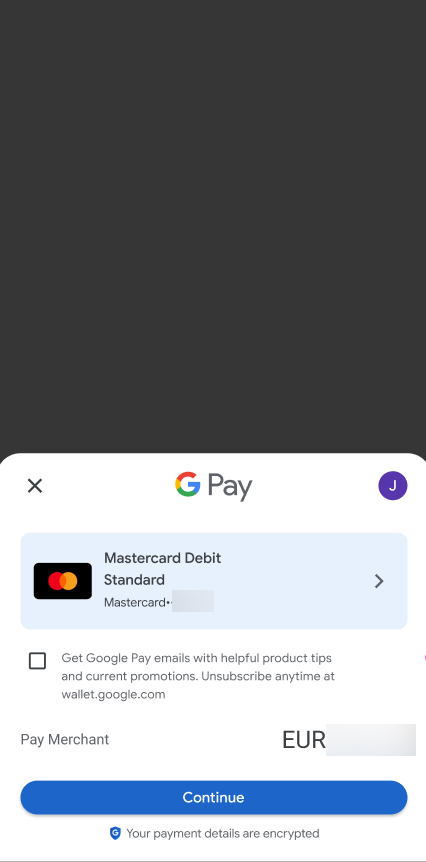
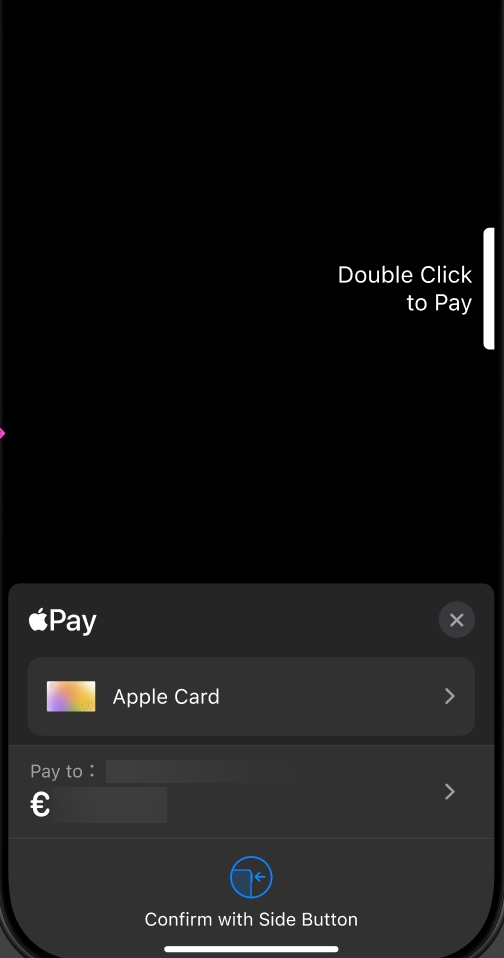
Step 5: For security purposes, enter the security code for your selected card and then click on Verify.
Step 6: You may be prompted to add a billing address for your current deposit.
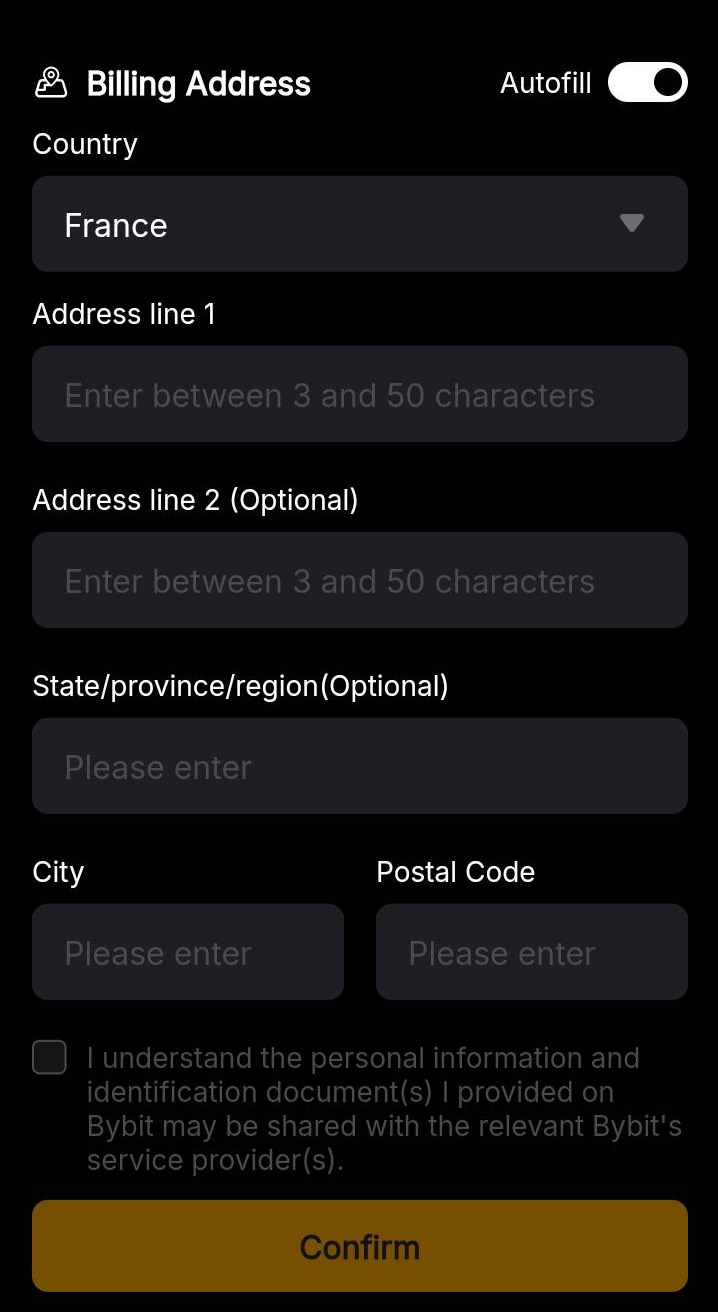
Note: The billing address information will be stored once the transaction is completed.
Step 7: You will receive a notification on your deposit status. If successful, the assets will be credited to your selected account within 48 hours. If not, the notification will indicate the failure reason and you are advised to try again later.
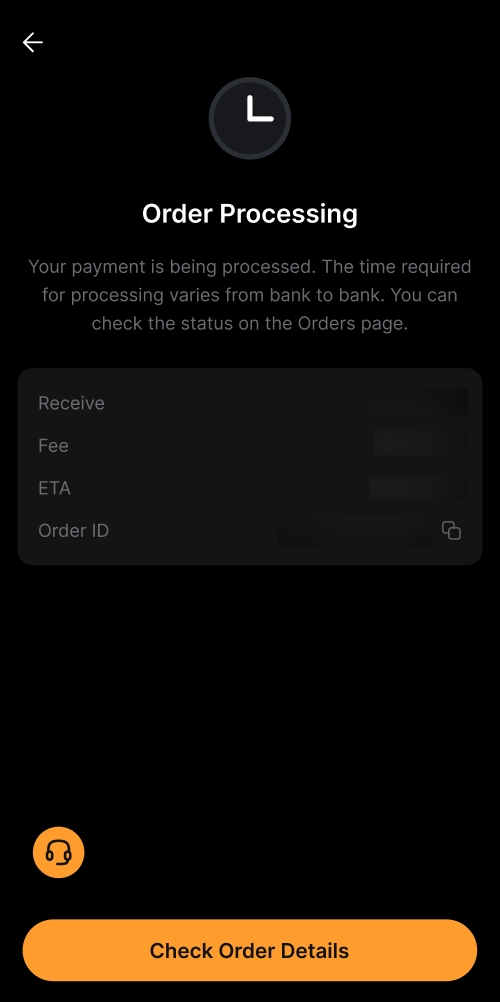
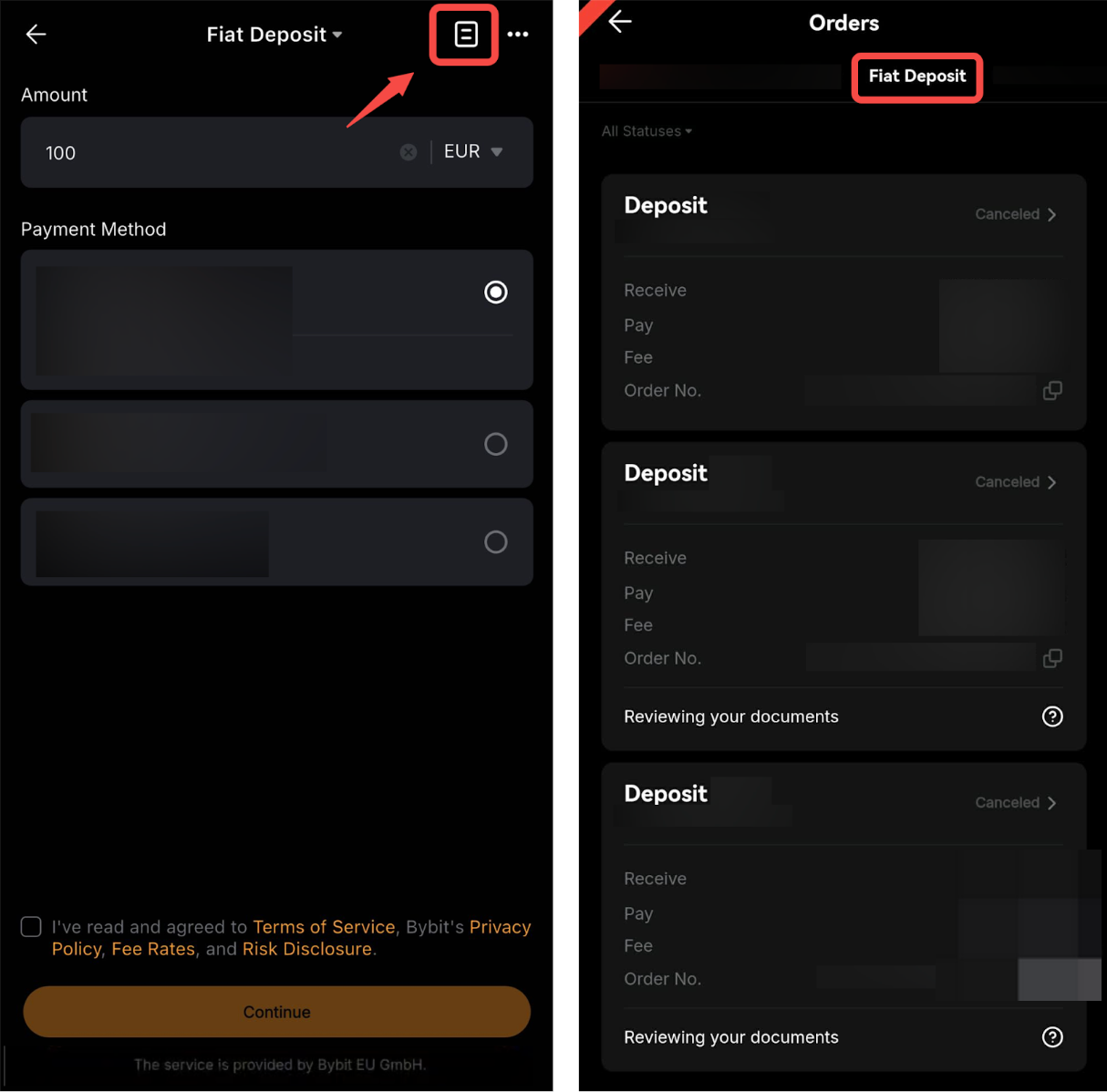
You can track your deposit on the Fiat Deposit order page by tapping on the history icon on the Fiat Deposit page.