
Step 1: Select Buy Crypto in the top navigation bar and click Convert.
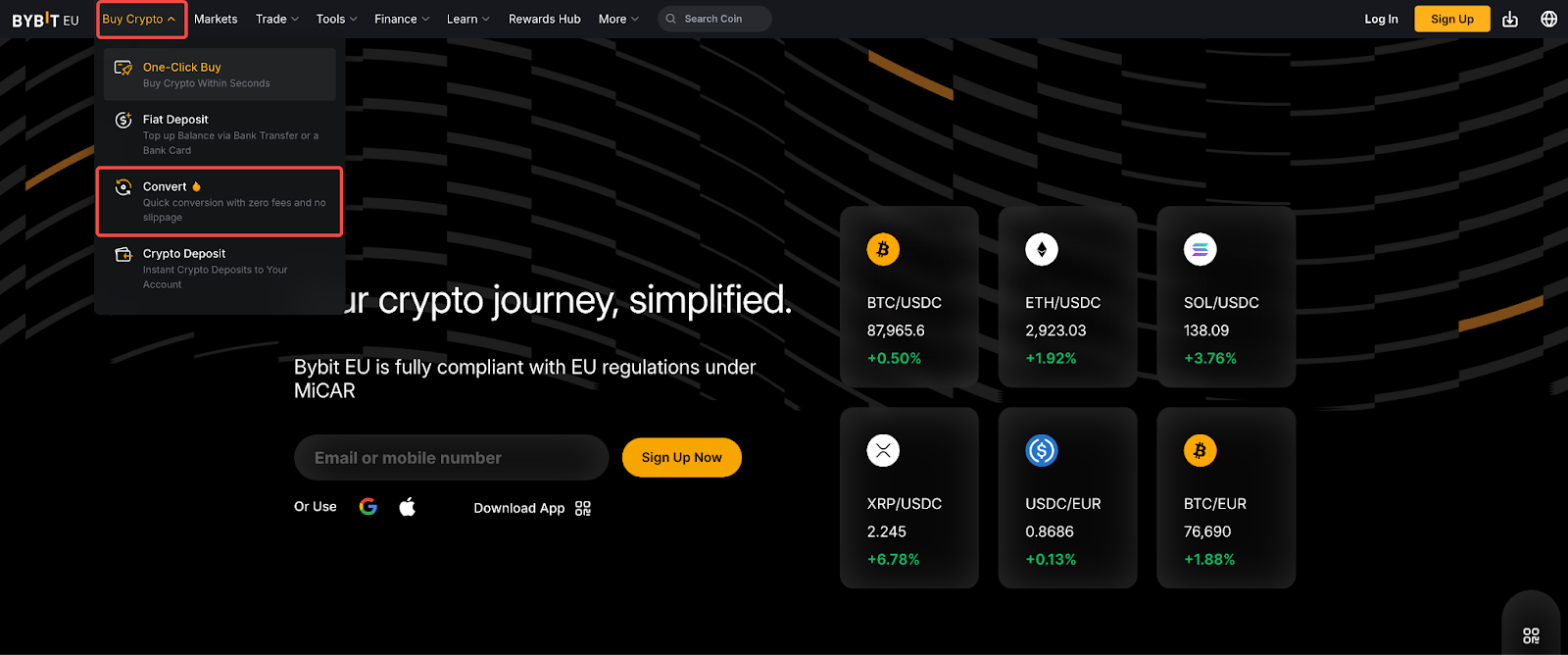
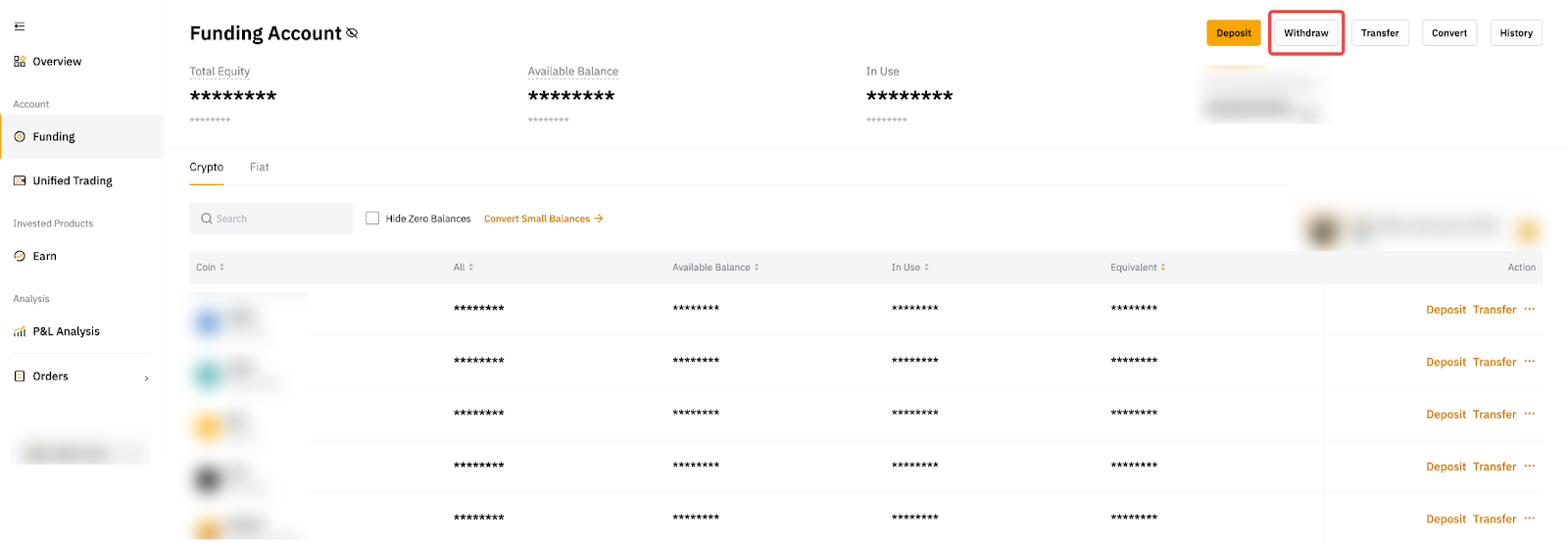
Alternatively, you can access Convert directly from the Funding Account or Unified Trading Account page.
Step 2: On the Convert page, choose either Instant or Limit mode to convert your assets.
- Instant mode: Your assets will be converted immediately at the quoted price displayed on the page once you confirm the transaction.
- Limit mode: You can set your preferred price, and the conversion will only be executed when the market quote matches your limit price.
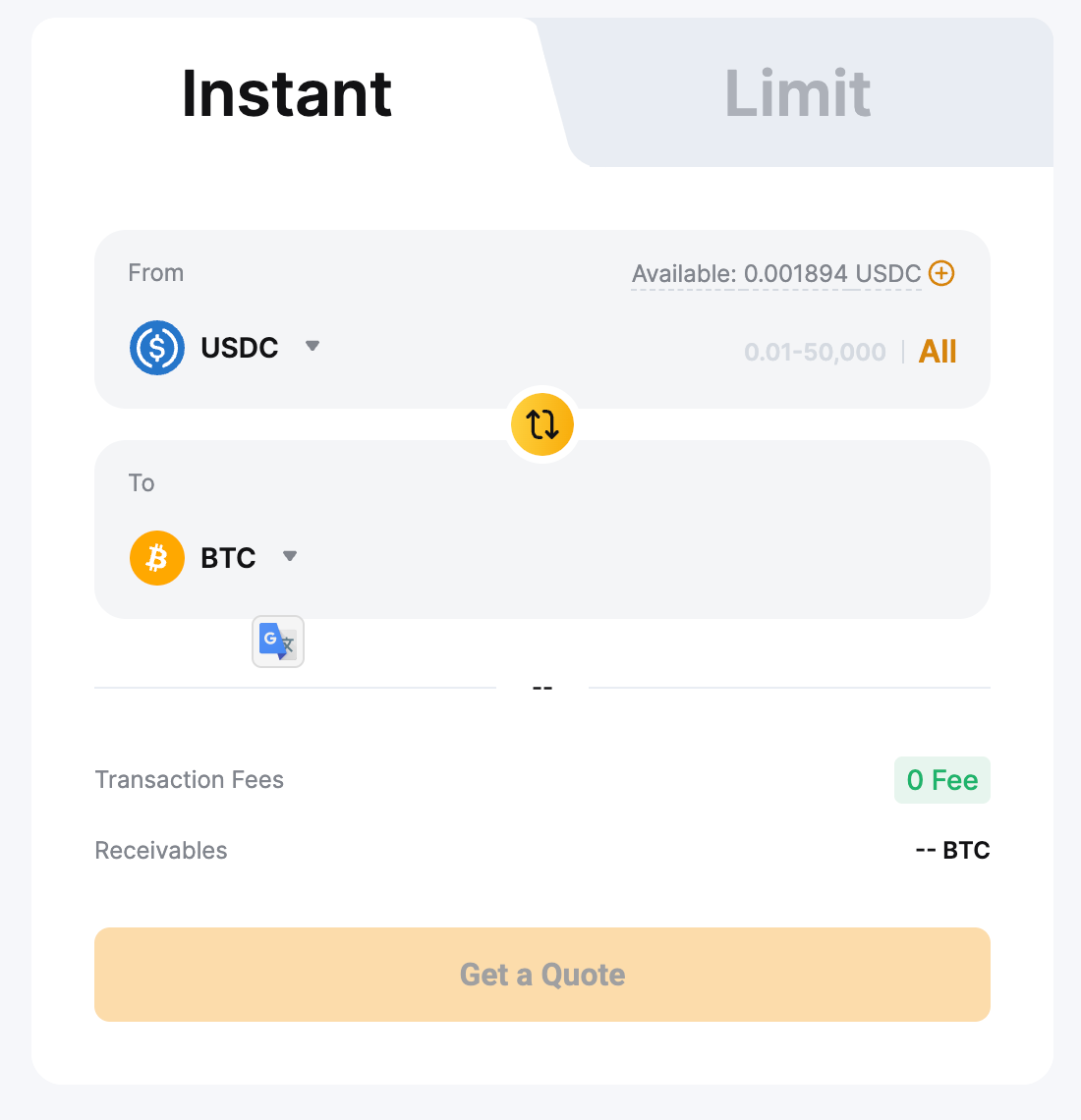
Step 3: Follow the steps below based on the mode you select:
a. Instant mode:
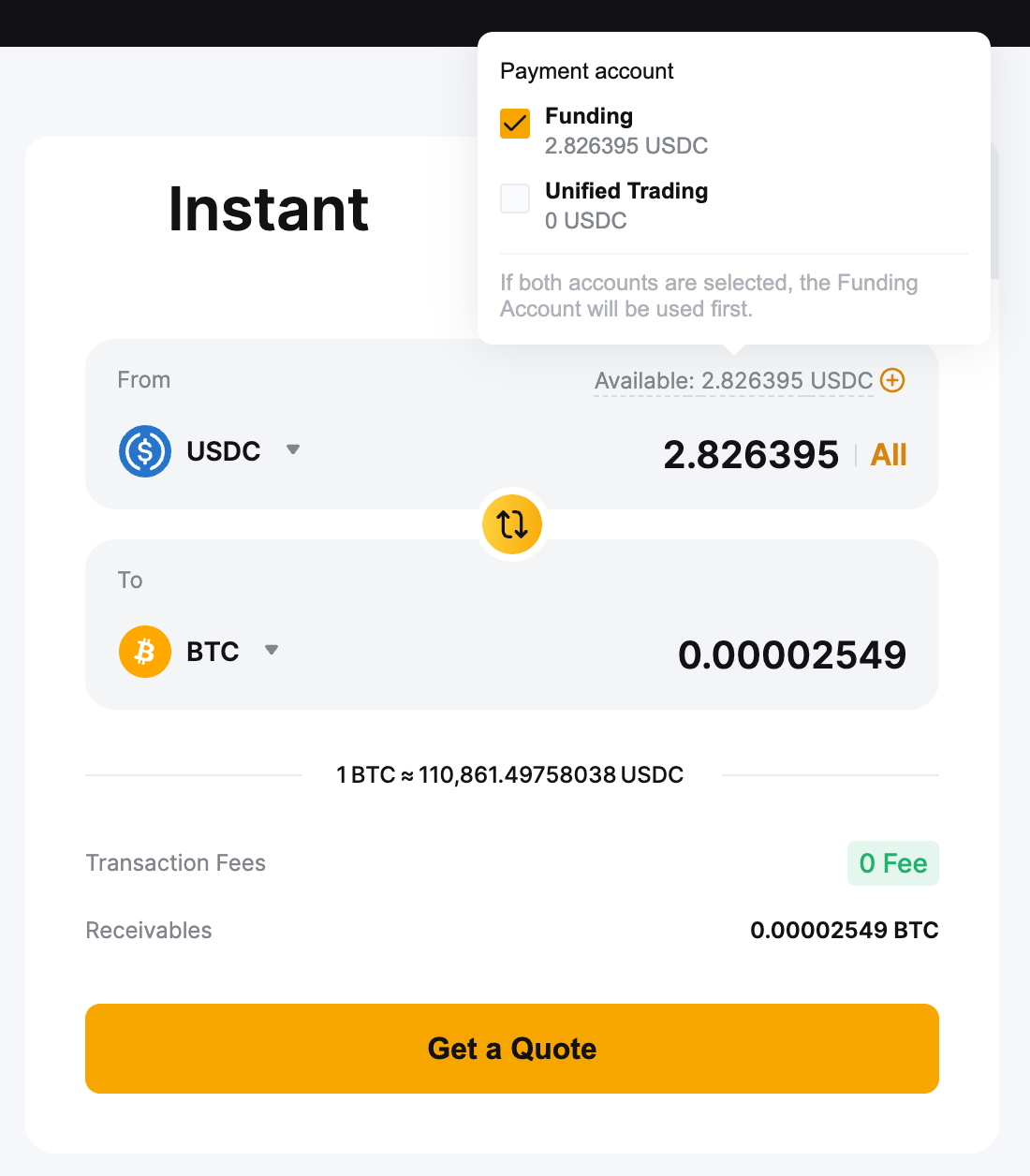
- Select the account you'd like to use for the conversion.
- Choose the assets you want to convert from and convert to.
- Enter the amount to convert, or click All to use your entire available balance.
- Click Get a Quote to preview your order.
Notes:
— The system will automatically select accounts with assets to perform the conversion. Alternatively, users can manually select the account they wish to use for the conversion.
— If the Funding Account is selected for conversion, the converted asset will be credited to the Funding Account. If the UTA is selected, it will be credited accordingly. If both accounts are selected, the converted asset will be credited to the Funding Account.
— Additional fees may apply in certain countries or regions. Please refer to the information displayed on the page for specific details.
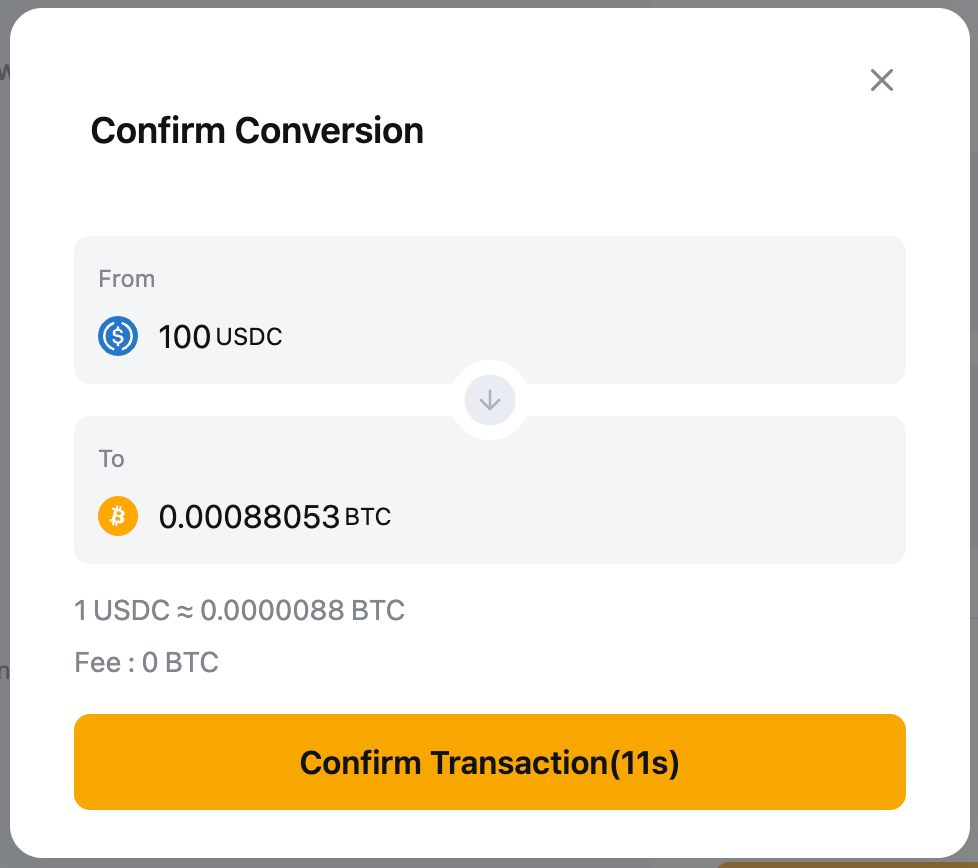
Review the details and click Confirm Transaction if you're satisfied with the rate. The transaction will be executed immediately, and the converted assets will be credited to the selected account.
Notes:
— Only the available balance in the account you selected will be used. You can click the plus icon next to Available Balance to add more funds.
— The exchange rate refreshes every 15 seconds to reflect the latest market conditions, and the amount you'll receive is updated automatically. In cases of extreme market volatility, where the rate shifts significantly after you confirm the conversion, your order may not be executed.
— Under Cross Margin mode, your action may affect your liquidation price.
b. Limit mode:
- Select the assets you want to convert from and convert to. You can browse through all available coins using the dropdown menu to select your desired asset. A 24H/1W/1M price chart for the selected trading pair will appear on the Bybit EU Convert page.
- Enter the amount to convert, or click All to use your entire available balance.
- Set your desired conversion rate, then click “Place order".
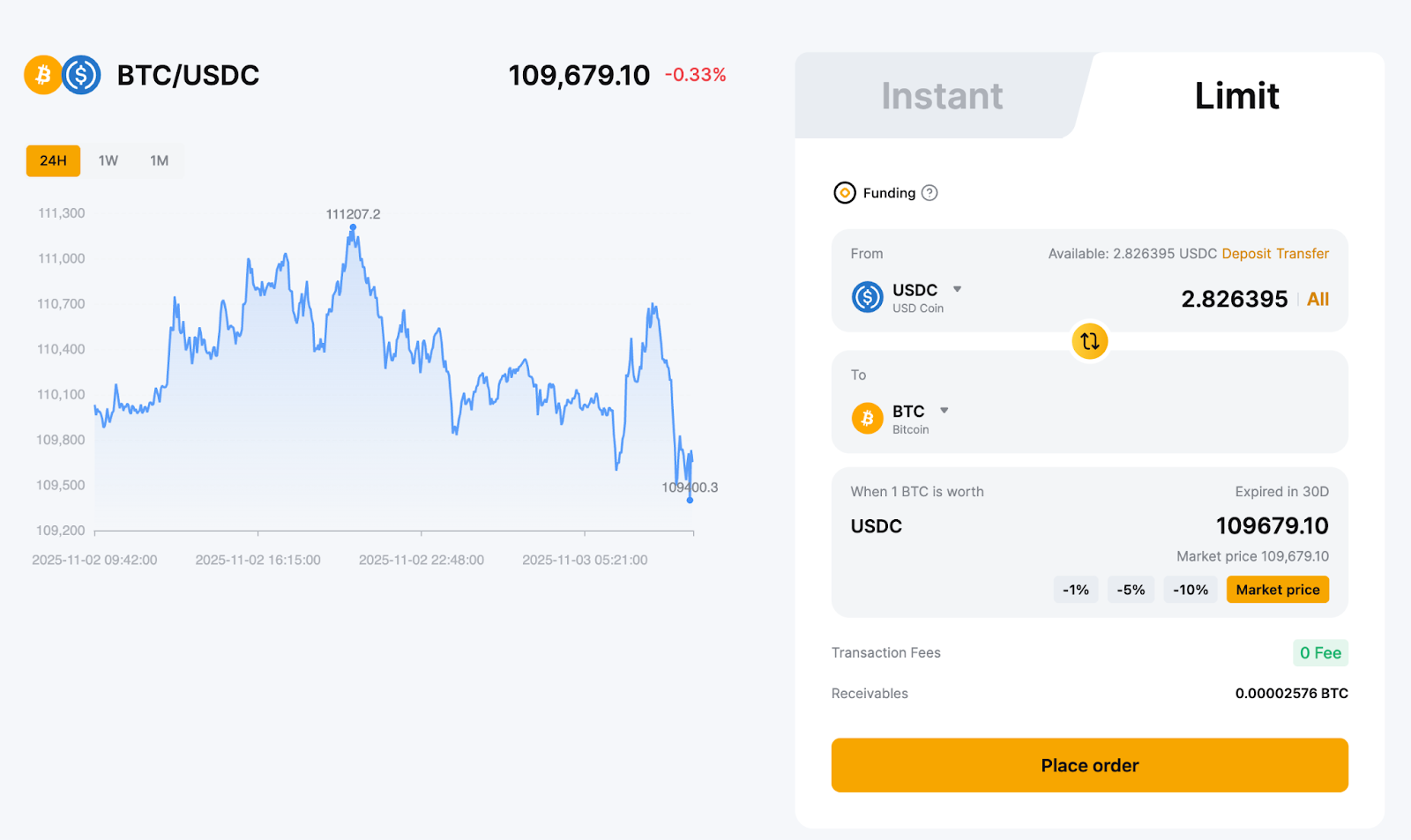
Review all the details carefully and click “Confirm Transaction”. Your order will be placed on the order book and will wait to be filled.
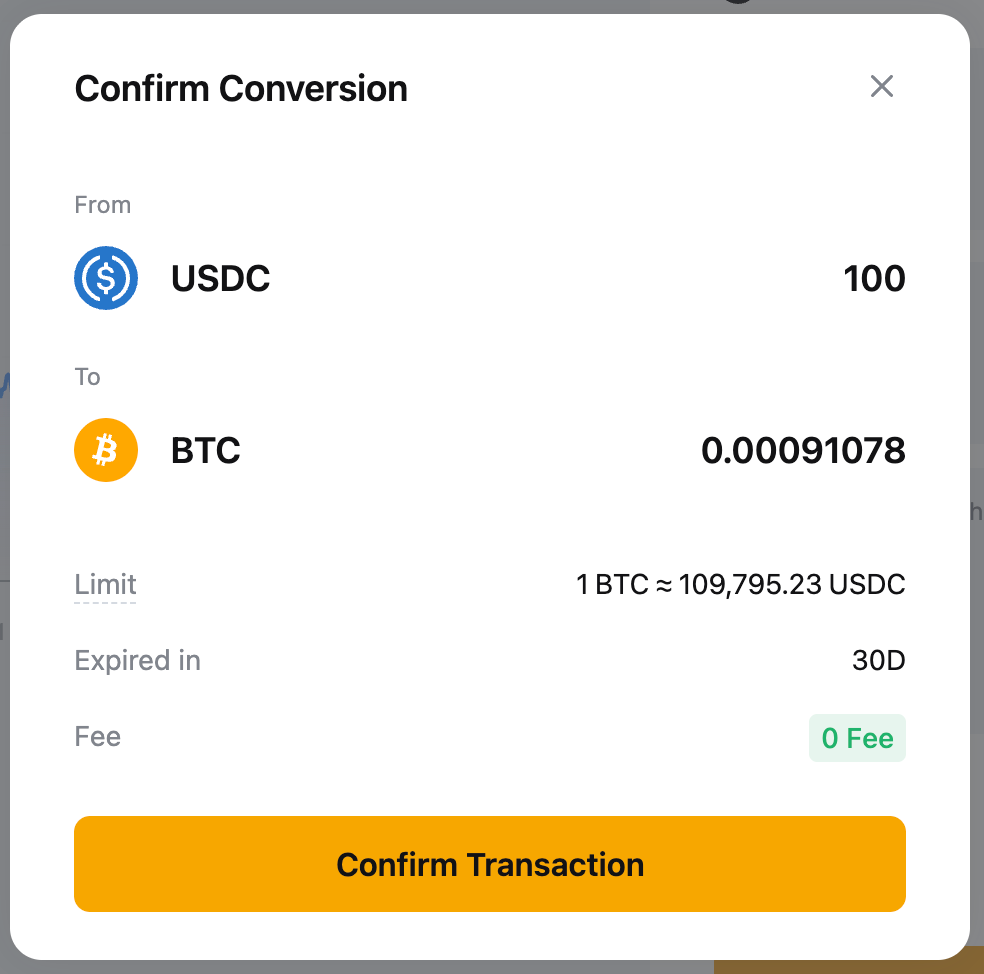
Notes:
— Limit orders can only be placed from the Funding Account. If your assets are in another account, you are required to transfer them to the Funding Account before proceeding.
— Limit orders placed via Convert are valid for 30 days. The assets involved will be locked until the order is either filled or expires. If the order is not filled within 30 days, it will be automatically canceled.
— The Convert exchange rate is a real-time rate based on the best available quotes from multiple market makers, calculated using the current index price. It may differ from the Bybit EU Spot market price. However, the price chart displayed on the Convert page is based on data pulled at regular intervals from the Spot candlestick chart. It is provided for reference only and does not reflect actual Convert rates.
View your Convert Order History
To check your conversion history, click on Conversion History in the upper right corner of the Bybit EU Convert page.
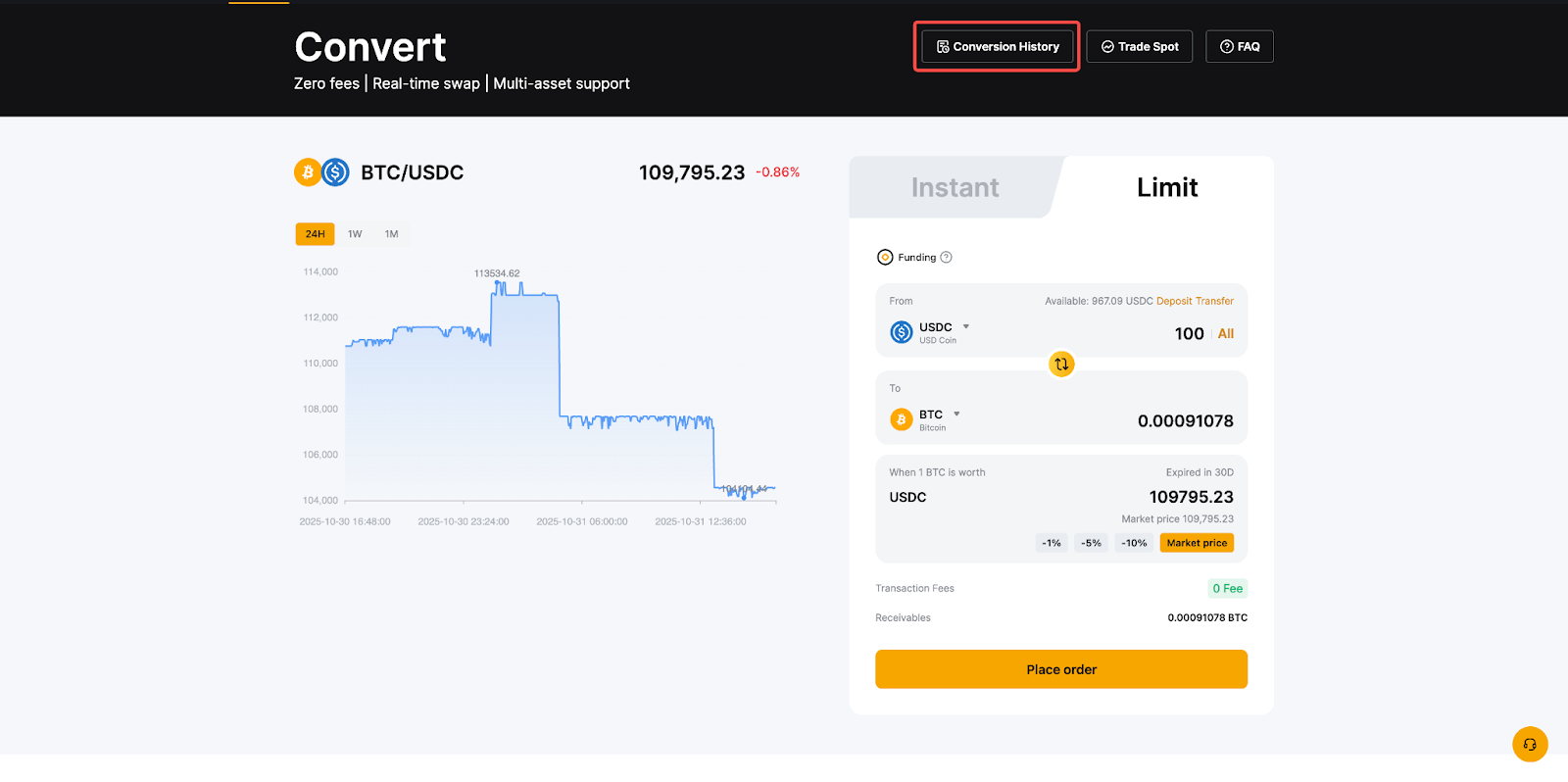
You can cancel any unfilled limit order by clicking on the “Cancel” button under the Active orders.
