General Information
What is the difference between Fiat Deposit and other payment methods?
Fiat Deposit allows you to transfer fiat currency to your Bybit EU Funding Account. After that, you can purchase coins at any time with the fiat balance in your Funding Account. To learn more about other payment methods, please visit here.
Which fiat currencies are supported for Fiat Deposit?
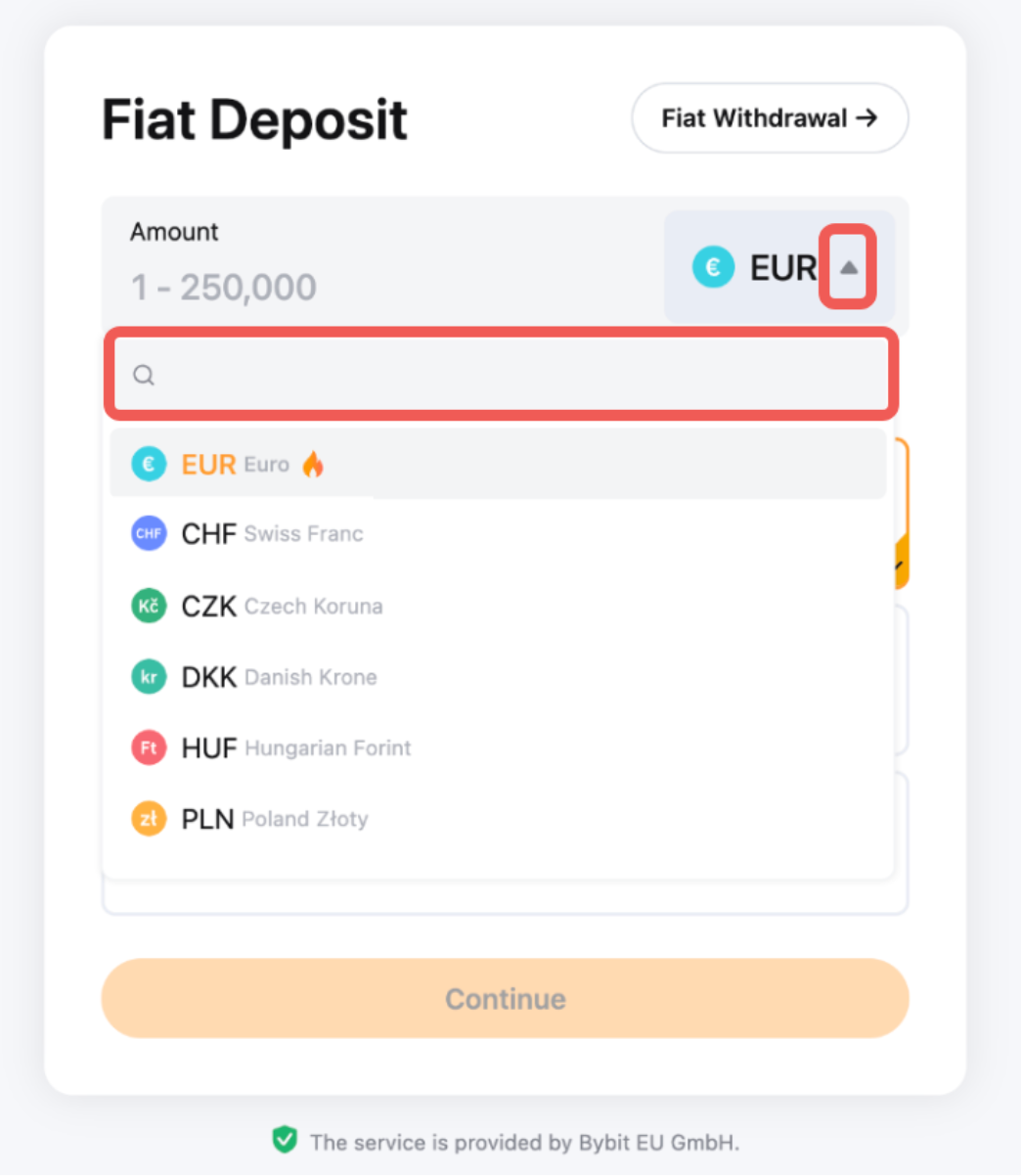
You can find the list of supported currencies for fiat deposit by going to the Fiat deposit page and opening the currency menu shown below:
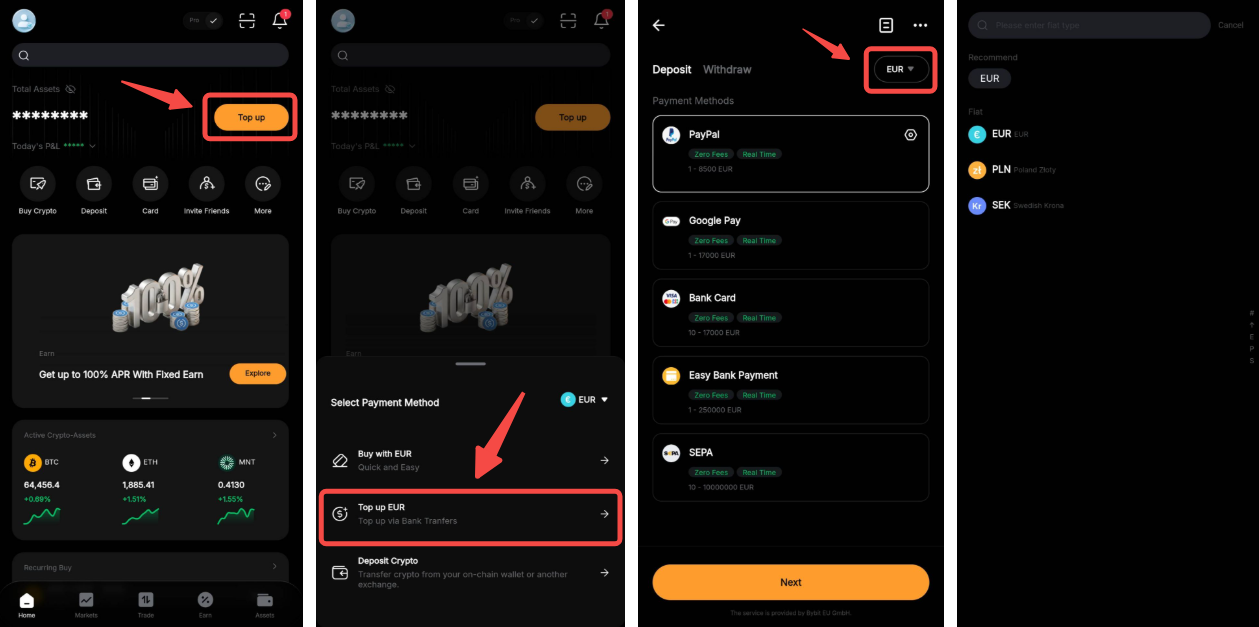
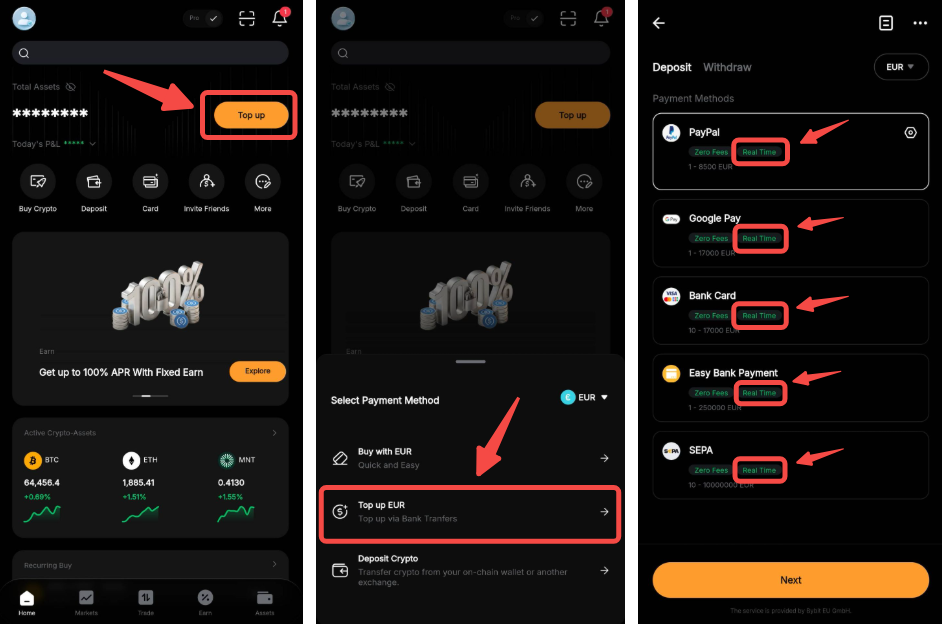
On the App, please go to the Homepage and tap Top Up, then select Top Up EUR. Tap on the Fiat currency to access the list of supported options.
Why can’t I find a previously available payment method?
Payment method availability may vary depending on factors such as region, payment provider, or system availability. If a payment method you previously saw is no longer visible, the payment provider may have temporarily limited or suspended its availability. In this case, please use one of the other available payment methods shown on the platform. The table below shows the unsupported payment methods for certain regions.
Are there any fees associated with Fiat Deposit?
Bybit EU GmbH charges zero exchange deposit fees for Fiat Deposits. Please note that external payment service providers may apply separate processing fees or charges depending on the selected currency and payment methods.
Are there any KYC requirements for Fiat Deposit?
Yes, Identity Verification is required for fiat deposits. Unfortunately Business verification is not supported at the moment. To learn more about Identity verification, please refer to the following articles: FAQ — Individual KYC.
Do Subaccounts support fiat currency deposits?
Subaccounts are currently not supported.
What are the payment methods available?
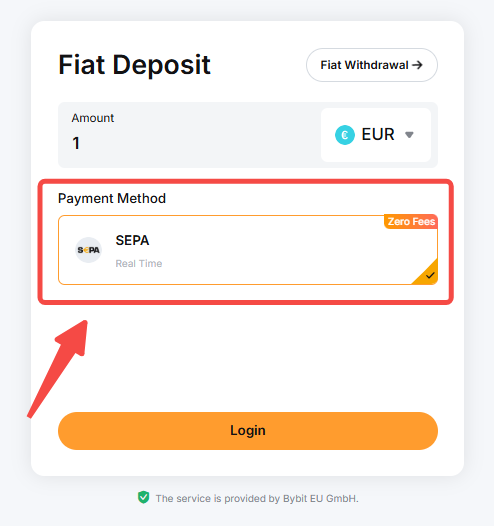
Different payment methods will be accessible based on your country/region of residence and the service providers’ availability. Simply select the currency you would like to deposit and the list of supported payment methods will be displayed in the fiat deposit page accordingly.
What bank cards does Bybit EU support?
Currently, Visa, Mastercard, Google Pay and Apple Pay payments are supported. Please note that corporate cards are not supported.
Note: Please make sure your bank allows international and online transactions on your card and that it supports 3D Secure.
In which countries/regions can I buy coins with a bank card?
How many bank cards can I link to my account at the same time?
You can link up to five bank cards, including any unlinked cards from the last 180 days. Please note that if the first card you link is removed and added again, it is considered a new card.
Why is it necessary to provide a billing address in bank card transactions?
Card transactions require a billing address when linking to a bank card primarily to verify the cardholder's identity, which helps prevent fraud and unauthorized transactions. Many payment processing systems cross-check the billing address against the records from the issuing bank to ensure the transaction's legitimacy.
Your privacy is of utmost importance to us. All collected information will be used solely for identity verification and fraud prevention purposes and will be securely protected.
How long does it take for the fiat currency to be credited to my Funding Account?
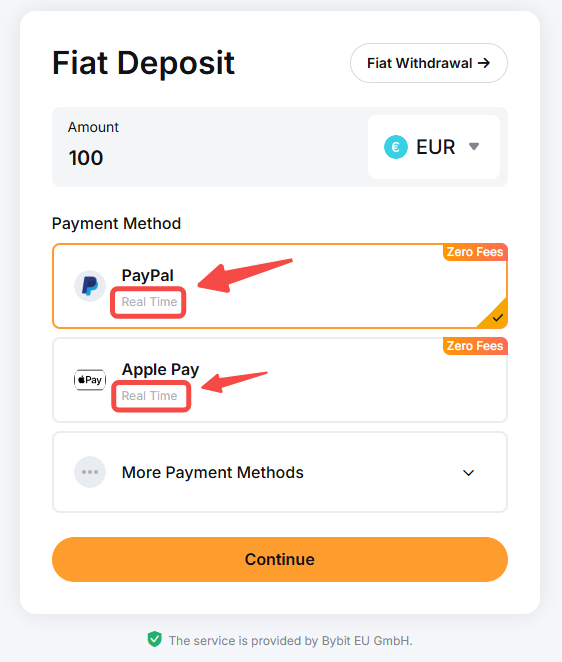
The processing time can be different depending on the fiat currency and payment method selected. You can find the estimated processing time for each fiat by going to the Fiat deposit page and selecting the fiat currency of your choice.
On the App, please go to the Homepage and tap Top Up, then select Top Up EUR. Tap on the Fiat currency and refer to the estimated processing time for each payment method.
Note: Under special circumstances, such as delays caused by channel service issues, the process may take up to 5 business days to complete. If the transaction is successful, the funds will be credited to your Bybit EU account. If it fails, a refund will be initiated and may take up to 14 working days to be completed.
If the processing time has passed and you have not received the deposit in your Bybit EU account, please contact your payment service provider to check the payment status. If it is confirmed that the payment is successful, kindly submit a request ticket here.
Where can I view the fiat currency I’ve deposited once the order is complete?
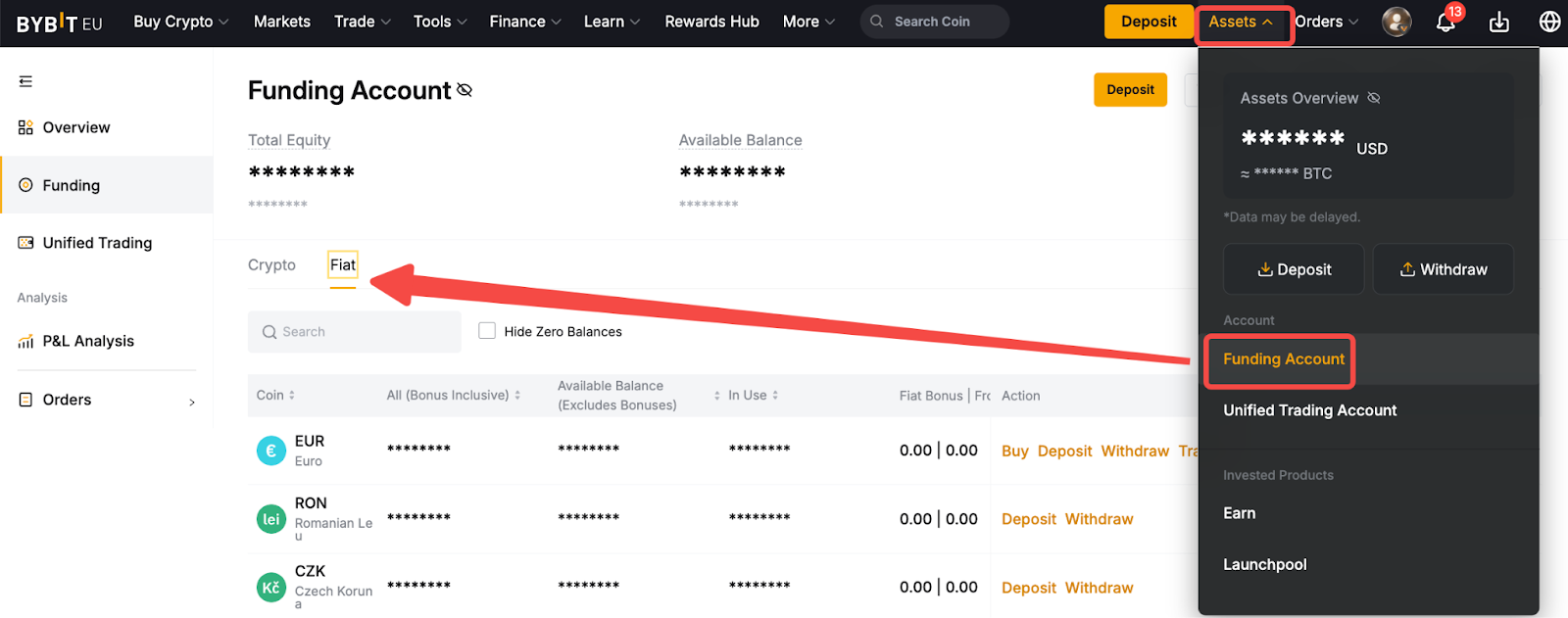
Please click on Assets → Funding Account to view your purchased fiat currency under Fiat.
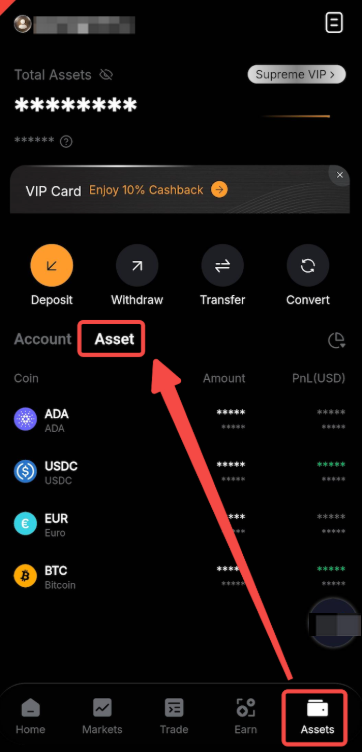
On the App, please go to Assets → Asset.
What is the fiat deposit limit applied on my account?
You can check the deposit limit per transaction from the deposit window.
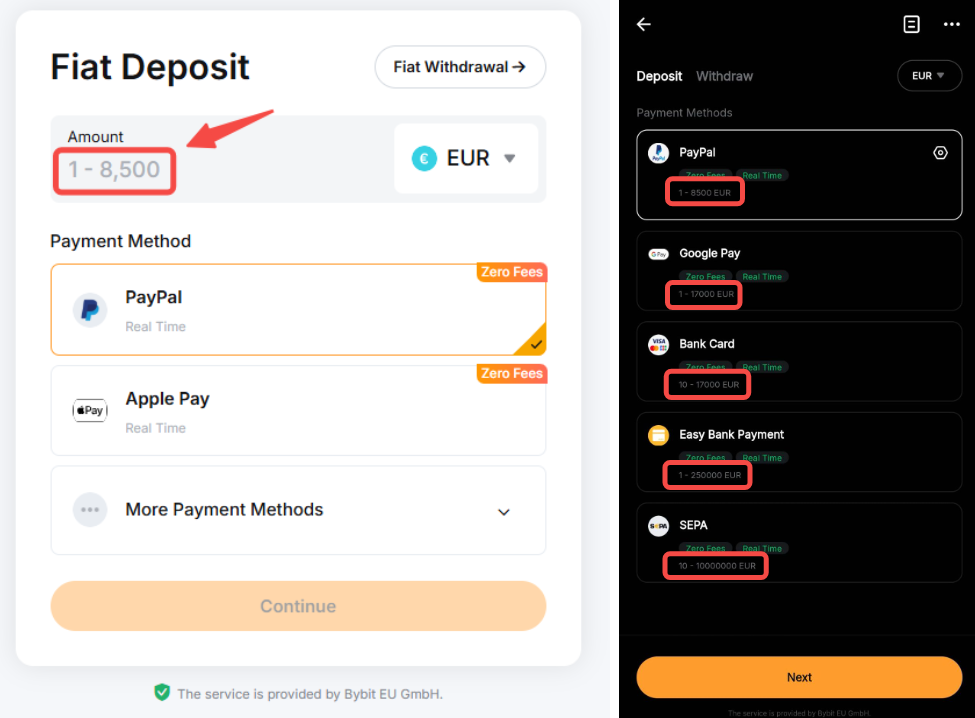
All deposits made via SEPA will have a deposit limit of 10 millions per order, applicable to all users.
For all other payment methods, deposit limits will be applied based on your account’s KYC and VIP levels. Please refer to the table below for more information.
Notes:
— Please note that the transaction amount limits above include both Fiat Deposit and One-Click Buy transactions.
— All fiat deposit limits shall follow EUR equivalent value.
— The accumulation of the transaction amount, excluding all SEPA deposits, will be calculated from Monday, 00:00 AM UTC to Sunday, 23:59 PM UTC for the weekly total.
— The accumulation of the transaction amount, excluding all SEPA deposits, will be calculated from the first day of the month, 00:00 AM UTC to the last day of the month, 23:59 PM UTC for the monthly total.
— Please note that for some currencies, additional verification may be requested in order for the full maximum deposit limit amount to be applied on your account.
Can I cancel my deposit order?
You will not be able to cancel your fiat deposit order on Bybit EU. However, you may try to contact your bank or service provider to cancel the payment if the payment has not been completed.
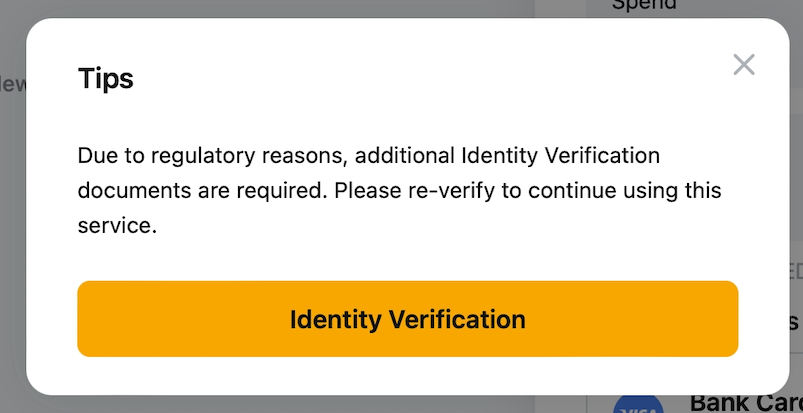
I have verified my Bybit EU account. Why was I prompted to provide additional Identity Verification?
Due to compliance requirements, users making their first deposit through Bybit EU GmbH may be required to provide additional identity documents other than driving license.
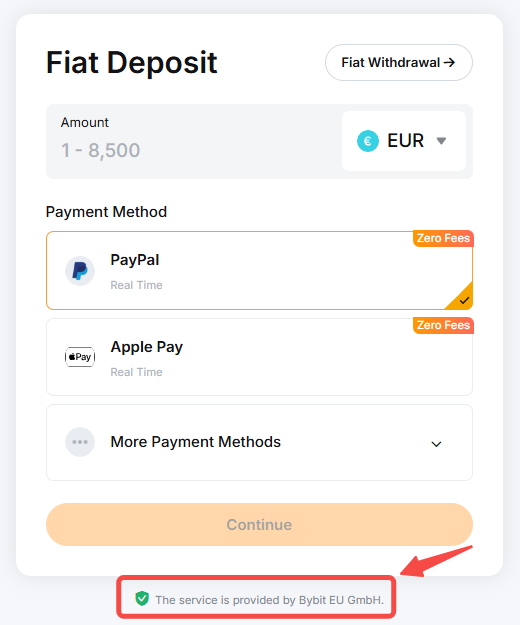
How can I determine which service my selected payment method is under?
You can find the relevant service information below the deposit information input box.
Deposit Method Related
Can I link the same payment details to two different Bybit EU accounts?
No, for security reasons, one payment account can only be linked to one Bybit EU account. If you have already associated your payment account with a Bybit EU account, please use another payment account for your new Bybit EU account.
How does each type of payment method work?
Every payment method has a varying process. The following table provides a description of each payment method and its process. For detailed guidelines on each payment method, please refer to the ‘How to deposit’ articles on this page.
Note:
— Additional verification may be requested by the service provider.
— The payment method examples provided above are given for illustrative purposes only. Based on your country of residence and the service providers’ availability, not all payment methods will be accessible.
What if I am unable to find my preferred bank on the bank list?
If the bank you intend to use for the selected payment method is not found on our supported bank list, it means our service provider does not currently extend support to that particular bank. Kindly select alternative banks or other payment methods.
How do I identify the country of a Beneficiary IBAN?
You may identify the IBAN country based on the first two letters stated in the IBAN. For example, “DE” stands for Germany, “CH” for Switzerland, and “IS” for Iceland.
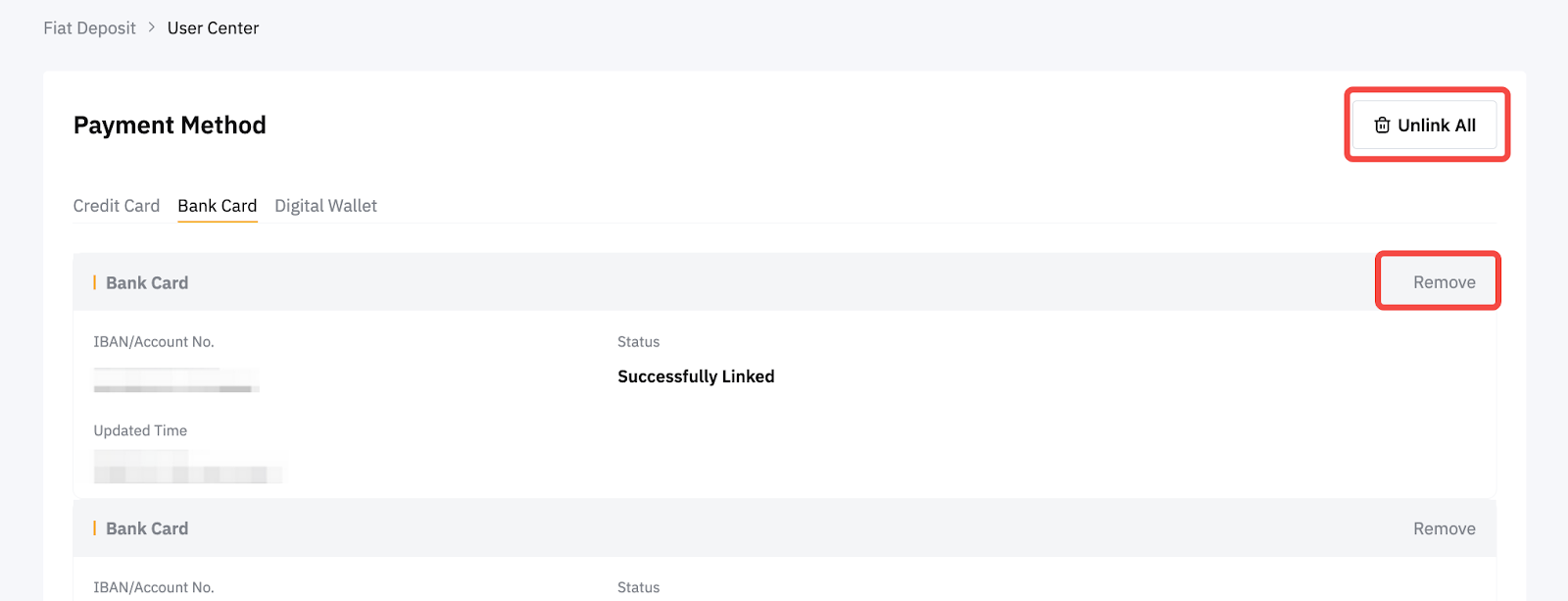
Can I remove my fiat deposit account?
Yes, you can unlink all of your accounts or remove a specific account from the Payment Method page.
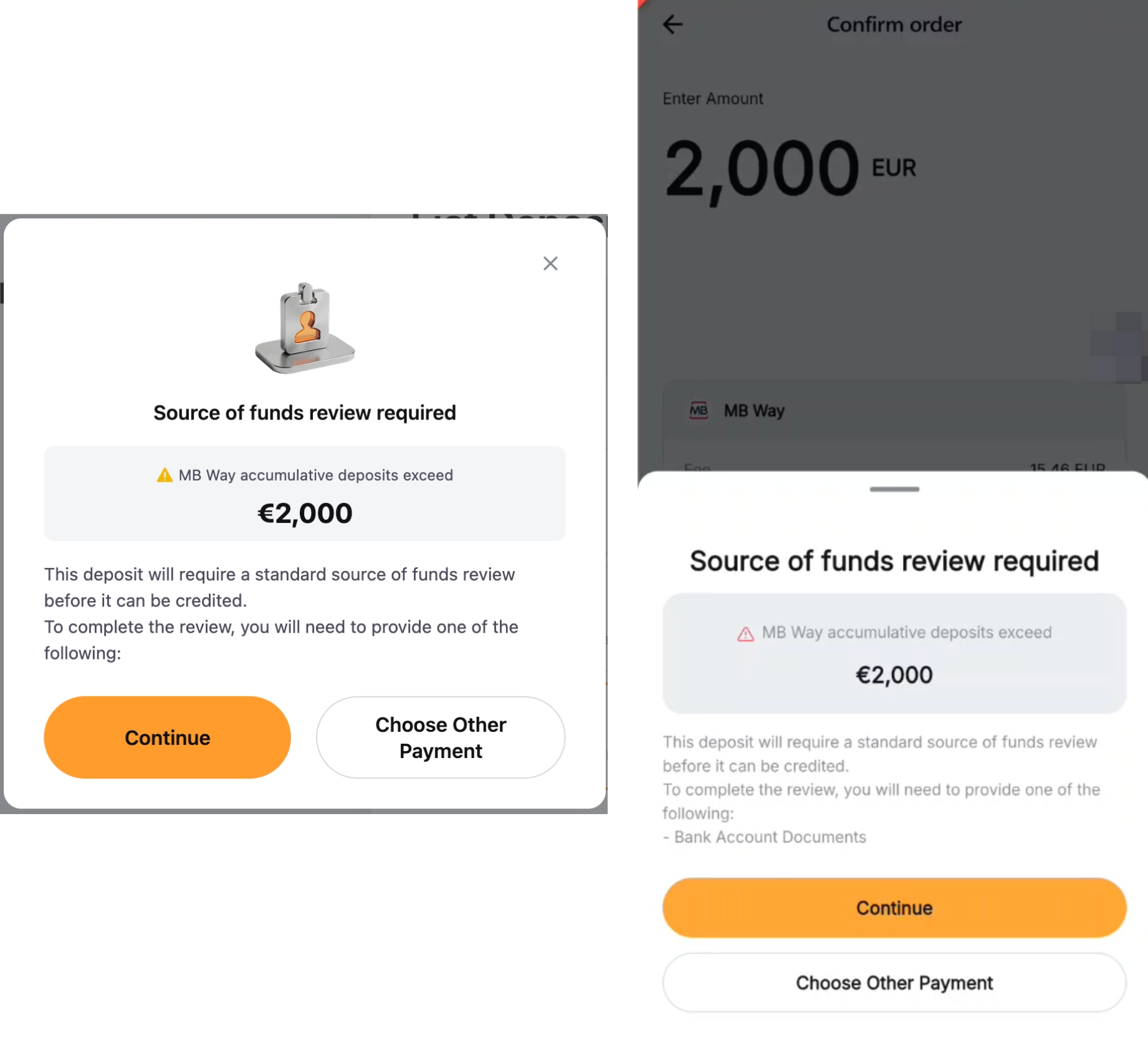
Why am I being notified that a fund review may be required when depositing via MB Way?
Due to requirements from the payment service provider, you may be required to submit additional documents, such as a payment receipt or bank account statement, for review once your cumulative deposits via MB Way exceed 2,000 EUR. You can either:
- Adjust your deposit amount to stay within the applicable threshold, or
- Submit the required documents for review. The review may take up to 48 hours.
If you prefer not to proceed with the review, you can use another available payment method to make your deposit.
Order Related
How can I increase the success rate of my deposit?
- Use payment methods with the same name as your Bybit EU KYC. Using someone else accounts for payment transfers is strictly prohibited.
- Ensure that your internet connection and device are stable during the transaction.
- For e-wallets and Easy Bank Payment, please complete payment within the specified time.
- For offline payment, please ensure you input the correct reference ID before making the transaction.
For failure deposit, further review is required. Please note that the review may take 7-14 working days.
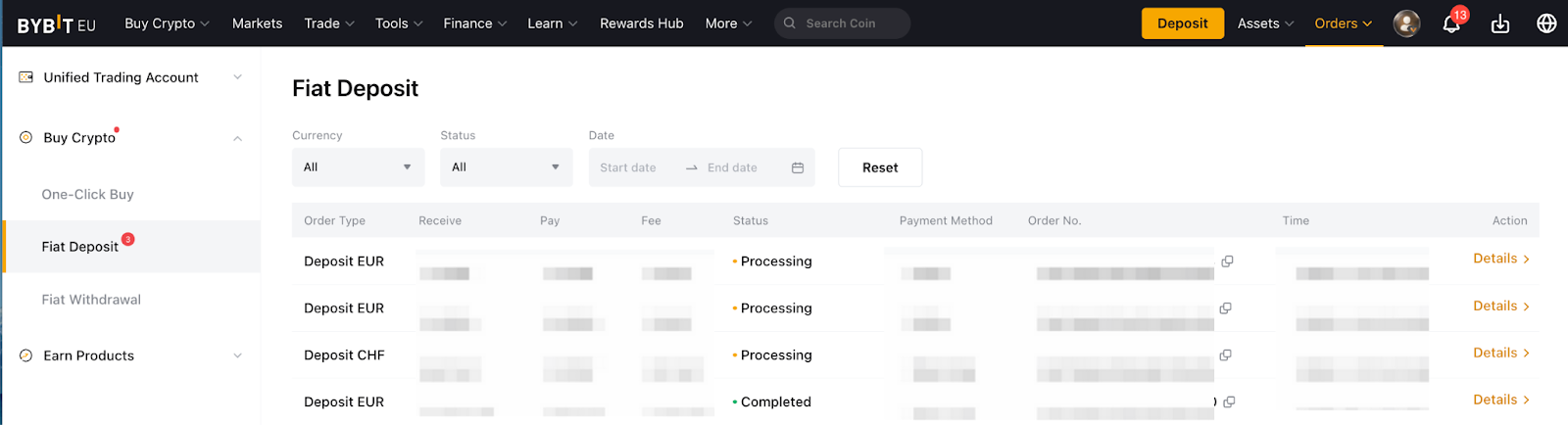
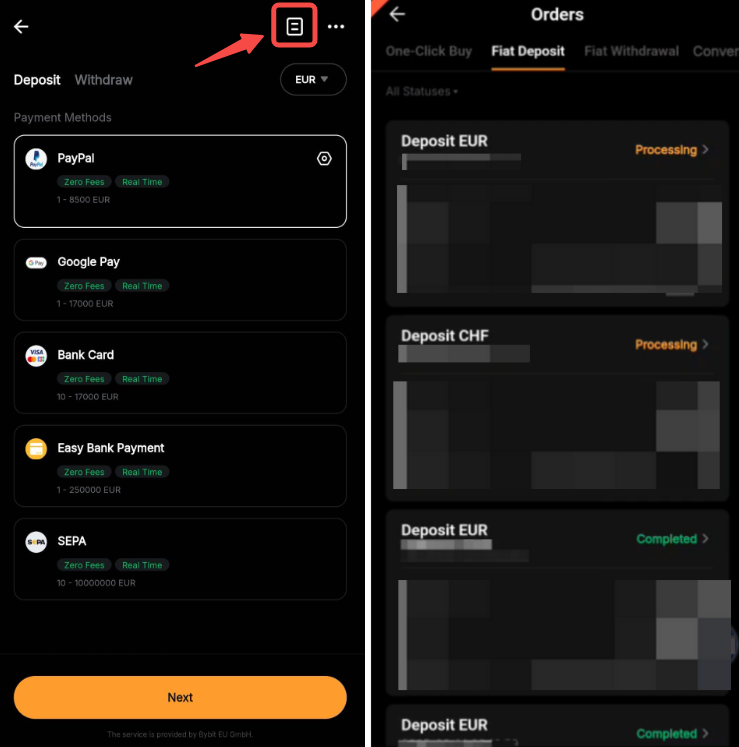
Where can I check my order status?
Your order details can be found on the order page.
Why does my fiat deposit order status show "Deposit Processing"?
In order for your deposit order to be completed, you will need to submit additional information. Please check your mailbox and follow the instructions in the email to provide the required information. In case you did not receive the email, we recommend placing a new Fiat Deposit order on the Bybit EU website or visiting the Fiat Deposit Order page and hovering your mouse over the red question mark to submit the verification documents.

Why does my fiat deposit order status show "Processing"?
If your fiat deposit order has passed the processing time indicated and the payment has not been deducted from your bank account, you may disregard this order and proceed to place a new fiat deposit order. The "Processing" status should be updated shortly after the processing time is over. If your payment was deducted from your bank account and the status is still "Processing" after 3 business days, kindly submit a request here.

Why does my fiat deposit order status show "Refund Processing"?
This means a refund is required, primarily due to KYC name mismatch or rejection by our service providers.
When a refund is required, you will need to submit the refund details on the Buy Crypto Order page → Fiat deposit → hover to the Refund Processing and click on Submit. Alternatively, you may also find the submission portal here. Please follow the instructions and submit the relevant documents which will be reviewed within 48 hours. Then, the refund process will take approximately 7-14 business days for the bank to refund.
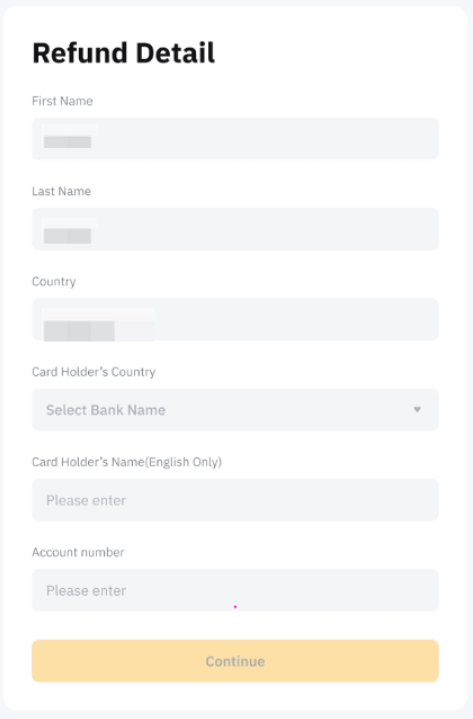
Note: Please ensure that you use the bank account or e-wallet account that matches your Bybit EU KYC information when making a payment. Using someone else's account may result in the payment being refunded.
Why does my fiat deposit order status show "Failed" even though I have made the payment?
Please contact your bank or service provider to check if the payment is successful or if it has been reversed. If you have confirmed that the payment was successful, please submit a request here so that the relevant team can investigate further.
Why is my fiat deposit frozen?
Some fiat deposits can be frozen for some time due to a transaction review by our risk team. You will receive an email with more information about the status of your deposit once a transaction triggers a review. Please note that this review may take up to 48 hours.
Where can I view my order history?
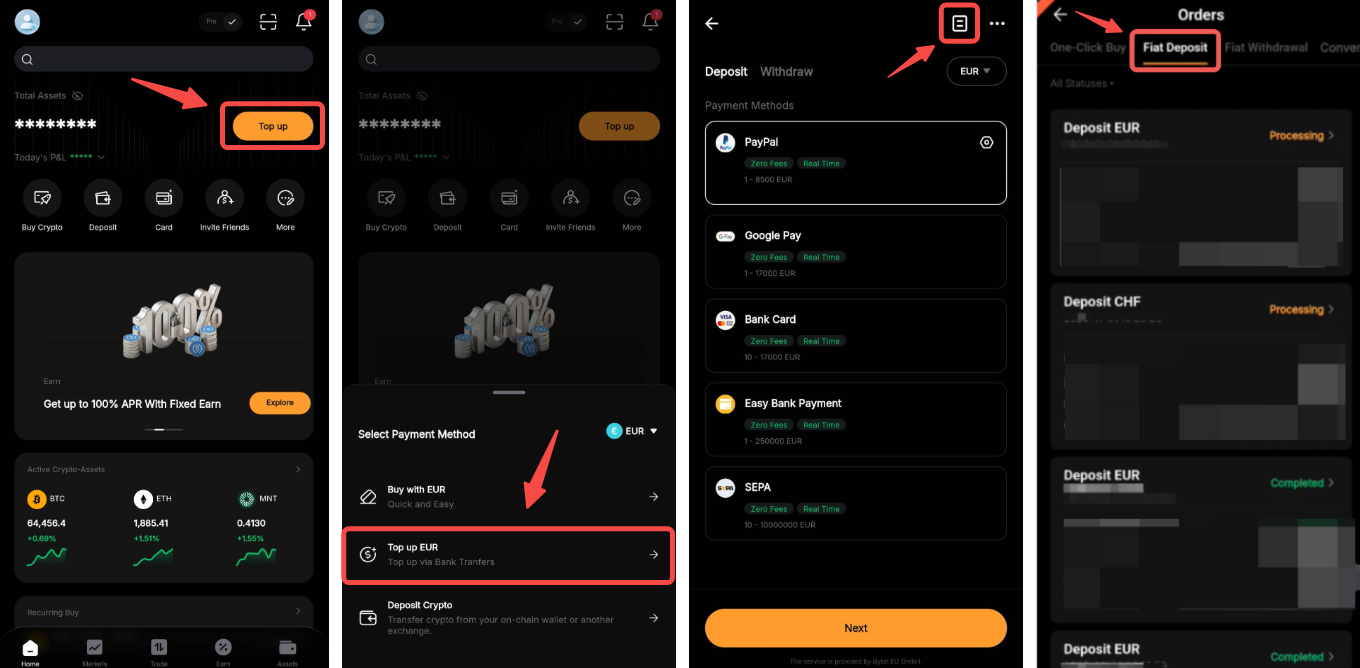
To view your order history, please click on Orders → Buy Crypto Order on the upper right corner for more details.
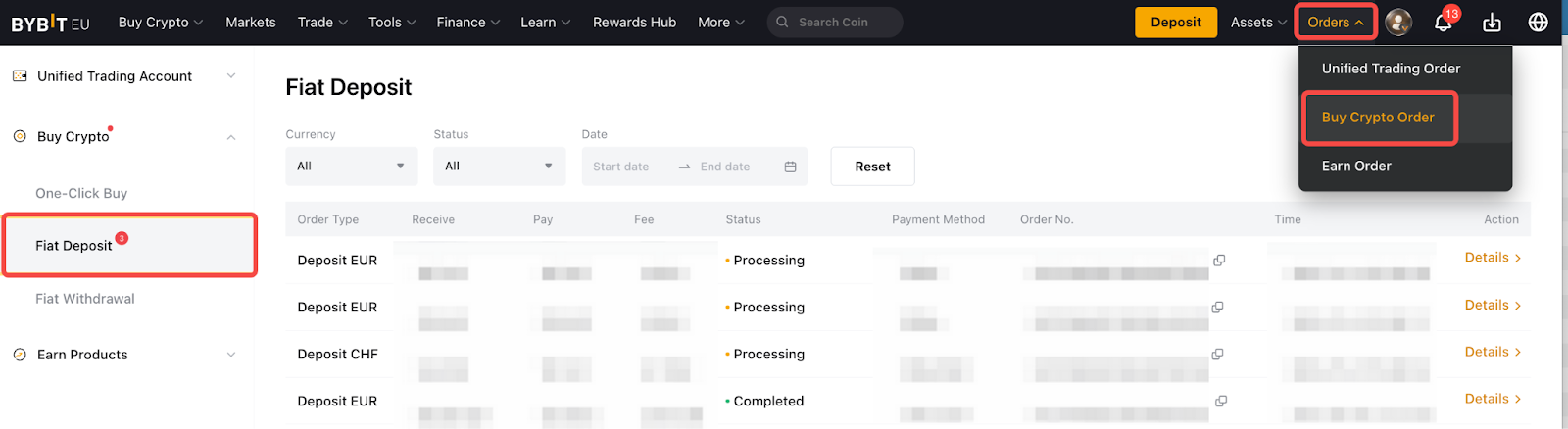
On the App, please go to the Homepage → tap Top Up → Top Up EUR → click on the paper icon located at the upper right corner.