
Here’s a step-by-step guide to help you easily log in to your Bybit EU account on your computer via the Bybit EU App.
Step 1: Please head to the login page on the Bybit EU website and click on the interactive yellow QR code in the upper right corner.
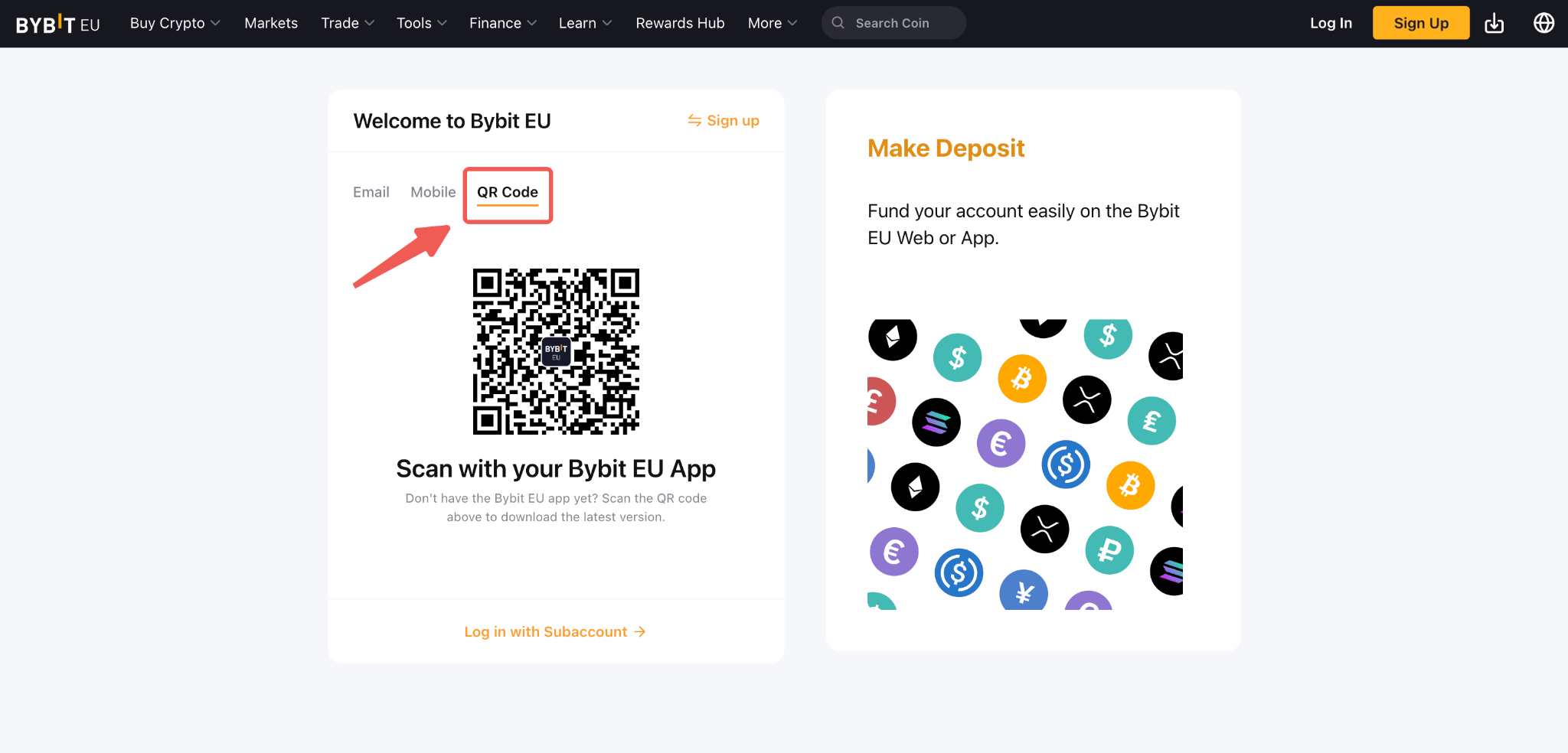
Note: if you have not yet installed the Bybit app on your device, you can also scan the QR code above to download the latest version.
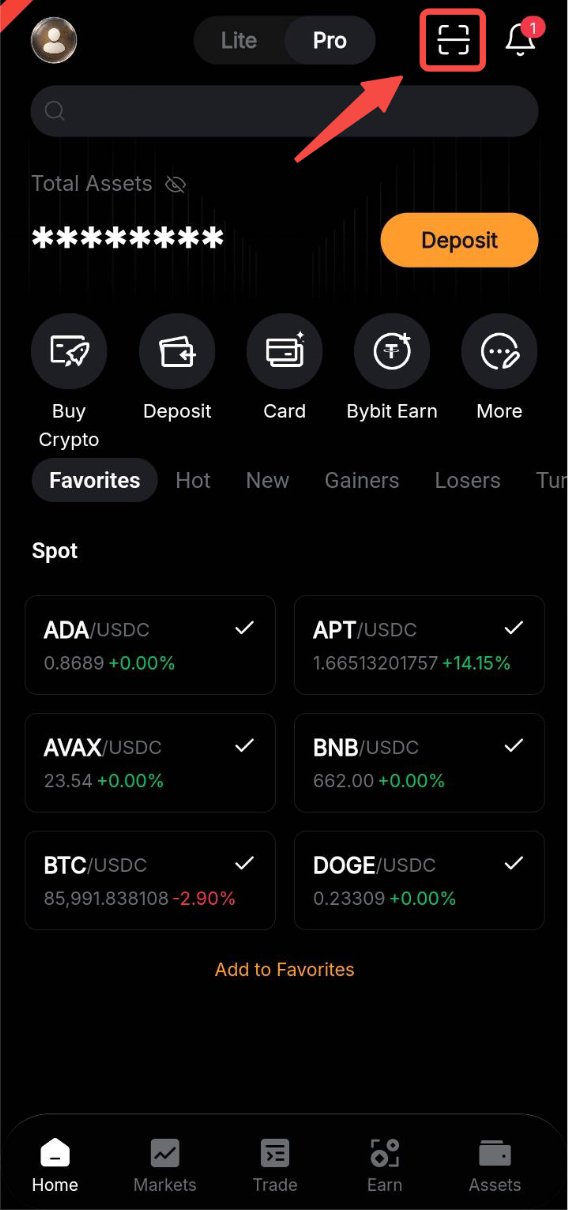
Step 2: Open the Bybit EU app and tap the QR code scanner icon in the upper right corner. Please make sure you are logged in to your Bybit EU app.
Step 3: Scan the QR code with the Bybit EU app, then click on login.
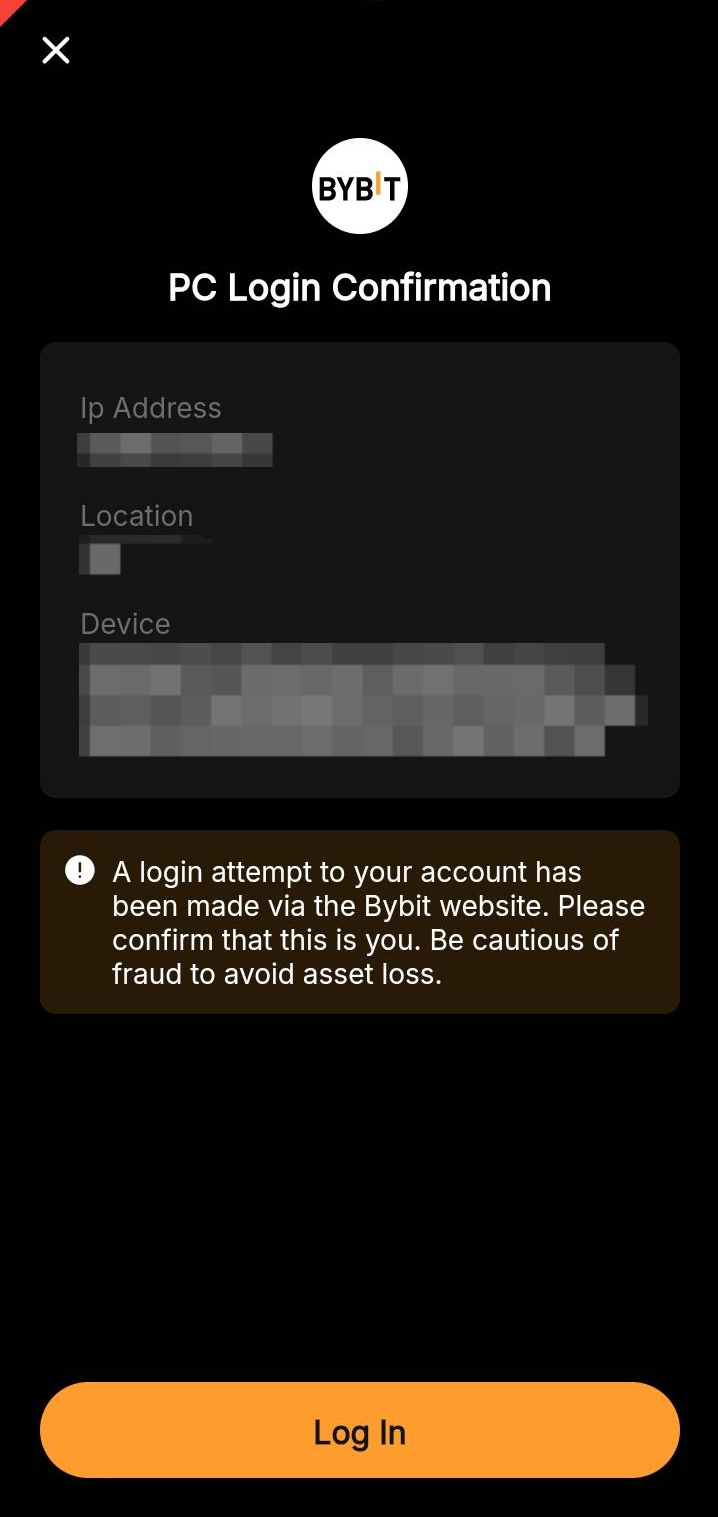
Congratulations! You have successfully logged in.