
Bybit EU provides a simple and convenient way for users to submit inquiries and receive support. Follow the steps below to ensure a smooth process and timely resolution of your inquiry.
Step 1: Visit the Bybit EU Help Center and click on Submit Case.
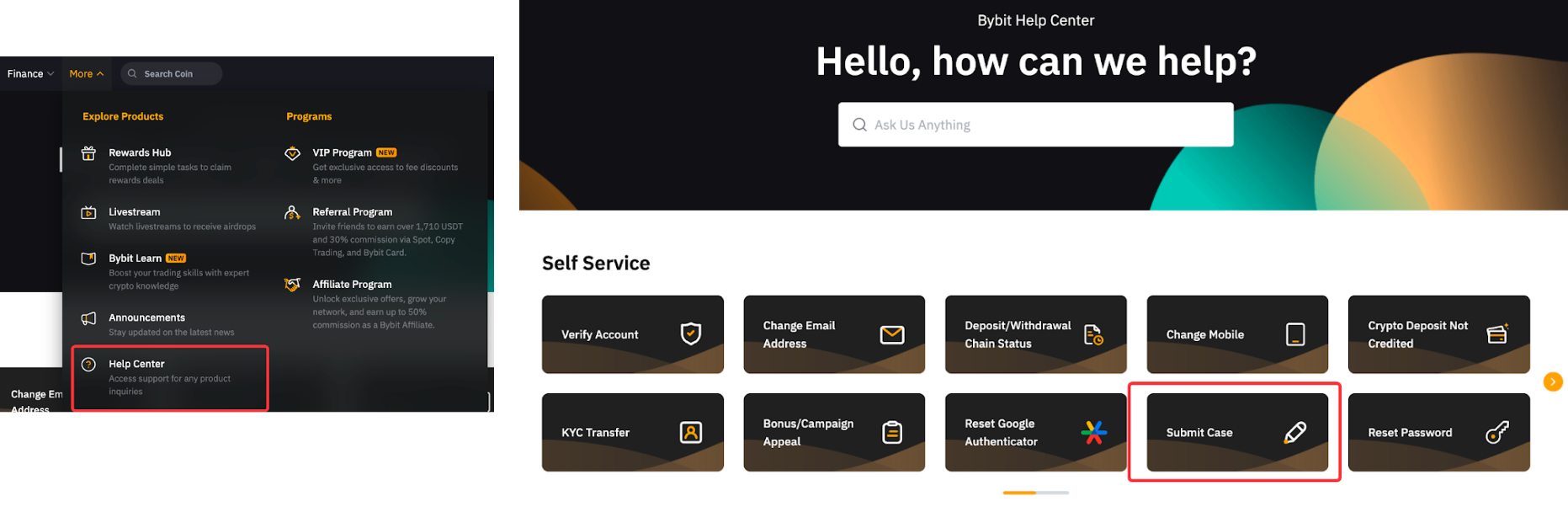
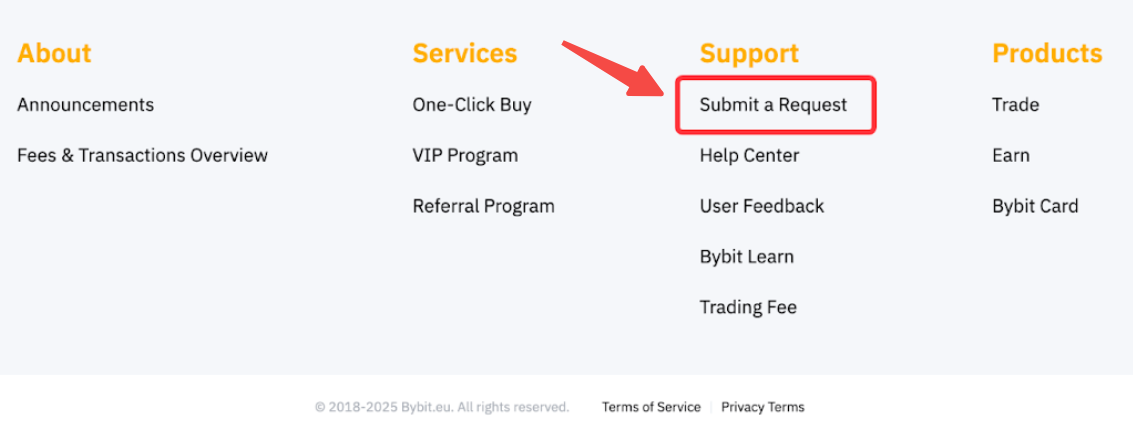
Alternatively, on the Bybit EU Homepage, scroll to the footer and click on Submit a Request.
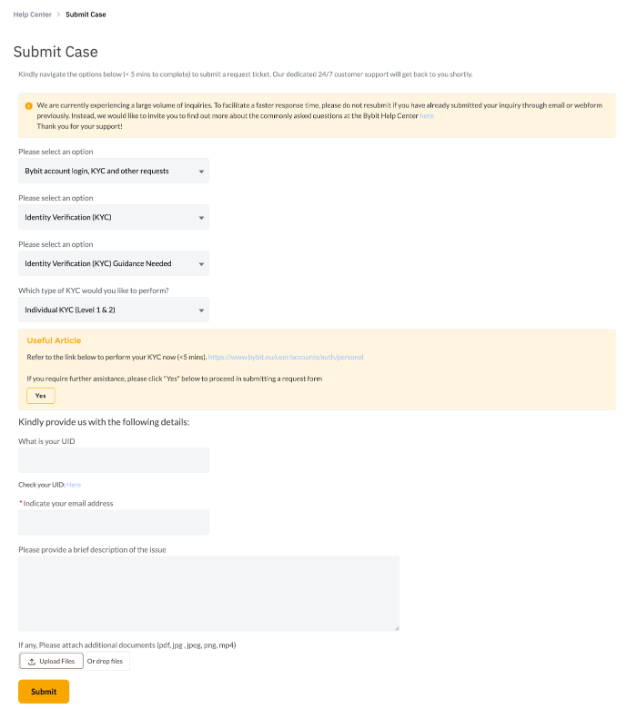
Step 2: On the Submit Case page, select the category that best fits your inquiry. Then, provide the following details:
- User ID (UID): Your unique Bybit account identifier.
- Contactable Email Address: Ensure this is valid to receive updates.
- Relevant Transaction ID/Order ID (if applicable): You can find this information in your transaction/order history. Please consult this article for a detailed guide.
- Detailed Issue Description: Clearly explain the issue with as much detail as possible.
- Attachments (if applicable): Upload supporting documents, such as screenshots or transaction records.
Important: Avoid submitting duplicate requests, as this may delay the response time.
Step 3: After submitting your request, you will receive an auto-generated email with a confirmation and case number. The Customer Support Team will review your inquiry and respond within 5 working days.
Note: Submitting a support ticket or complaint is free of charge. Bybit EU offers a standard complaint filing template, which can be downloaded here. However, using this template is not mandatory. We recommend submitting your case through the official webform for a faster resolution.
For further assistance, visit the Bybit EU Help Center.