
What is Bybit Pay?
Bybit Pay seamlessly connects your crypto wallet to a world of possibilities, enabling effortless deposits and withdrawals in fiat and cryptocurrencies. With Bybit Pay, you can enjoy a smooth and efficient payment experience across various platforms, including websites, mobile apps, and POS systems, making crypto payments more accessible and convenient.
Who is eligible to use Bybit Pay?
Bybit Pay is available to users who are from service-supported countries and who have completed Identity Verification on Bybit EU. For more information on the list of restricted countries, please read Service Restricted Countries.
How can I access Bybit Pay?
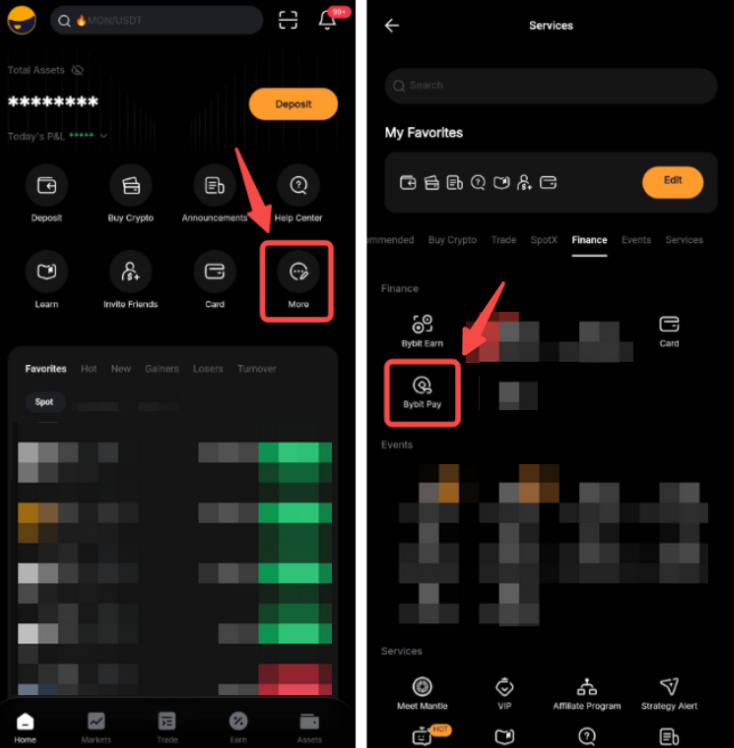
If you are on the Bybit EU App, first launch the App and log in to your account. Search for Bybit Pay or tap on More located on the home page, then tap on Bybit Pay.
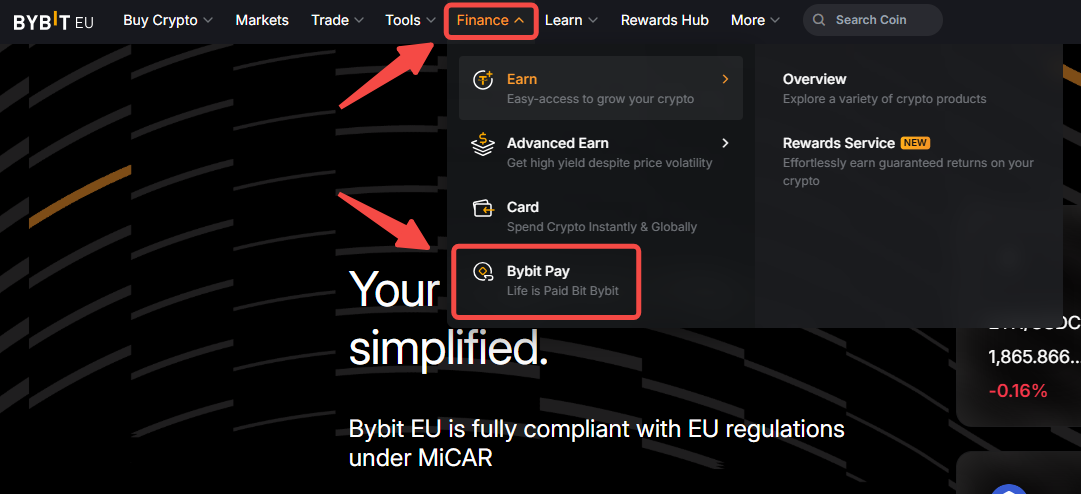
If you are on Bybit EU’s Website, click on Finance → Bybit Pay
Are there any fees associated with Bybit Pay?
There will be no transaction fees charged by Bybit EU. However, please note that there is a 1% conversion fee if you exchange from other cryptocurrencies to USDC.
Which currencies does Bybit Pay support?
The currencies for Bybit Pay are composed of one fiat currency and multiple crypto assets:
How to set the payment priority order on Bybit Pay?
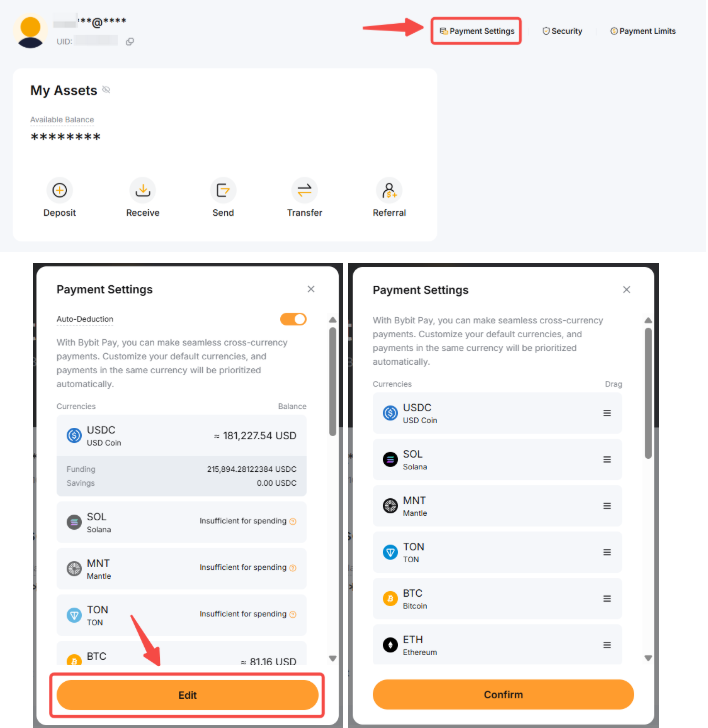
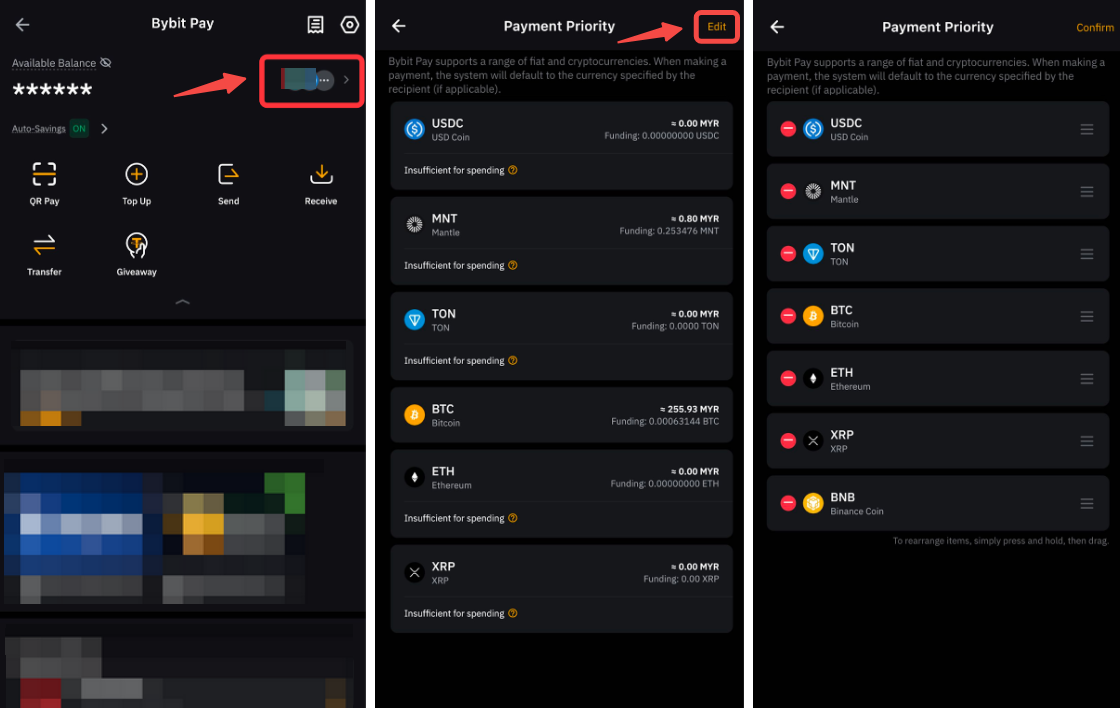
Go to Bybit Pay page → Payment Priority → Edit → Tap on the remove/add button, and drag to adjust the sequences.
Is there a transaction limit per user?
Yes, there are transaction limits (in EUR value) as listed below for details:
Note: Send & Receive orders include sending payment to, and receiving payment from other Bybit Pay users and merchants through internal transfer using their account details or QR codes.
How to top up from Bybit Pay?
Bybit Pay currently uses the Funding Account for top up. There is a deposit option available, allowing you to transfer funds into your Funding Account. You can transfer all supported payment currencies into the Funding Account.
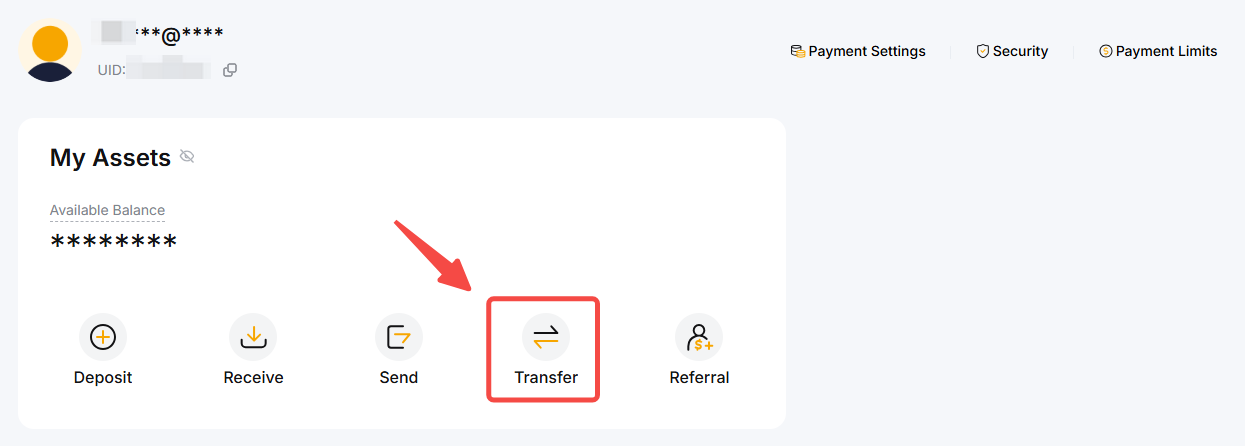
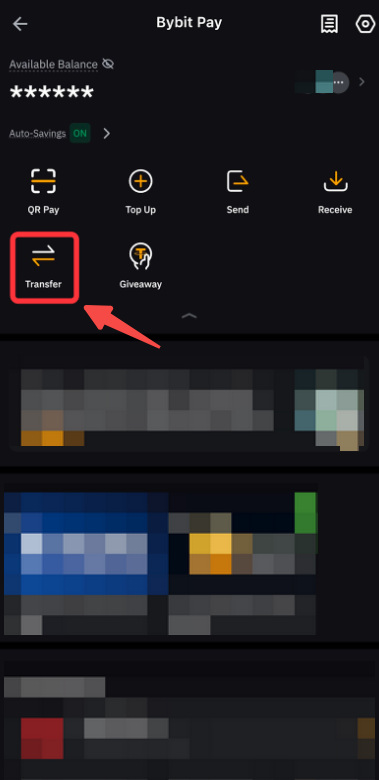
To learn more about How to Transfer Assets on Bybit EU, please click here.
How long does it take for the Bybit Pay transaction to be completed?
Bybit Pay transactions are usually confirmed instantly. However, sometimes it may take up to 40 seconds to process.
What are the potential error messages I might encounter when using Bybit Pay, and how can I resolve them?
In what situation can my Bybit Pay not be used?
Your Bybit Pay may not be used in the following situations:
1. Account Restriction: If your Bybit Pay account is restricted due to security concerns, verification issues, or policy violations, transactions will not be processed.
2. Exceeding Limit: Transactions will fail if you attempt to spend beyond your account's daily, monthly, or total spending limits.
3. Merchant's Issue: If the merchant does not support Bybit Pay or is experiencing technical issues, your payment may not go through.
If my last spending on a Bybit Card was 27,000 EUR, and I'm trying to spend another 1,000 EUR, will the transaction go through successfully?
If you have created a Bybit Pay account, the 1,000 EUR will be spent using Bybit Pay. However, if you have not created a Bybit Pay account, the transaction will fail, and you will be prompted to create a Bybit Pay account.
Is the Bybit Pay spending limit included in my Bybit Card spending limit?
No, Bybit Pay does not share the spending limit with the Bybit Card.
How to check my transaction history of Bybit Pay?
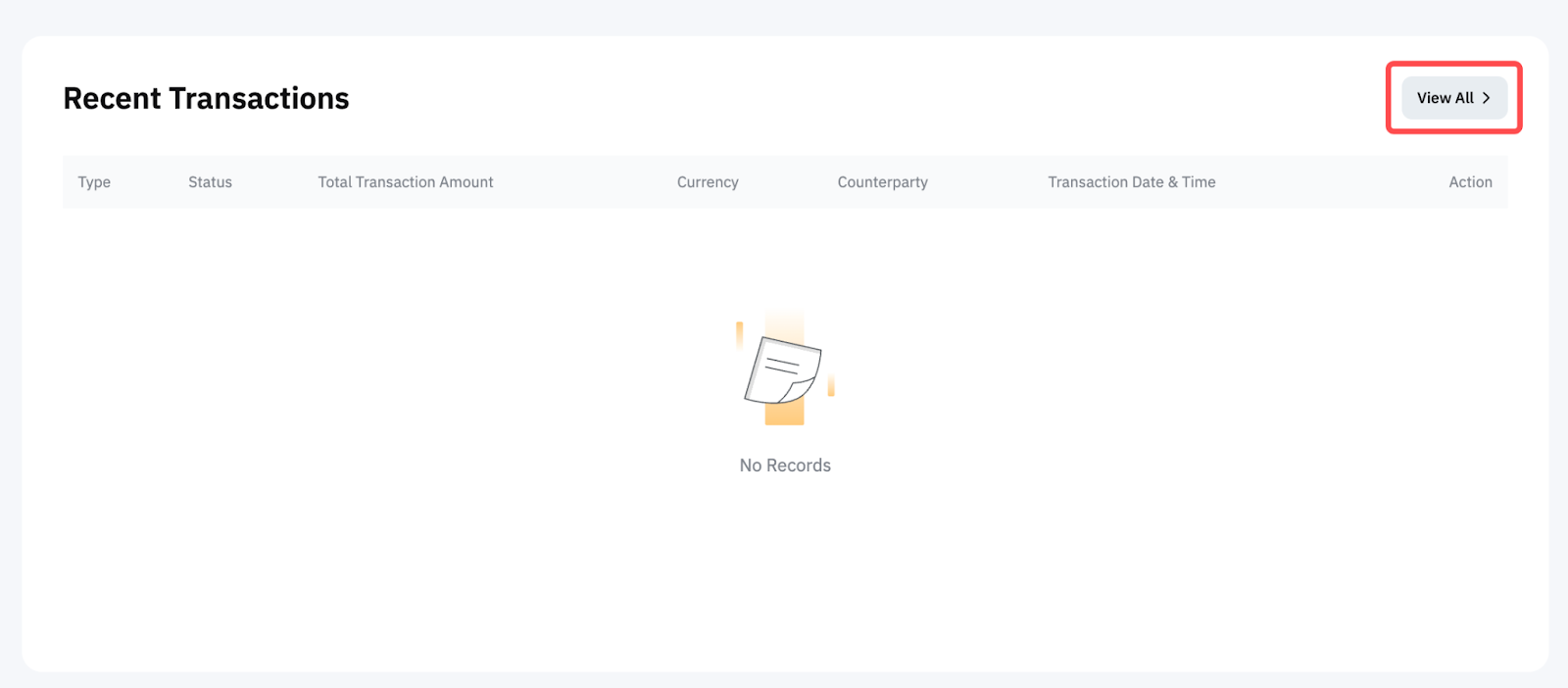
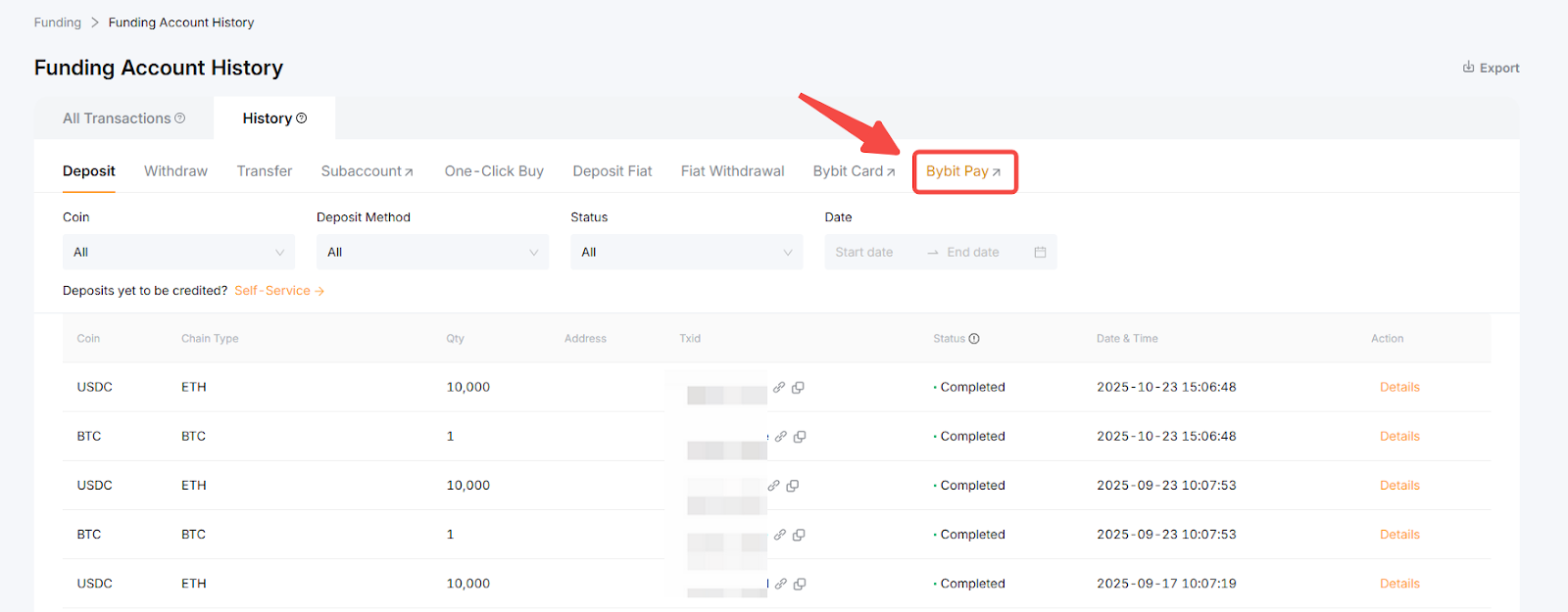
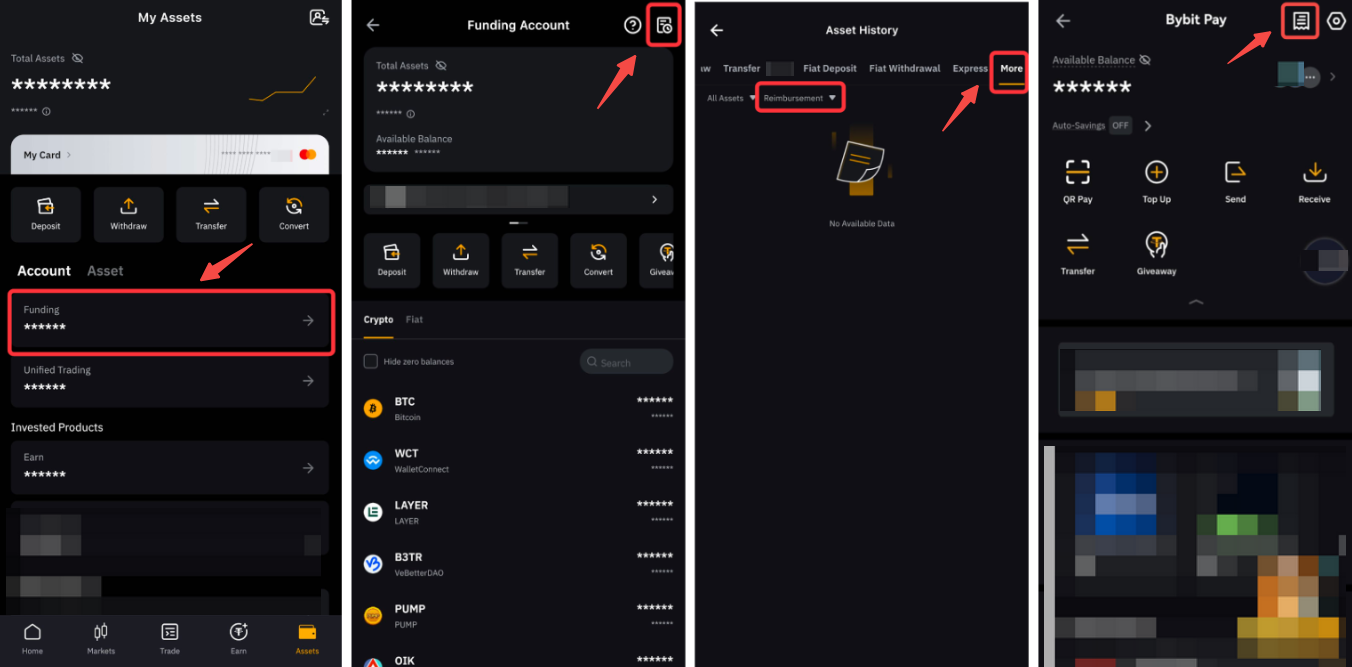
On the website, go to the Bybit Pay page, scroll down to the bottom to find the Recent Transactions, and click View All. Alternatively, you may find the transaction history by going to the Funding account → History → Bybit Pay.
On the app, go to Assets → Funding account → More, then filter the type to Bybit Pay. Alternatively, you may go to the Bybit Pay page and tap on the Paper icon in the top right corner.
How can I distinguish between Bybit Pay and Bybit Card transactions in my records?
You can differentiate between Bybit Pay and Bybit Card transactions by the detail titles: Payment Details for Bybit Pay transactions and Transaction Details for Bybit Card transactions.
How can I enable Password-Free Payments?
You can enable Password-Free payments from your Bybit Pay Settings → Payment Security.
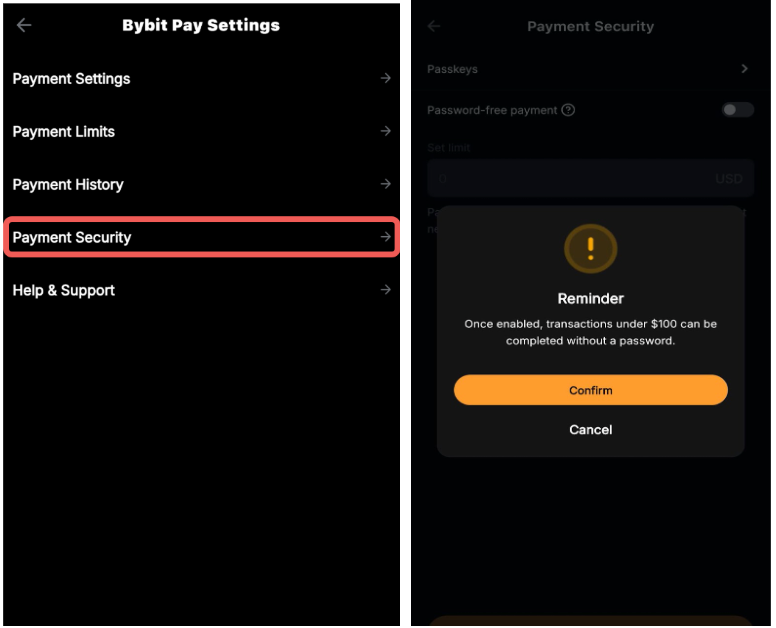
Note: Once enabled, only transactions under 100 EUR can be completed without a password.