
Bybit EU offers different accounts tailored for specific purposes, helping traders efficiently manage their funds. This guide explains how to use the Assets Overview page to monitor your fund distribution across various accounts and understand the average cost of your assets on the website.
Accessing the Total Assets Overview
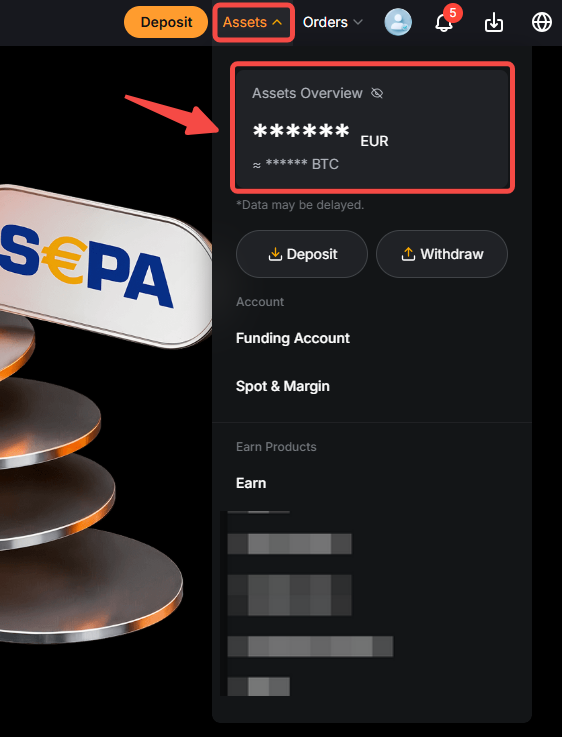
To access and manage your assets, hover over the Asset button and click on the Assets Overview.
Key Sections
Overview
Now, let’s have a closer look at the different account pages and the functionalities available within them.
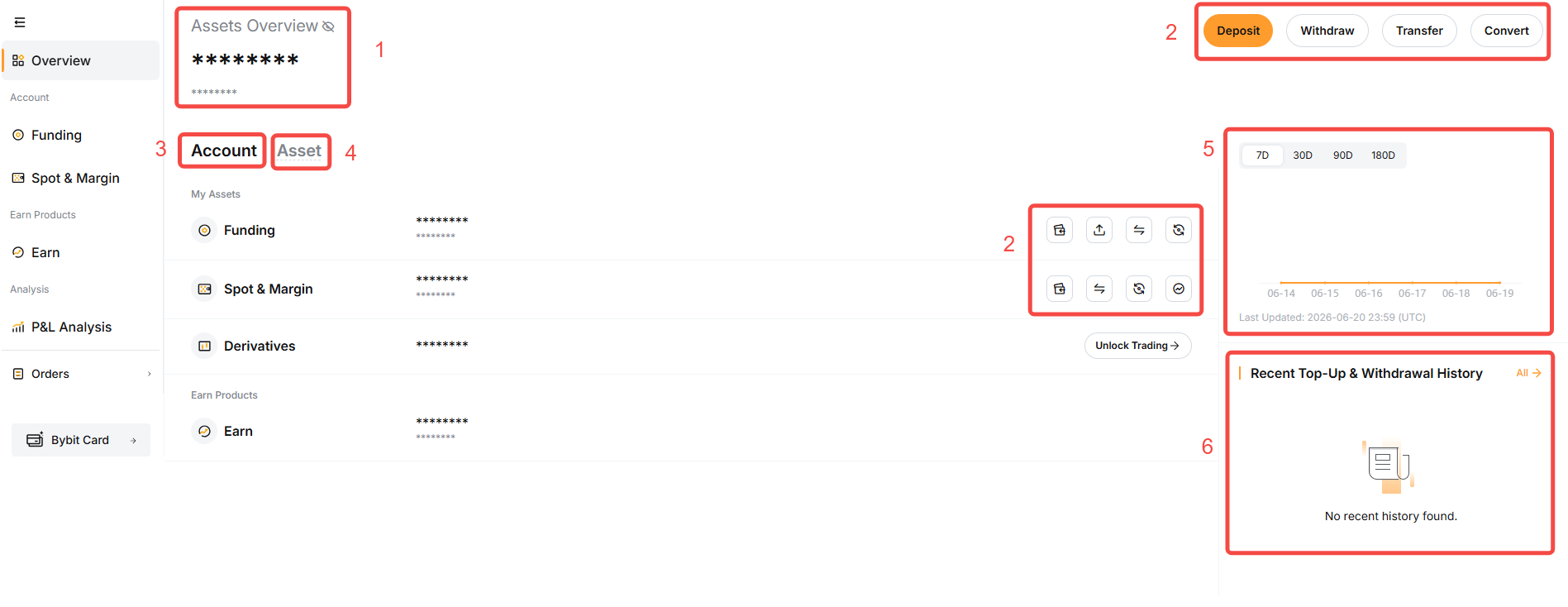
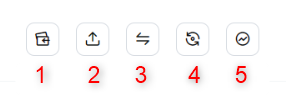
Account Overview
In addition to the primary account, users can view the amount of funds invested in specific financial products as outlined below.
Asset Overview
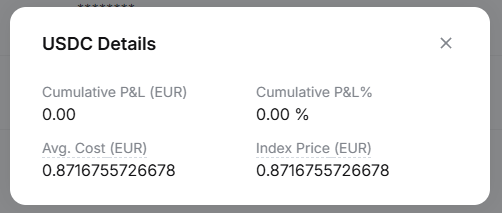
From the asset overview, you can see your current asset holdings and its average cost. By clicking the Details, you can view additional key metrics such as Cumulative P&L (EUR), Cumulative P&L (%) and the current Index Price of the assets.
Please note that these values change in your asset amounts in Funding Account and Unified Trading Account. It is for reference only and does not guarantee absolute accuracy.
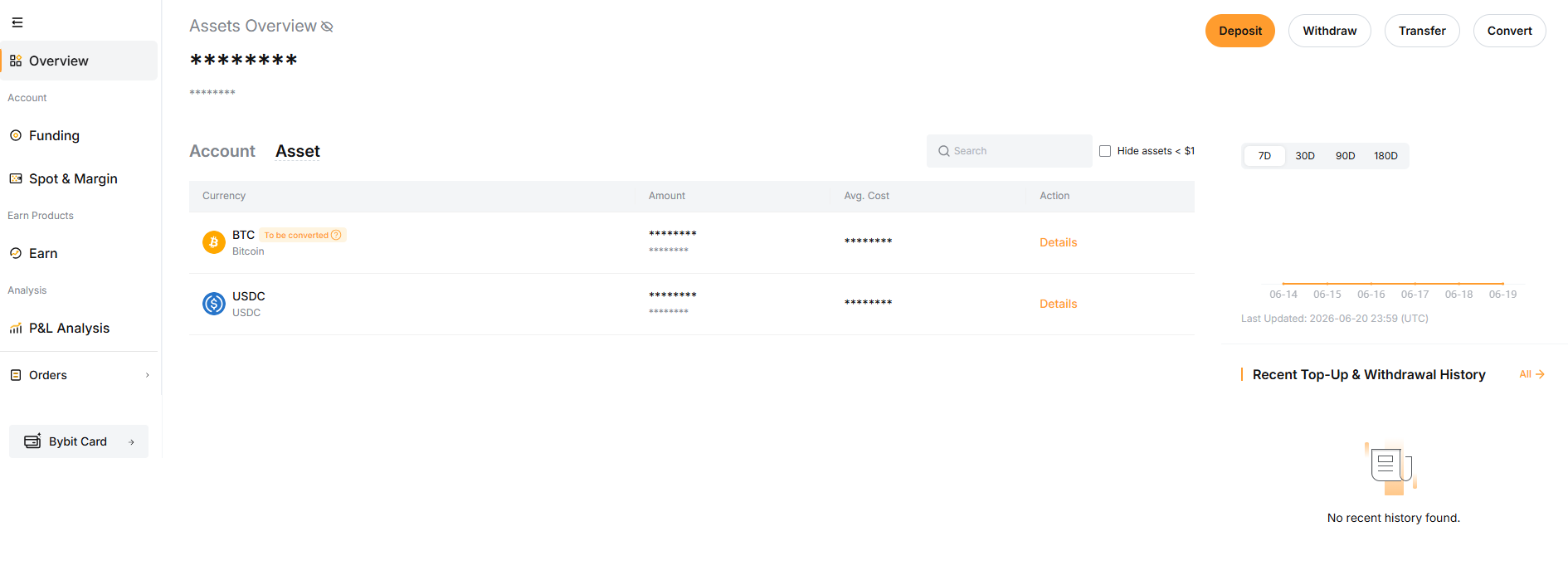
The calculation for each data is outlined as follows:
Disclaimers
- Bybit Earn is not a regulated product under Regulation (EU) 2023/114 (“MiCAR”). By subscribing, you transfer full legal and beneficial ownership of the crypto-assets to Bybit EU GmbH. While subscribed, your assets are no longer held in custody for you and may be used by Bybit EU for its own account. You retain only a contractual claim, without ownership or security rights, and MiCAR client asset protections do not apply.
- Investing in crypto-assets is associated with risks, including high volatility and the potential loss of capital. Inform yourself thoroughly about the risks before making an investment decision. This content constitutes a marketing communication within the meaning of the Markets in Crypto-Assets Regulation (MiCAR) and is provided by Bybit EU GmbH. It does not constitute investment advice.