
To support document updates due to expiration or identity information changes, Bybit EU provides a self-update Proof of Identity (POI) service, allowing you to update your documents without resetting your existing KYC verification. Please find below a detailed guide on how to update your Proof of Identity (POI).
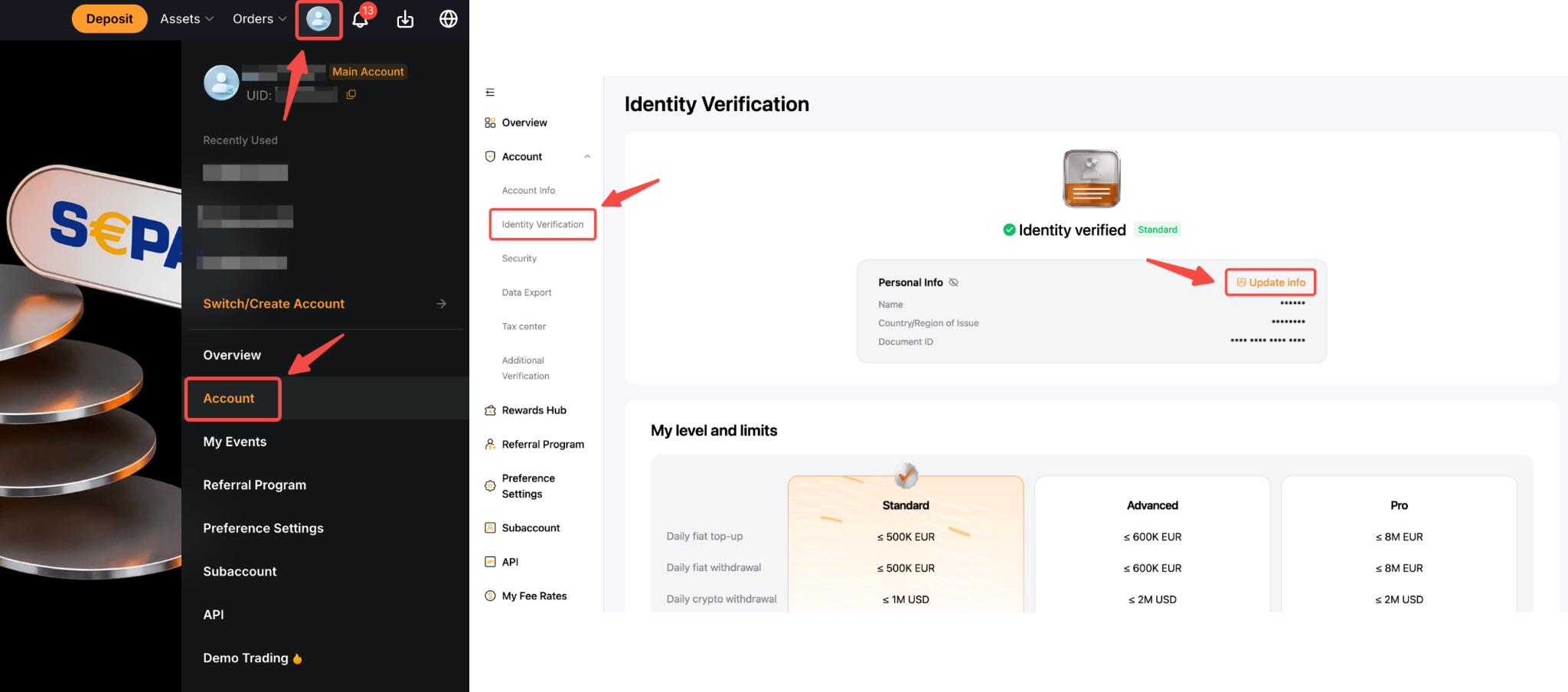
Step 1: Hover your cursor over your profile icon and click on Account. Next, select the Identity Verification page and tap Update Info.
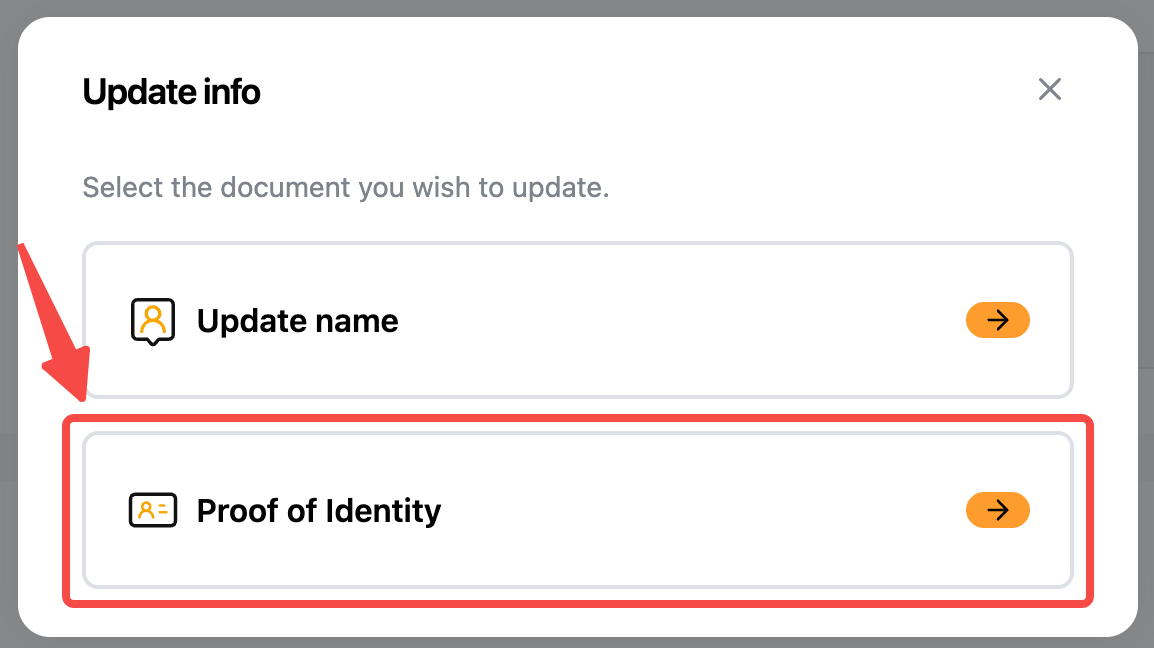
Step 2: Select Proof of Identity.
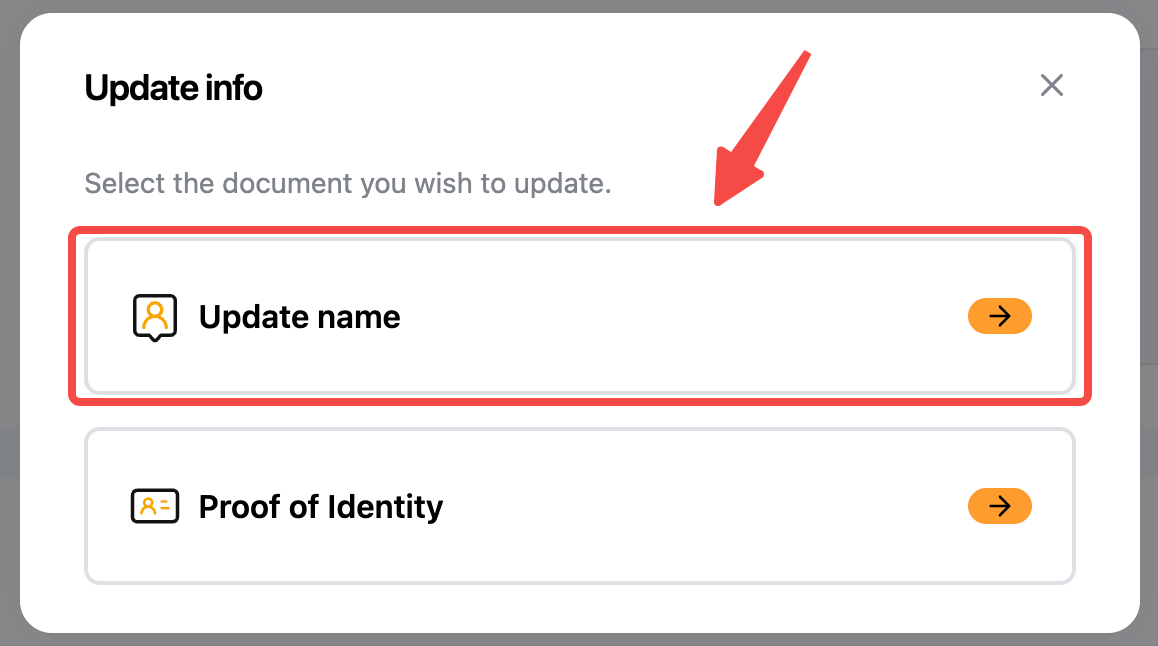
Note: You can update your name by tapping Update name if there are character recognition issues, an incorrect name order, or extra characters.
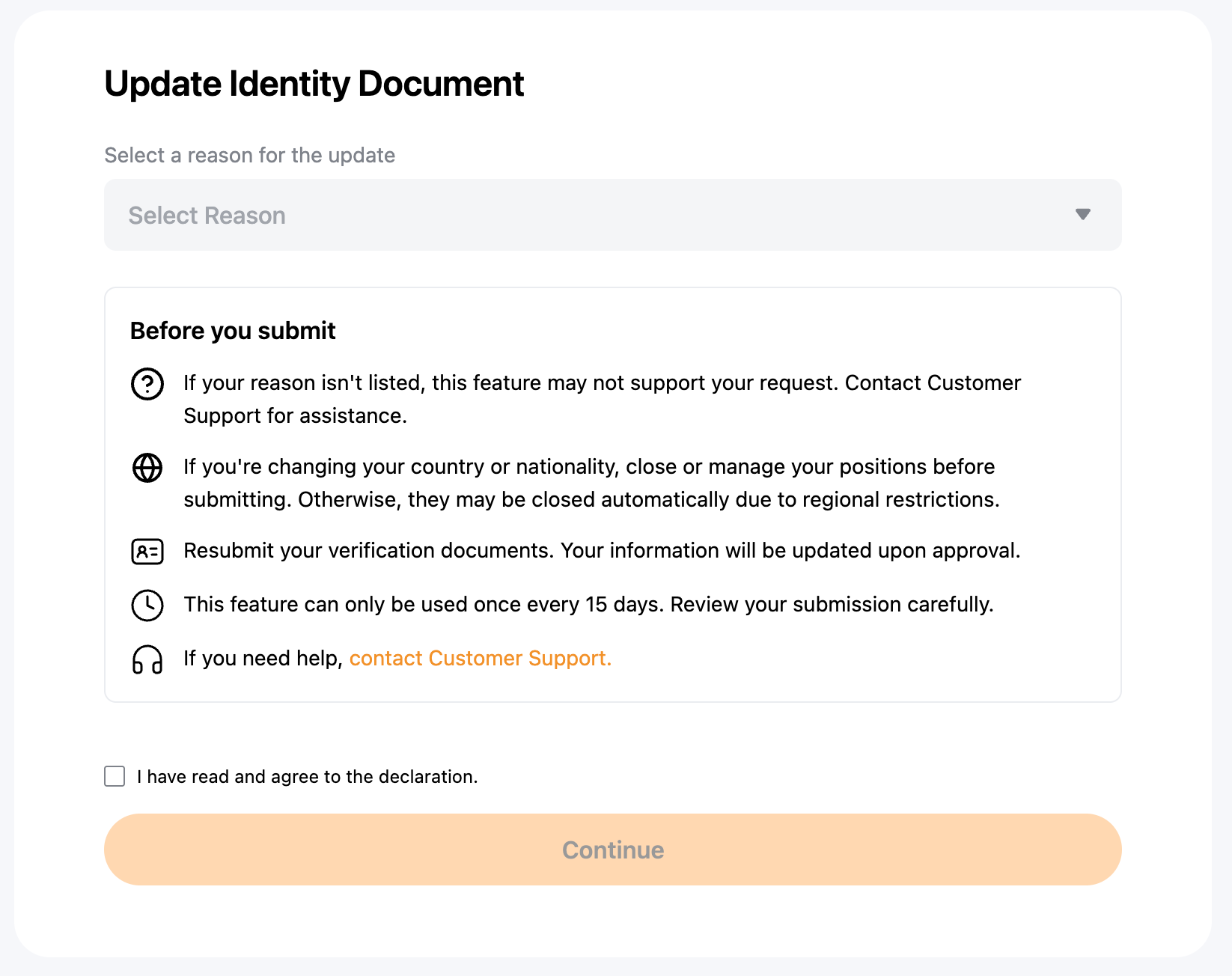
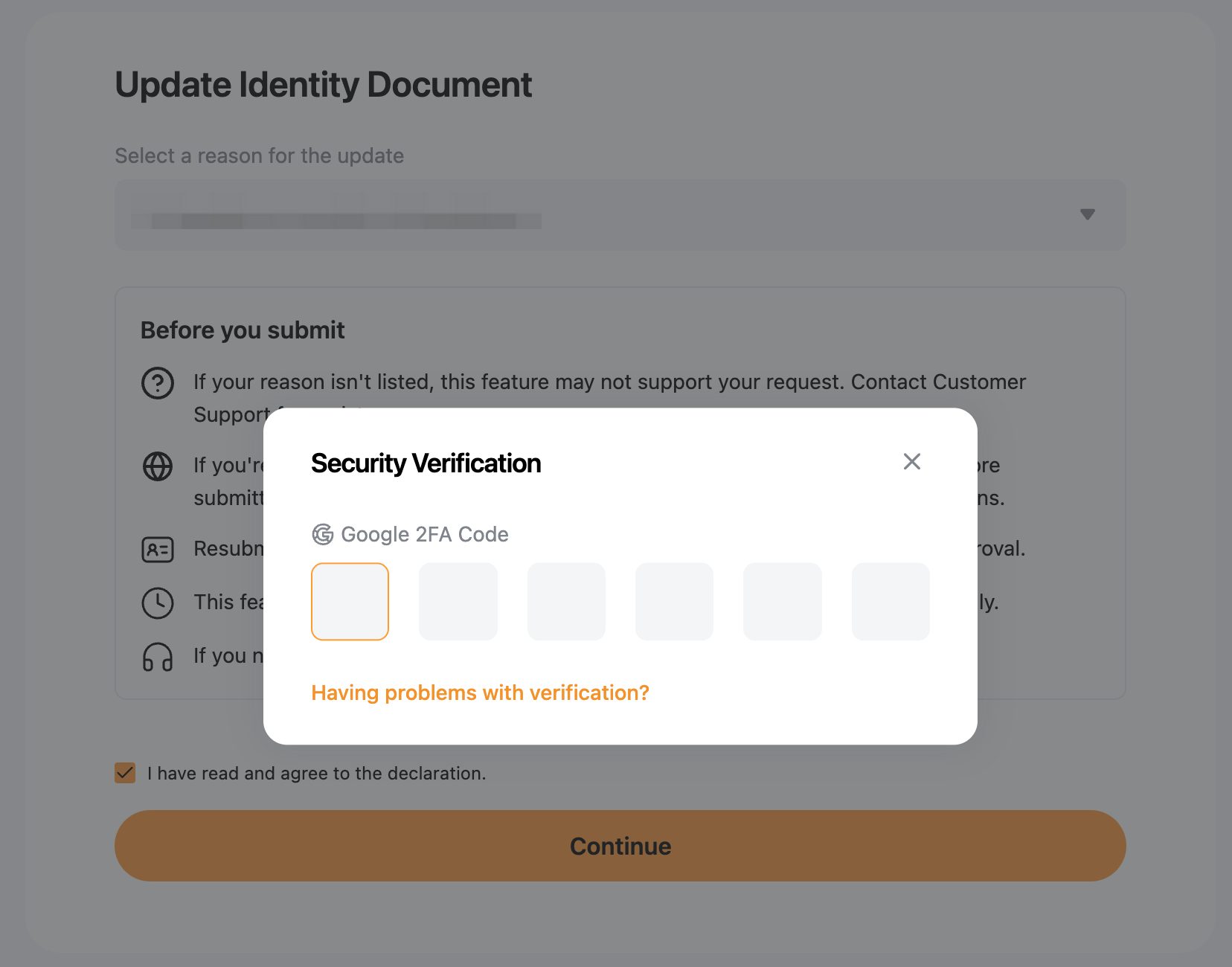
Step 3: Select the reason for updating your identity document. Read and acknowledge the disclaimer by ticking the checkbox, then tap Continue to proceed.
Step 4: Follow the on-screen instructions to complete the verification process. This may include Security Authentication and/or Facial Verification.
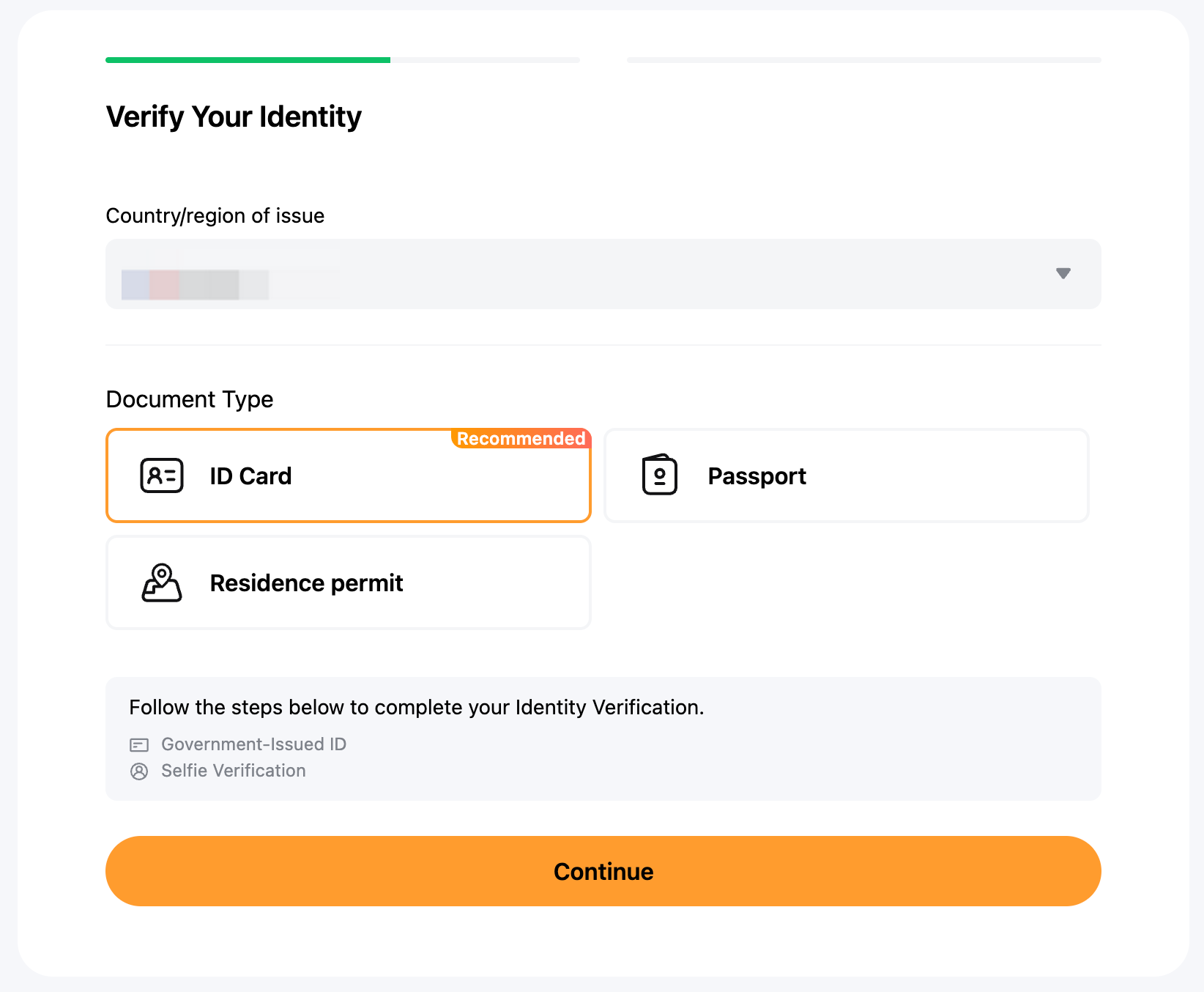
Step 5: Submit your updated Proof of Identity by completing the Standard Verification process as usual.
Notes:
- The update process takes approximately 15 minutes, excluding review time if additional checks are required.
- Please ensure all information and documents provided are accurate and valid to avoid verification delays.
- After updating your Proof of Identity (POI), you must wait for 15 days before submitting another request.
Disclaimers
- Services are available exclusively to residents of the European Economic Area (EEA), with the exclusion of Malta.
- Investing in crypto‑assets is associated with risks, including high volatility and the potential loss of capital. Inform yourself thoroughly about the risks before making an investment decision. The information provided herein is strictly for educational and informational purposes and should not be construed as financial or investment advice.