
Here is a step-by-step guide on how to delete an API key on Bybit EU. Please note that the deletion of API keys can only be done on the website.
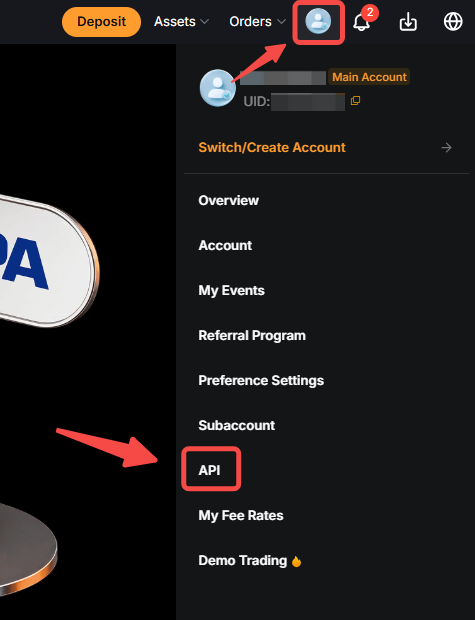
Step 1: In the top right corner of any Bybit EU webpage, hover your cursor over your profile icon and click on API to open the API Management page.
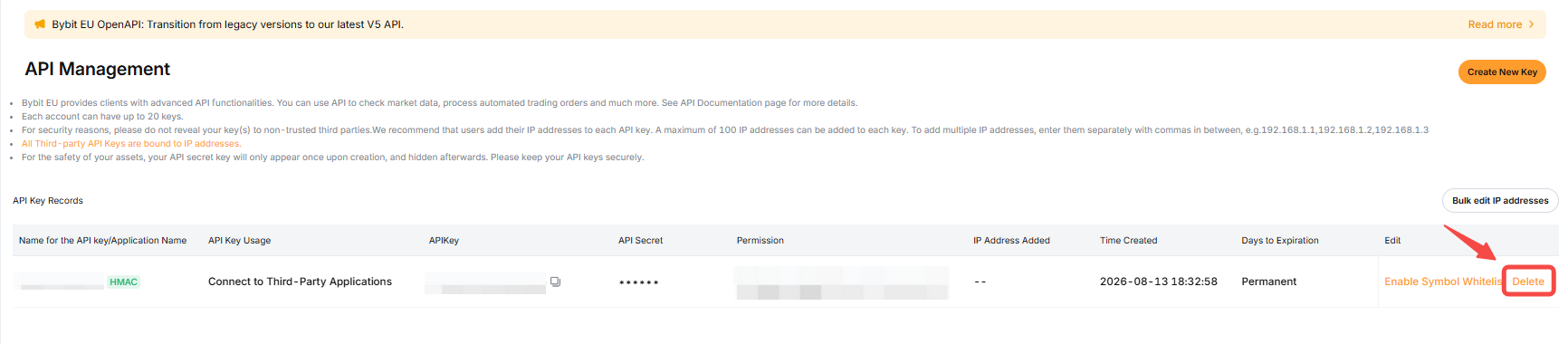
Step 2: Inside the API Management page, under the Edit column, click on the Delete button.
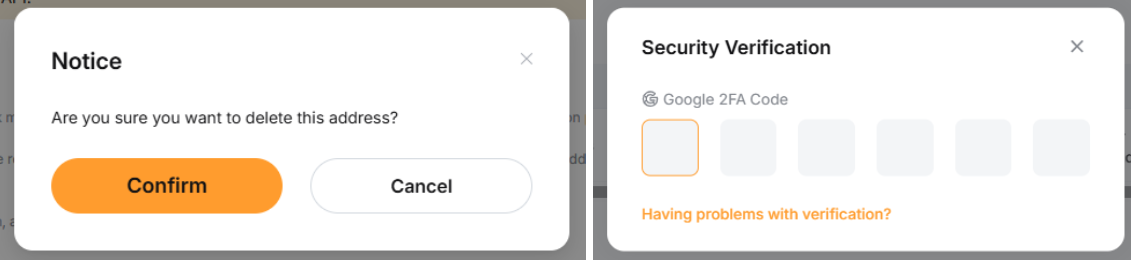
Step 3: Confirm the deletion by clicking on the pop-out Confirm button and completing the security verification.
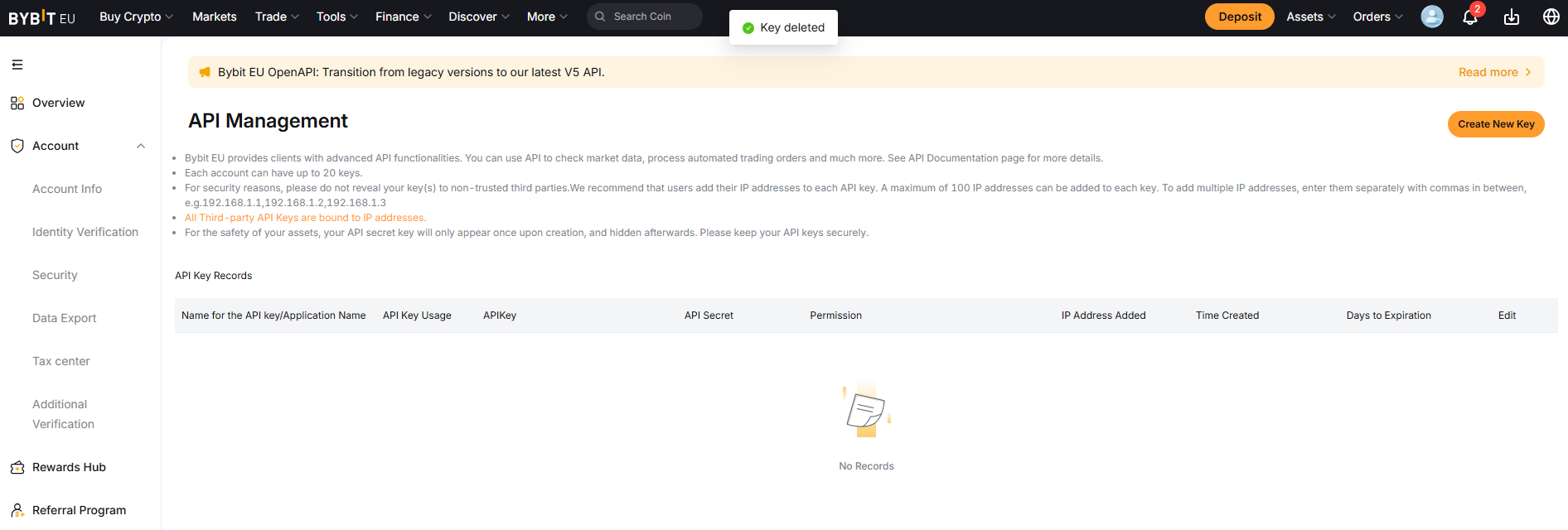
You have successfully deleted your API key!
Disclaimer
- This is a marketing communication provided by Bybit EU GmbH.
- Investing in crypto-assets is associated with risks, including high volatility and the potential loss of capital. Inform yourself thoroughly about the risks before making an investment decision. The information provided in this article is strictly for educational and informational purposes and should not be construed as financial or investment advice. This content constitutes a marketing communication within the meaning of the Markets in Crypto-Assets Regulation (MiCAR) and is provided by Bybit EU GmbH.